Pocket Printer A6 User’s Guide
SiPix Technical Support http://www.sipixdigital.com/support/
10
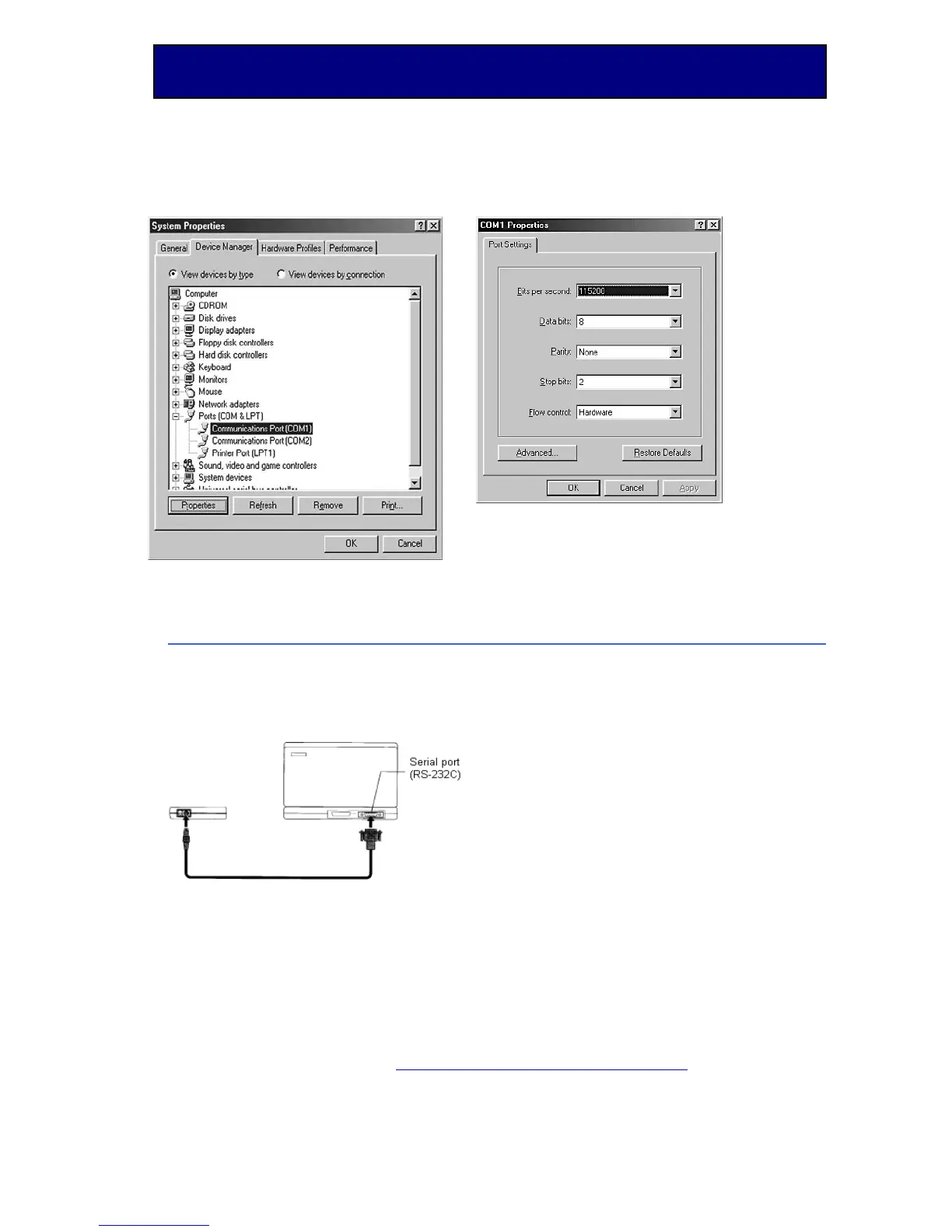
Figure A Figure B
Using the Pocket Printer A6 on a PC
Using the RS-232 (Serial) Printer Cable
After the Pocket Printer A6 driver is installed, connect the printer RS-232 cable as
shown in the diagram below.
Using the Infrared Port
Ensure that your PC has built-in infrared port (IrDA1.0), and that it is setup and
active. Position the printer such that the parallel distance between the printer’s
infrared port and PC’s infrared port is no more than 12” (30cm), and the angle
between the computer and printer is no more than 15 degrees.


 To Next Page