Pocket Printer A6 User’s Guide
SiPix Technical Support http://www.sipixdigital.com/support/
7
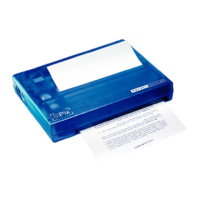
1. The bright white side of the sheet paper should be face-up while loading
the paper.
2. A beep will chime indicating the paper has loaded successfully
Note: Do not use sheet paper and roll paper simultaneously
Installing the Driver Software for the Pocket Printer A6
Windows 98/98SE/ME
Insert the SiPix Pocket Printer A6 CD into the CD-ROM drive. The CD should auto
run, otherwise, go to Start Æ Run; enter D:\SiPixMenu.exe (where D:\ is your
CD-ROM drive)
From the Installer Menu click on “Install Windows 98/98SE/ME Printer Driver”
The Welcome screen will appear, click “Next” to continue setup
In the Add Printer Wizard screen, click “Next” to continue setup
The following screen will show you a list of manufacturers and drivers, click the
“Have Disk” button, and then “Browse”, type in D:\Windows (where D:\ is your
CD-ROM drive) and click OK.
On the next screen highlight “SiPix Pocket Printer A6” and click “Next”
Select “COM1: Communication Port” (or Com 2, the one to which the printer is
connected) and click “Next”
The system will start installing the driver at this point you will need to put in your
Windows 98 CD. If your computer did not come with a Windows 98 CD then the cab
files should be on your computer and you most likely will not be prompted for these
files.
Type in the printer name SiPix Pocket Printer A6, and click “Finish”
You will see an installation bar, when it finishes processing, the SiPix Pocket Printer
A6 printer driver will be installed on your computer.


 To Next Page