Pocket Printer A6 User’s Guide
SiPix Technical Support http://www.sipixdigital.com/support/
5
Setting Up the Pocket Printer A6
Selecting a power source
Select the power source for your needs. Batteries allow portability, while the AC adapter
allows reliable long-term use.
Using batteries
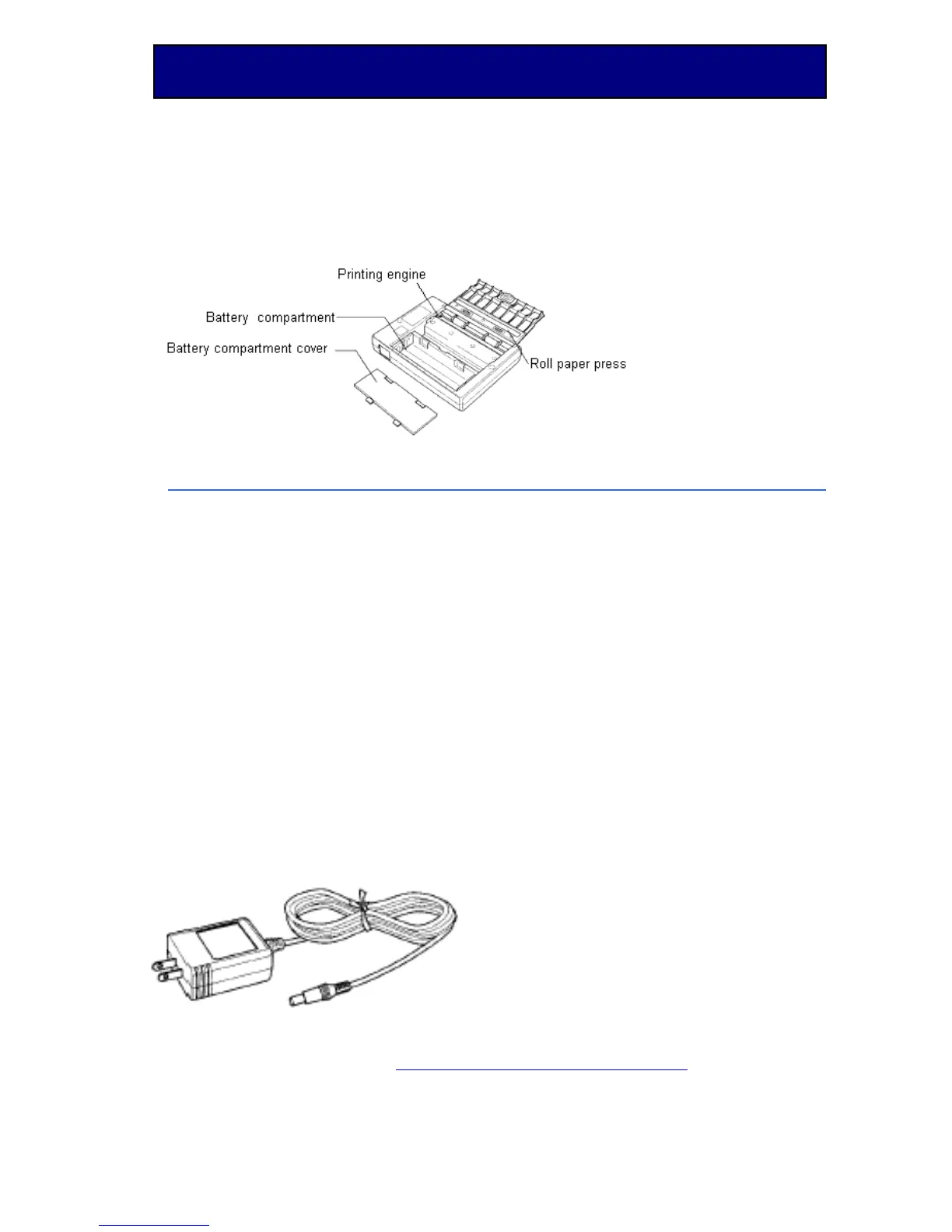
Load the 4 AA batteries into the compartment as indicated by the instruction sticker
located next to the battery compartment.
Low Battery Indicator Light
When the light on top of the printer continues to blink, this indicates the battery power is
running low. You should replace the batteries or use the AC adapter.
Using the AC power adapter
Remove the 4 AA alkaline batteries from printer. Plug the AC adapter into a power
outlet. Insert the other end of the adapter into the Pocket Printer A6. Removing the
batteries and using the AC adapter will extend the battery life and should be used
whenever possible.


 To Next Page