

EasyManua.ls Logo

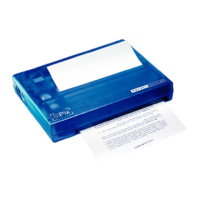
SiPix POCKET PRINTER A6 - User Manual

SiPix POCKET PRINTER A6
23 pages
Print Icon
To Next Page IconTo Next Page
Loading...
Question and Answer IconNeed help?

Do you have a question about the SiPix POCKET PRINTER A6 and is the answer not in the manual?

Summary

Important Safeguards

Getting Started

Pocket Printer A6 Package Contents

Lists all components included in the printer package for initial setup.

The Pocket Printer A6: Front, Back, Inside

Identifies and labels the key physical parts of the Pocket Printer A6.

Setting Up the Pocket Printer A6

Selecting a Power Source

Explains how to choose between batteries and AC adapter for powering the printer.

Installing the Driver Software for PC

Windows 98;98 SE;ME Driver Installation

Step-by-step guide for installing printer drivers on Windows 98, 98SE, and ME operating systems.

Installing the A6 Printer Driver for Windows 2000;XP

Configuring the RS-232 Serial Port

Printing from Applications

Palm OS ~ PDA Printing Instructions

Installing the Palm OS Printer Application

Guide on installing the printer driver for Palm OS devices.

Using the Pocket Printer A6 with your PDA

Step-by-step process for printing from a PDA using the A6 printer.

Serial Port Communications: Troubleshooting

Disabling HotSync Manager for PC

Explains how to temporarily close HotSync Manager to resolve serial port conflicts.
Infrared Port Communications: Troubleshooting

Troubleshooting Matrix and Solutions Guide

Warranty Information

RMA Information & Warranty Services

Technical Support Information

SiPix POCKET PRINTER A6 Specifications

General IconGeneral
BrandSiPix
ModelPOCKET PRINTER A6
CategoryPrinter
LanguageEnglish