Please check www.sitecom.com for up to date drivers & utilities, manuals and support
39
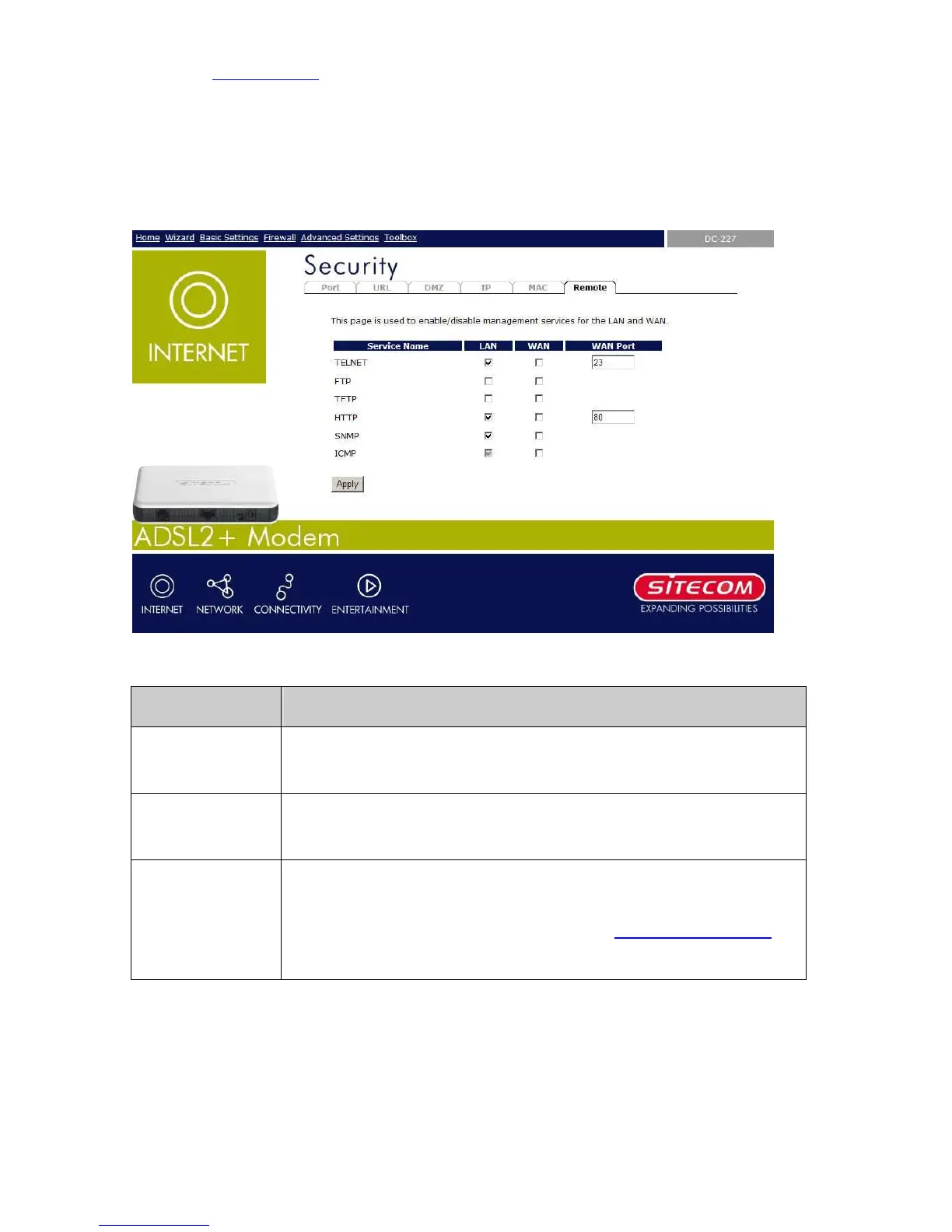
7.6 Remote Management
The Remote Access function can secure remote host access to your DSL device from LAN and
WLAN interfaces for some services provided by the DSL device.
Field Description
LAN Check/un-check the services on the LAN column to allow/un-allow the
services access from LAN side; and “WAN”:
WAN Check/un-check the services on the WAN column to allow/un-
services access from WAN side.
WAN Port This field allows the user to specify the port of the corresponding
service. Take the HTTP service for example; when it is changed to 8080,
the HTTP server address for the WAN side is http://dsl_addr:8080,
where the dsl_addr is the WAN side IP address of the DSL device.



 To Next Page