WL-108 Wireless Network Modem/router 11M
25
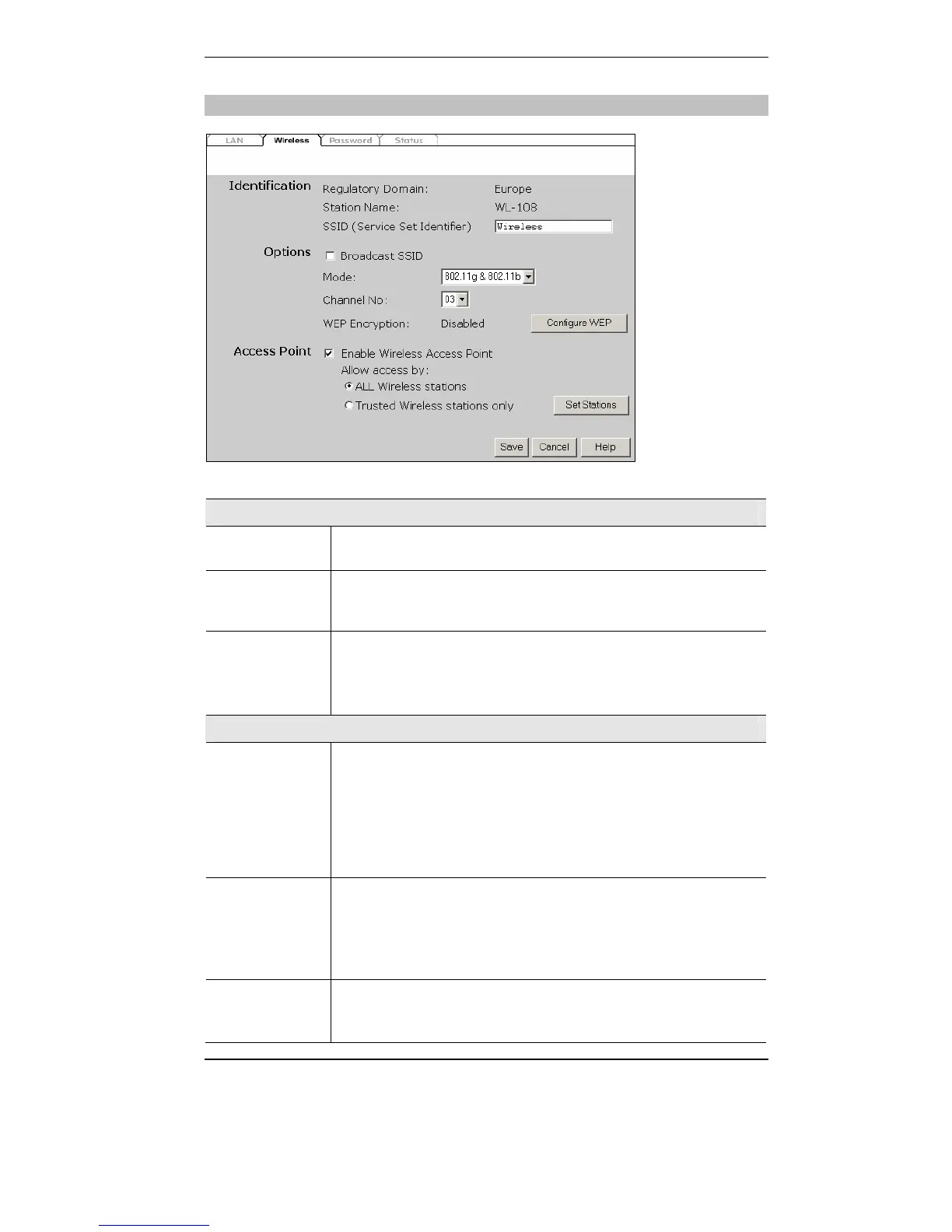
Wireless screen
Data - Wireless Screen
Identification
Regulatory
Domain
It is illegal to use this device in any location outside of the regulatory
domain.
Station
name
This is the same as the "Device Name" for the Wireless Router.
On your PC, some Wireless status screens may display this name as
the name of the Access Point in use.
SSID
(ESSID)
• If using an ESS (Extended Service Set, with multiple access
points) this ID is called an ESSID (Extended Service Set
Identifier).
• To communicate, all Wireless stations should use the same
SSID/ESSID.
Options
Mode
Select the desired option.
• g & b - This is the default, and should normally be used.
• g only - If selected, this ensures that "g" mode stations will
connect at high speed, but "b" mode stations will be unable to
connect at all.
• b only - If selected, "g" mode is unavailable. "g" mode stations
will only be able to connect if they are fully backward-compatible
with "b" mode.
Channel No.
• Select the Channel you wish to use on your Wireless LAN.
• If you experience interference (shown by lost connections and/or
slow data transfers) you may need to experiment with different
channels to see which is the best.
• If using multiple Access Points, adjacent Access Points should use
different Channels to reduce interference.
Enable
ESSID
Broadcast
When enabled the Wireless Modem/router can be found by any
wireless adapter via the ‘site survey’ option. When unchecked, the
access point is hidden. This is an extra security feature.



 To Next Page