EasyManua.ls Logo

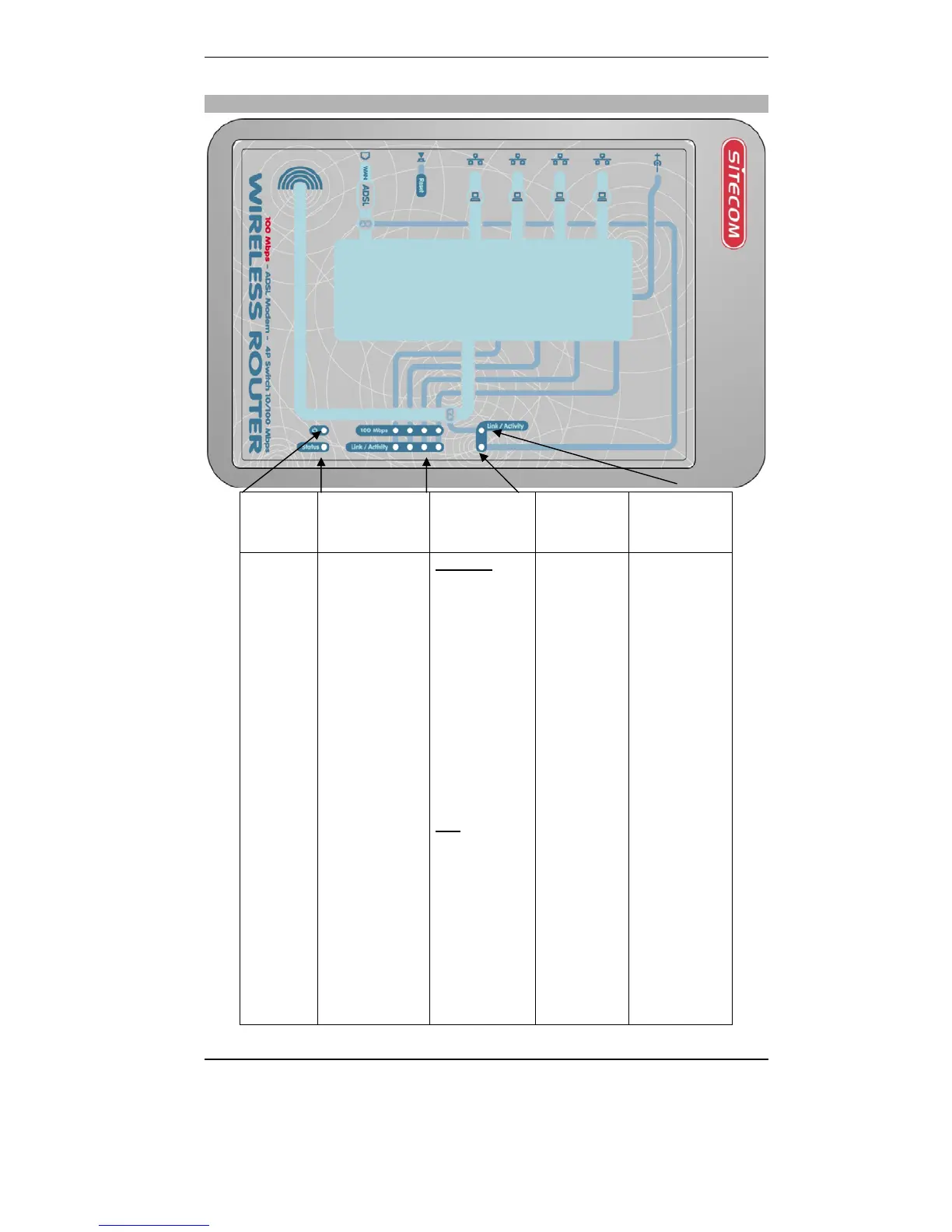
Sitecom WL-108 - Top Leds

Sitecom WL-108
72 pages
Print Icon
To Next Page IconTo Next Page
To Previous Page IconTo Previous Page
Loading...
WL-108 Wireless Network Modem/router 11M
9
The WLAN LED should be ON
Top LEDs
Power Status (Red) LAN WAN WLAN LED
(Link/Activity
)
On - Power
on.
Off
No Power.
On - Error
condition.
Off - Normal
operation.
Blinking - This
LED blinks
during start up.
Link/Act
On -
Corresponding
LAN (hub) port
is active.
Off - No active
connection on
the
corresponding
LAN (hub) port.
Flashing -
Data is being
transmitted or
received via the
corresponding
LAN (hub) port.
100
On -
Corresponding
LAN (hub) port
is using
100BaseT.
Off -
Corresponding
LAN (hub) port
connection is
using 10BaseT,
or no active
connection.
On
Connection to
the modem
attached to
the WAN
(Internet)
port is
established.
Flashing -
Data is being
transmitted
or received
via the WAN
port. For each
port, there
are 2
On - Wireless
connection is
available, but
Idle (no
traffic).
Off - Error - No
Wireless
connection
available.
Flashing -
Data is being
transmitted or
received via the
Wireless access
point. This
includes
"network
traffic" as well
as user data.
LEDs

Table of Contents

Related product manuals