WL-108 Wireless Network Modem/router 11M
51
MAC Address
Select the appropriate option
• Automatic discovery - Select this to have the WL-108/109
contact the PC and find its MAC address. This is only possible if
the PC is connected to the LAN and powered On.
• MAC is - Enter the MAC address on the PC. The MAC address is
also called the "Hardware Address", "Physical Address", or
"Network Adapter Address". The WL-108/109 uses this to provide
a unique identifier for each PC. Because of this, the MAC address
can NOT be left blank.
Buttons
Add as New
Entry
Add a new PC to the list, using the data in the "Properties" box.
If "Automatic discovery" (for MAC address) is selected, the PC will be
sent a "ping" to determine its hardware address. This will fail unless
the PC is connected to the LAN, and powered on.
Update
Selected PC
Update (modify) the selected PC, using the data in the "Properties"
box.
Clear Form
Clear the "Properties" box, ready for entering data for a new PC.
Refresh
Update the data on screen.
Generate
Report
Display a read-only list showing full details of all entries in the PC
database.
Standard
Screen
Click this to view the standard PC Database screen.
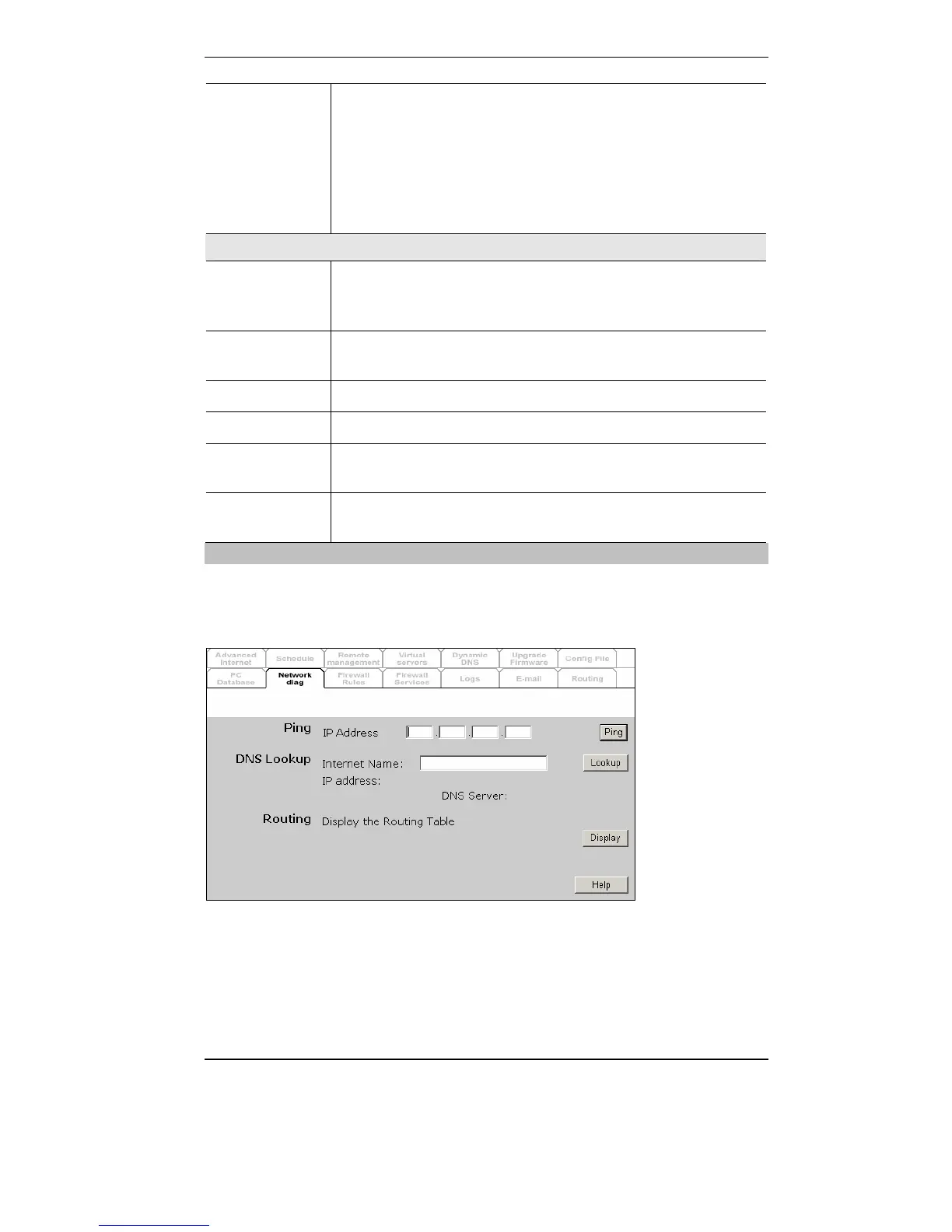
Network Diagnostics
This screen allows you to perform a "Ping" or a DNS lookup. These
activities can be useful in solving network problems. An example Network
Diagnostics screen is shown below.



 To Next Page