HM30 User Manual v1.3
116
2024 SIYI Technology Copyright
3. Then connect the ground unit of the SIYI link to the Windows computer.
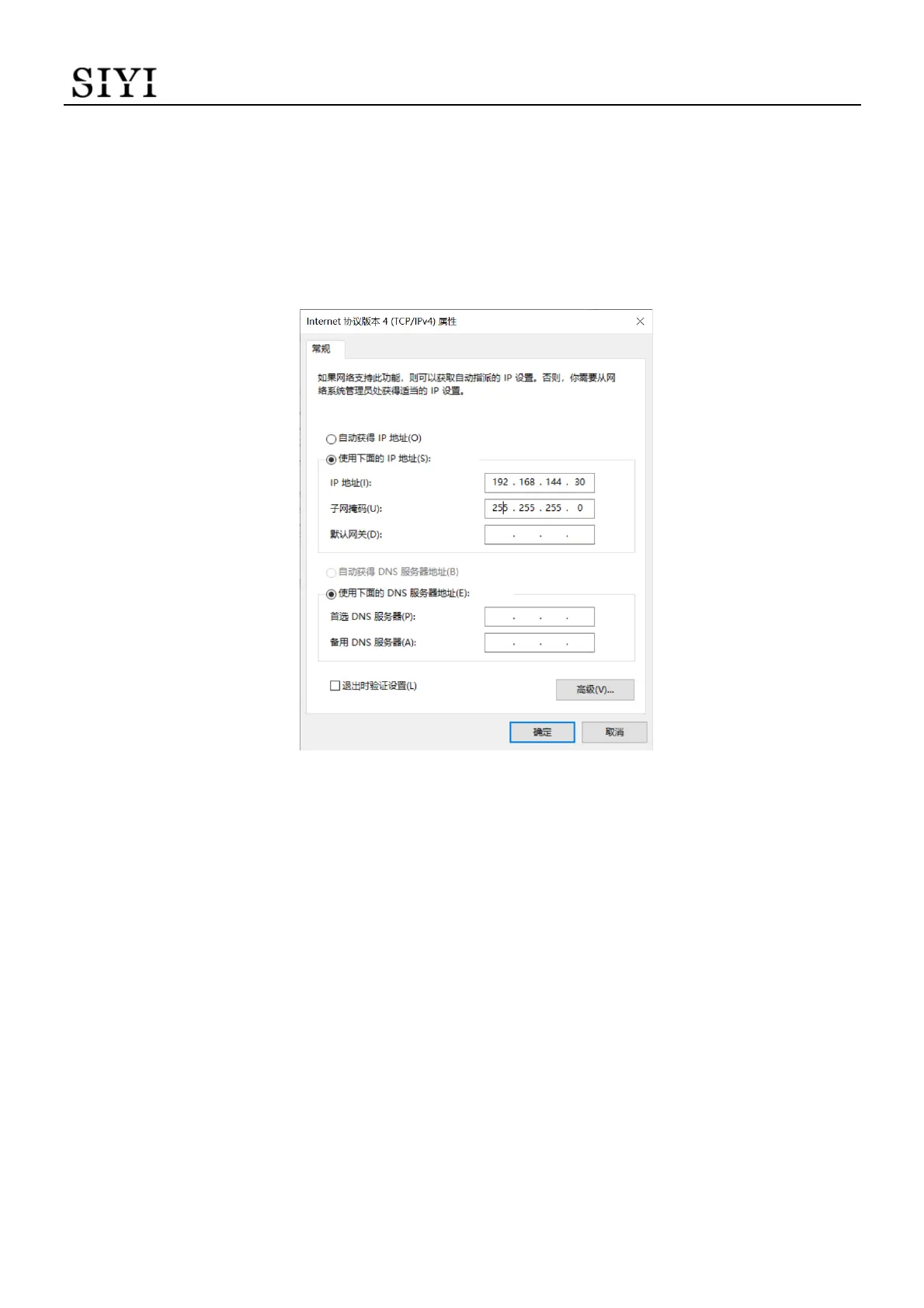
4. Modify the computer’s Ethernet settings to have the same gateway with SIYI link
and avoid IP addresses conflict.
For example, let’s assign “192.168.144.30” for the computer IP addresses.
5. Run SIYI QGC Windows software, go to “Comm Links – Video Settings”, and
select “RTSP Video Stream” for “Source”, then enter the default RTSP addresses
of SIYI gimbal camera, video stream will display. Gimbal motion and camera
functions can be controlled by mouse in QGroundControl.
6.3.2 Gimbal Pitch and Yaw Rotation
While SIYI QGC Windows software is running,
Drag the mouse on screen can control gimbal rotation. Dragging the mouse left and


 To Next Page