HM30 User Manual v1.3
69
2024 SIYI Technology Copyright
4.2 Communication with GCS under UDP Protocol through the
Ground Unit LAN Port
4.2.1 QGroundControl
1. On HM30 ground unit, go to “Settings” and set “UDP” for “Datalink Mode”, and
configure the correct baud rate.
2. Make the LAN connection between HM30 ground unit and the Windows device
by using the original RJ45 cable.
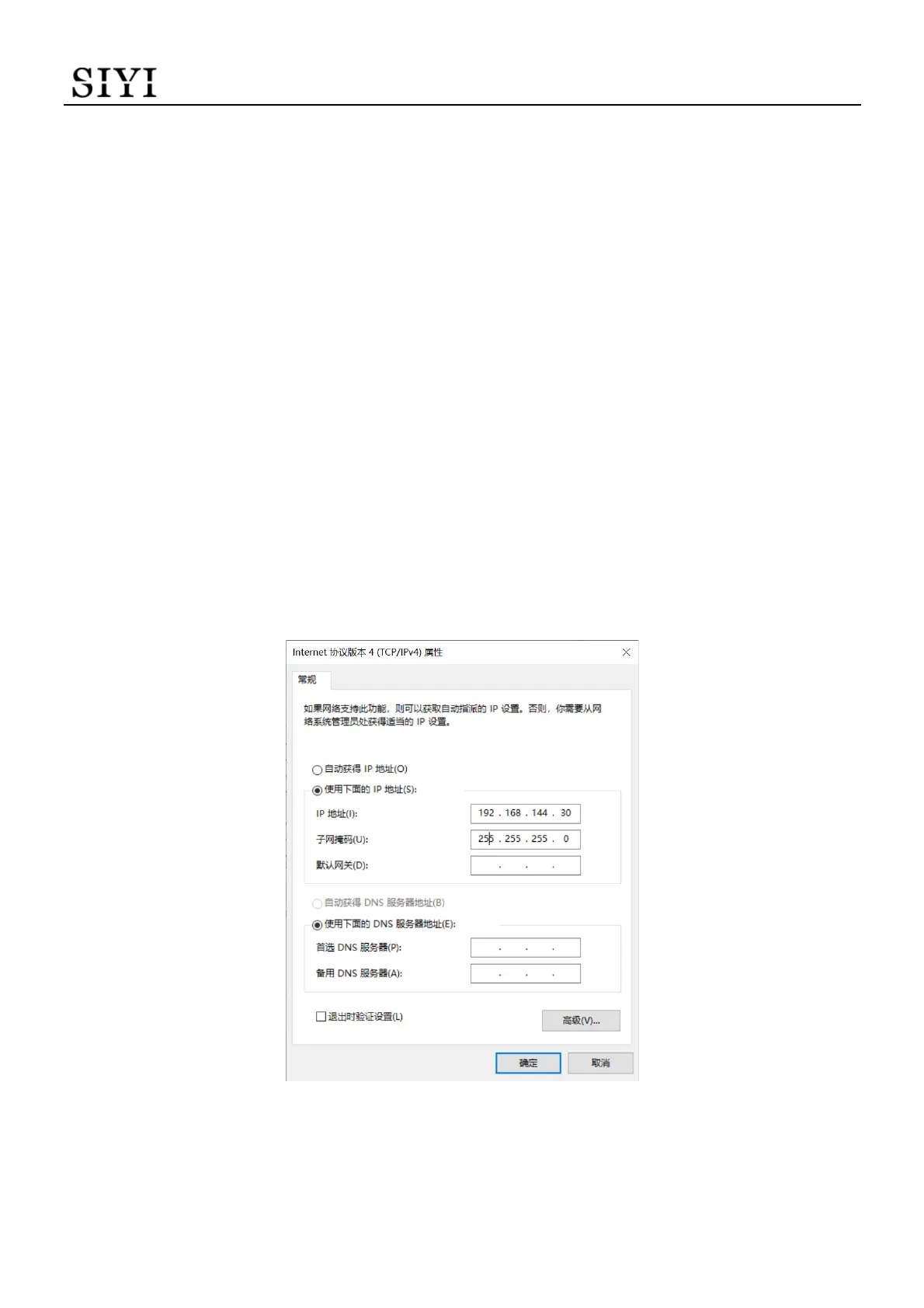
3. Modify the Windows device’s Ethernet settings and make sure no IP addresses
is conflict with the SIYI link.
For Example: IP Addresses = 192.168.144.30
4. Run QGroundControl, go to “Application Settings - Comm Links” page, and “Add”
a new connection. Name it as “UDP”.


 To Next Page