HM30 User Manual v1.3
74
2024 SIYI Technology Copyright
4.4 Communication with Windows GCS through Type-C
4.4.1 QGroundControl
1. On HM30 ground unit, go to “Settings” and set “Type-C” for “Datalink Mode”, and
configure the correct baud rate.
2. Make the Type-C connection between HM30 ground unit and the Windows
device. HM30 ground unit will be recognized as a COM device in Windows
system.
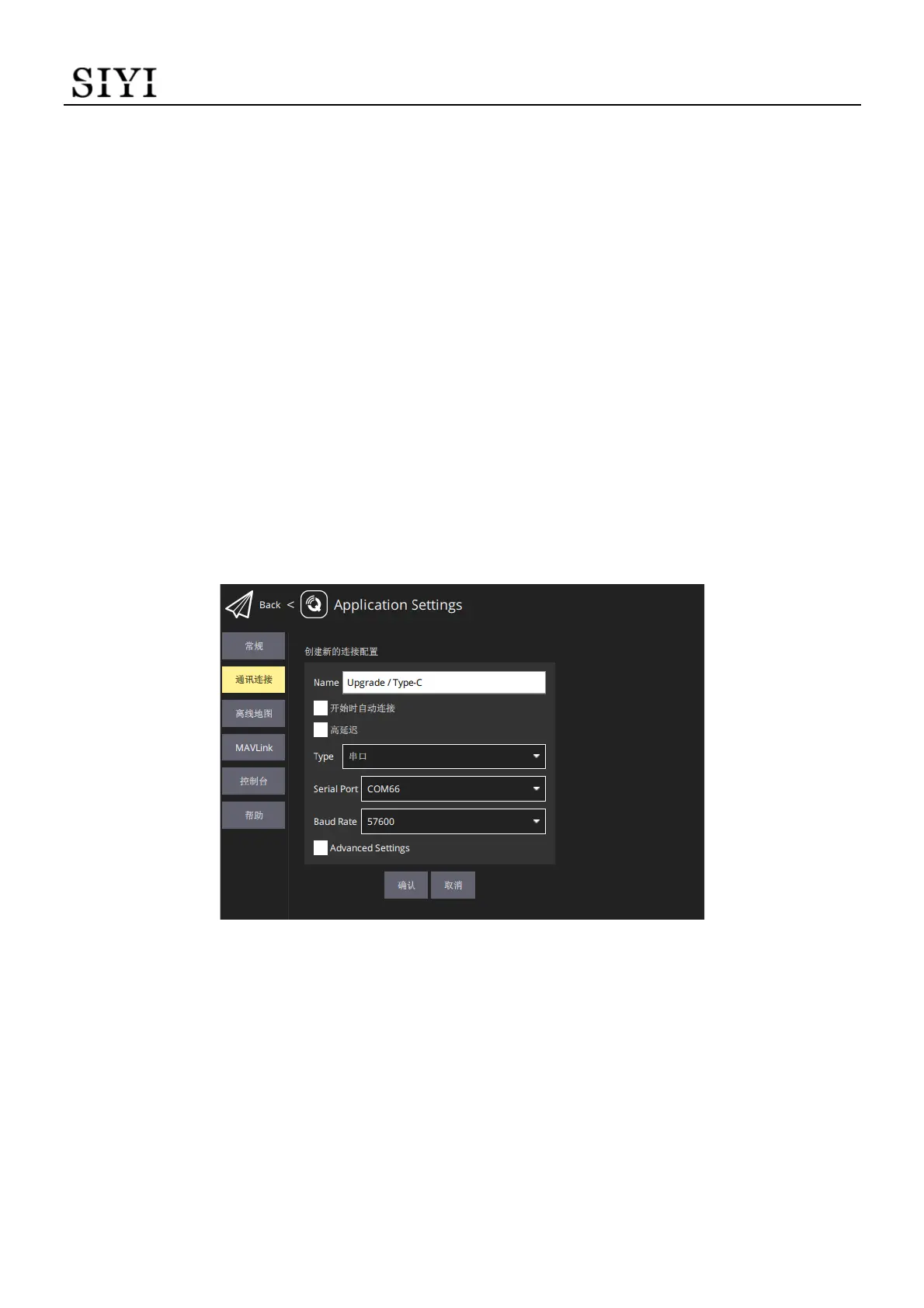
3. Run QGroundControl, go to “Application Settings - Comm Links” page, and “Add”
a new connection. Name it as “Type-C”.
4. Set the connection “Type” as “Serial”. Match the baud rate.
5. Confirm and start to “Connect”. The top progress bar in QGC starts to move,
which means the remote controller is communicate with QGC automatically.
Please wait until the datalink connection is established.


 To Next Page