HM30 User Manual v1.3
135
2024 SIYI Technology Copyright
Firmware Upgrade Steps
1. Install “SIYI Assistant” on your Windows device.
2. Use the upgrade cable to connect the remote controller’s upgrade port to the
Windows computer’s USB port.
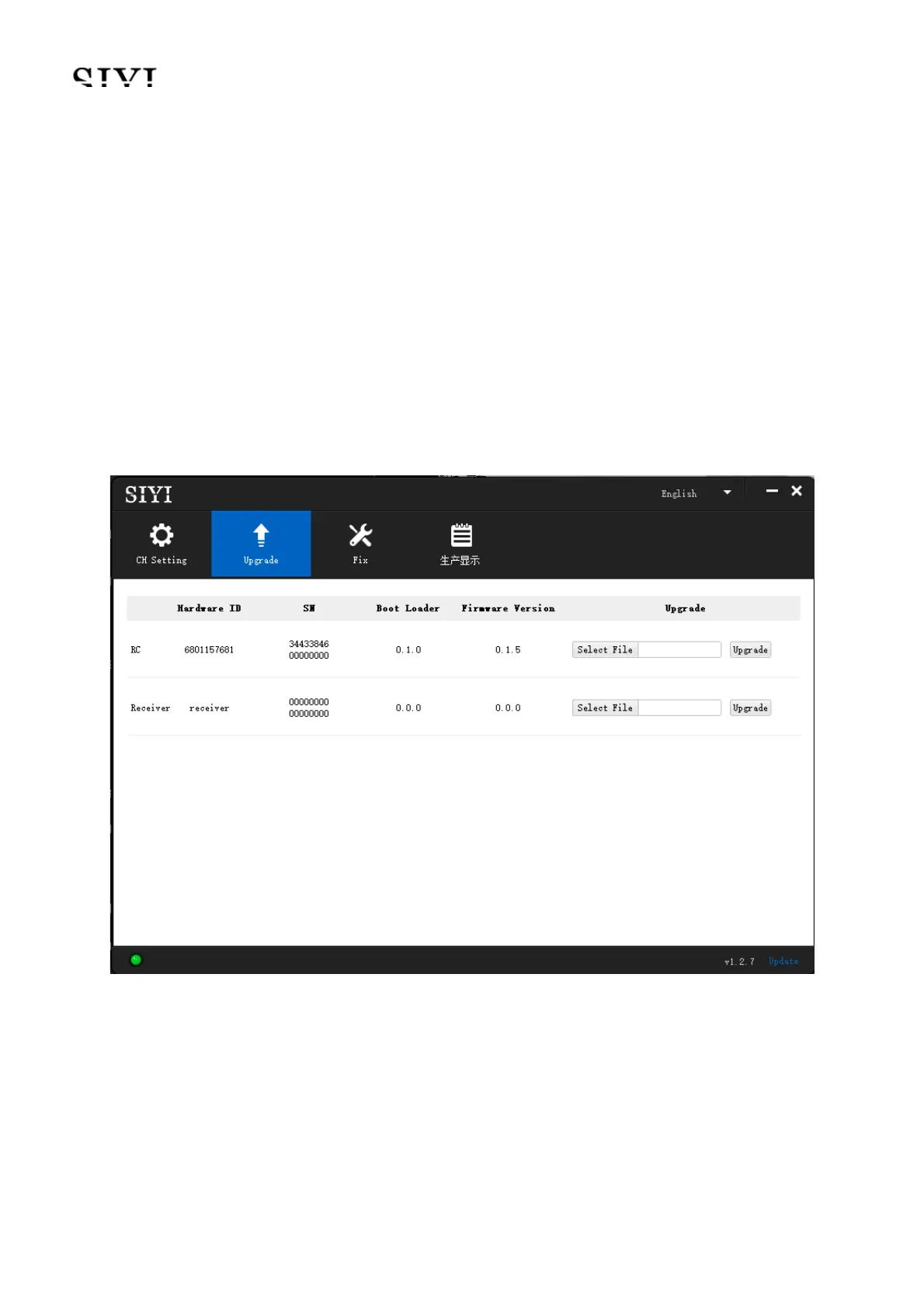
3. Run “SIYI Assistant” and switch to the “Upload” page to check the current
firmware version of the remote controller and the air unit.
4. If the firmware is not the latest, then click the “Select File” button in the “RC” line
to import the latest remote controller firmware. Then click “Upgrade” and wait till
it is “100%” finished.


 To Next Page