no longer detected.
Information Messages
will not reappear for the same event when cleared by
the operator. However, Warning and Critical Error messages will, if the problem
is still detected by the system, reappear two minutes after being cleared by the
operator. Refer to the section titled Menu Messages
for more information.
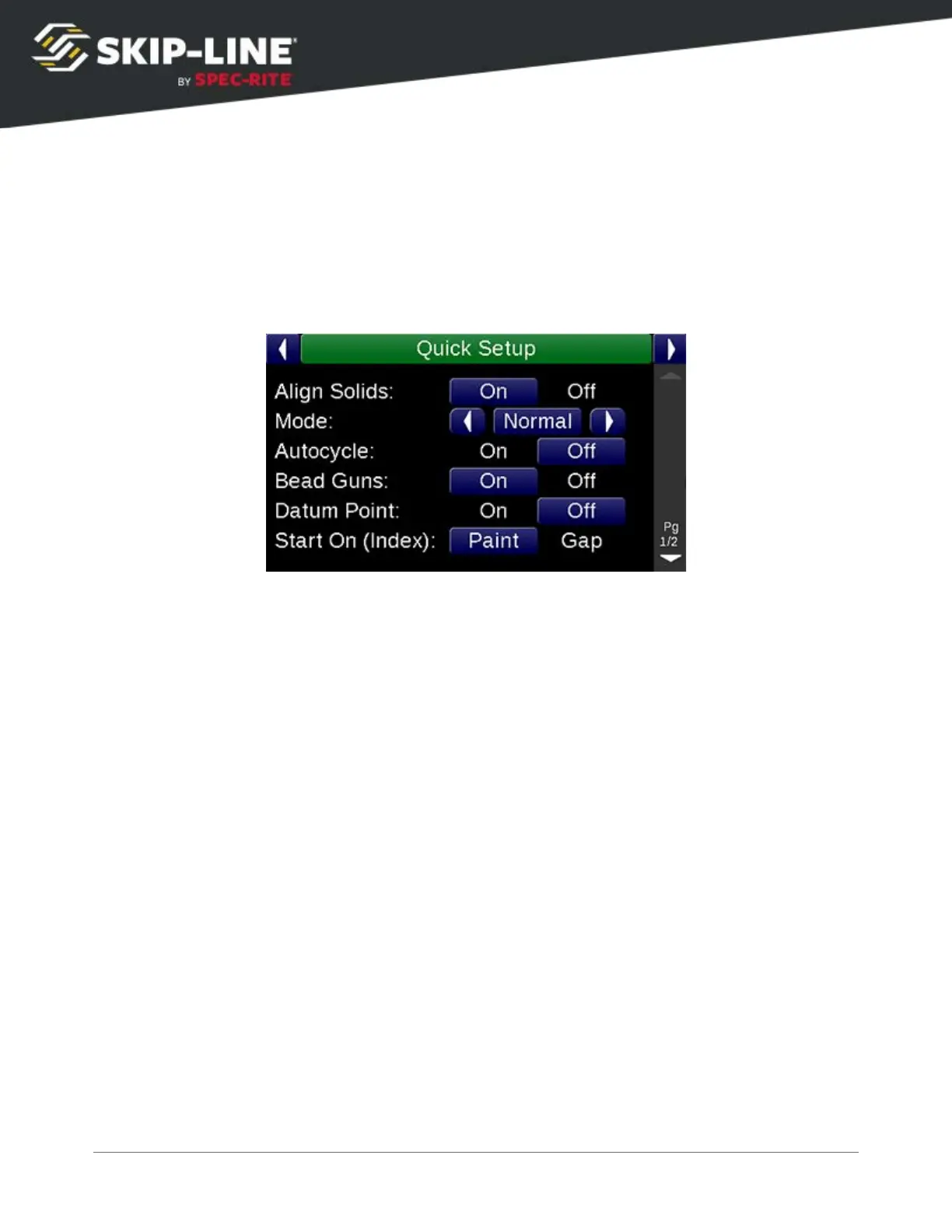
4.3 Quick Setup
The Quick Setup
menu provides quick access to enable or disable many features
that may be used during day-to-day operations.
Some of the basic setup items are covered here, but your particular Quick Setup
menu may not have all features mentioned here. For features that may appear
on your particular skip timer system, refer to supplemental documentation. If
your system lacks a feature found in this manual that you would like to have
added, contact Skip-Line to see if it is possible.
4.3.1 Mode
The Mode
determines how the skip timer will behave:
➢ Normal: Normal skip-timing behavior.
➢ Test: Guns will come on immediately. This allows operators to test guns,
regardless of datum offsets or other settings.
➢ Black: Black patterns are enabled, per the configuration in the Setup menu.
➢ Marker: Marker layout patterns are enabled, per the configuration in the Setup
menu.
SC-12 Road Marking Control System - Installation and Operation Manual
25



 To Next Page