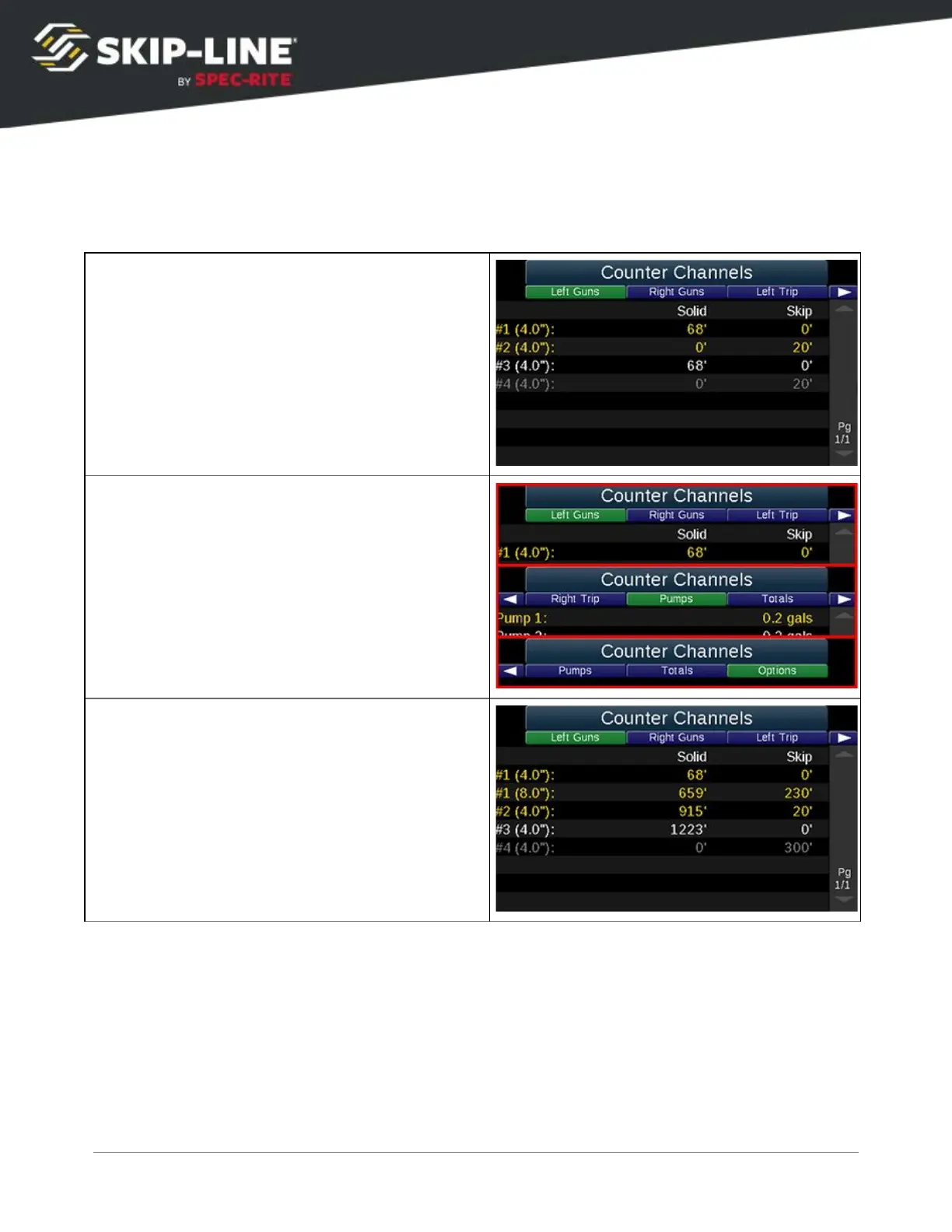
The counter channels allow the user to record width and/or color changes
individually for each gun, providing enhanced records and job tracking. Counter
Channels fill in dynamically during operation. Guns only appear in the counter
channels once they have a footage associated with them.
Distance counters are separated between solid
and skip distances. Gun colors are indicated by
text color. (Black is a faded gray, for visibility).
Sums for skip and solid appear at the bottom.
Left Guns, Right Guns, Left Trip, Right Trip,
Pumps, Totals, and Options are all sub-menu
options in the Counter Channels.
Stripe width and pattern (
solid
or
skip
) are
tracked respectively under
Left Guns
and
Right
Guns
.
SC-12 Road Marking Control System - Installation and Operation Manual
27



 To Next Page