Operation and Installation CD401MR-SC
Date: 2022-09-26Page 10 of 48
CHAPTER 2. Setting up and using the
Compact Multi Repeater Display
_____________________________________________________________________
The Compact Multi Repeater Display is a exible dot matrix LED display designed
to display navigation data. The Multi Repeater can be user programmed to show most
kinds of numerical data from NMEA messages. The Compact has three user denable
alphanumeric displays, each allowing up to 4 lines to be displayed.
The Compact Display starts up in runtime mode. By pressing the MENU button, the
preset runtime screens can be selected. The unit can be dimmed in any of the runtime
screens using the UP (↑) and DOWN (↓) buttons.
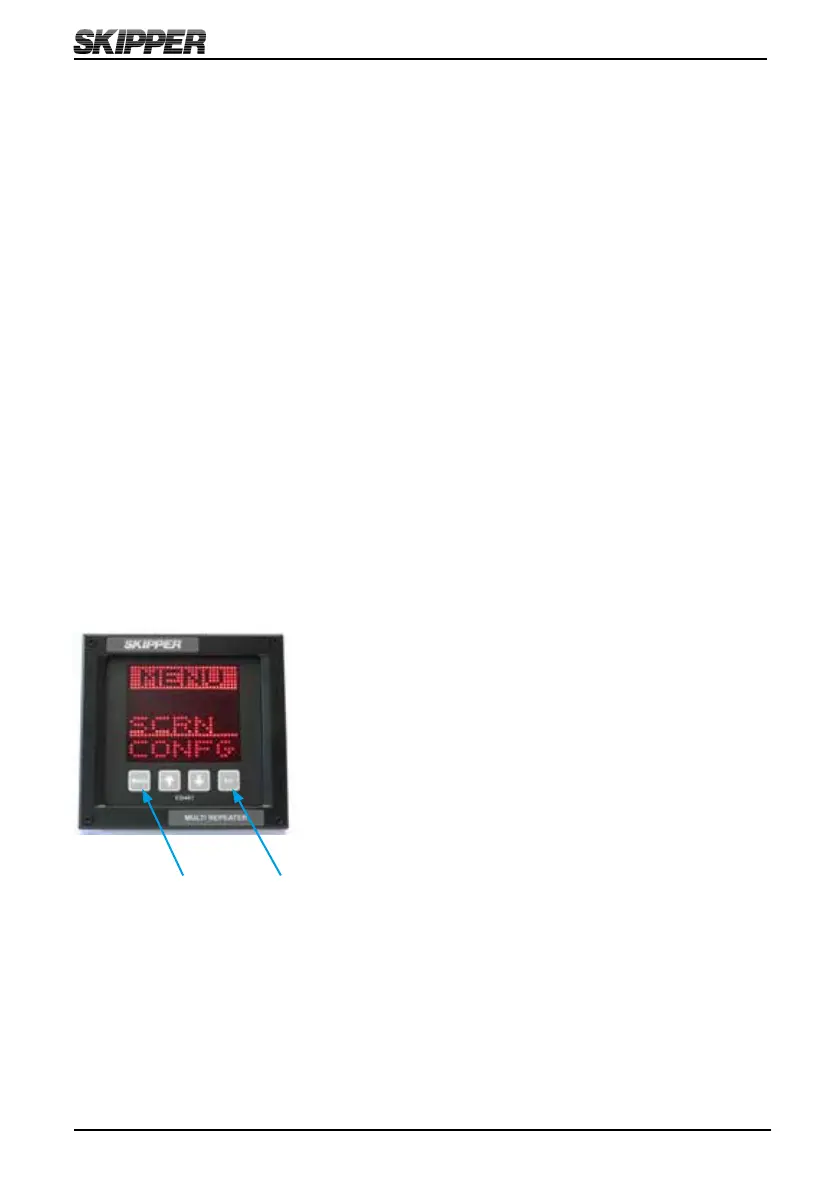
To change the setup of the Multi Repeater, the user must simultaneously press MENU
and SET buttons. This will give access to a menu system allowing the user to scroll
up and down the sub menus and functions using UP and DOWN, and SET button to
select. To move back and up a menu, the MENU button must be pressed. The middle
underlined line is the selected line. The other lines are dimmed.
The menu structure is shown in the MENU DIAGRAM.
Press both MENU and SET buttons to activate the menus. Press and hold MENU to
return to runtime screen.
The system can be made to shift, with a ve second period, between the activated
screens. Pressing MENU will pause this function, and holding MENU will reactivate it.



 To Next Page