Operation and Installation CD401MR-SC
Date: 2022-09-26Page 16 of 48
The programming of parameters to show on the screen is very exible. It is advise to
add leading text before the parameters and not mixing too many dierent messages. A
typical conguration is to show two related parameters on the screen simultaneously
with leading text. Arrows are added to some parameters for better readability. Press
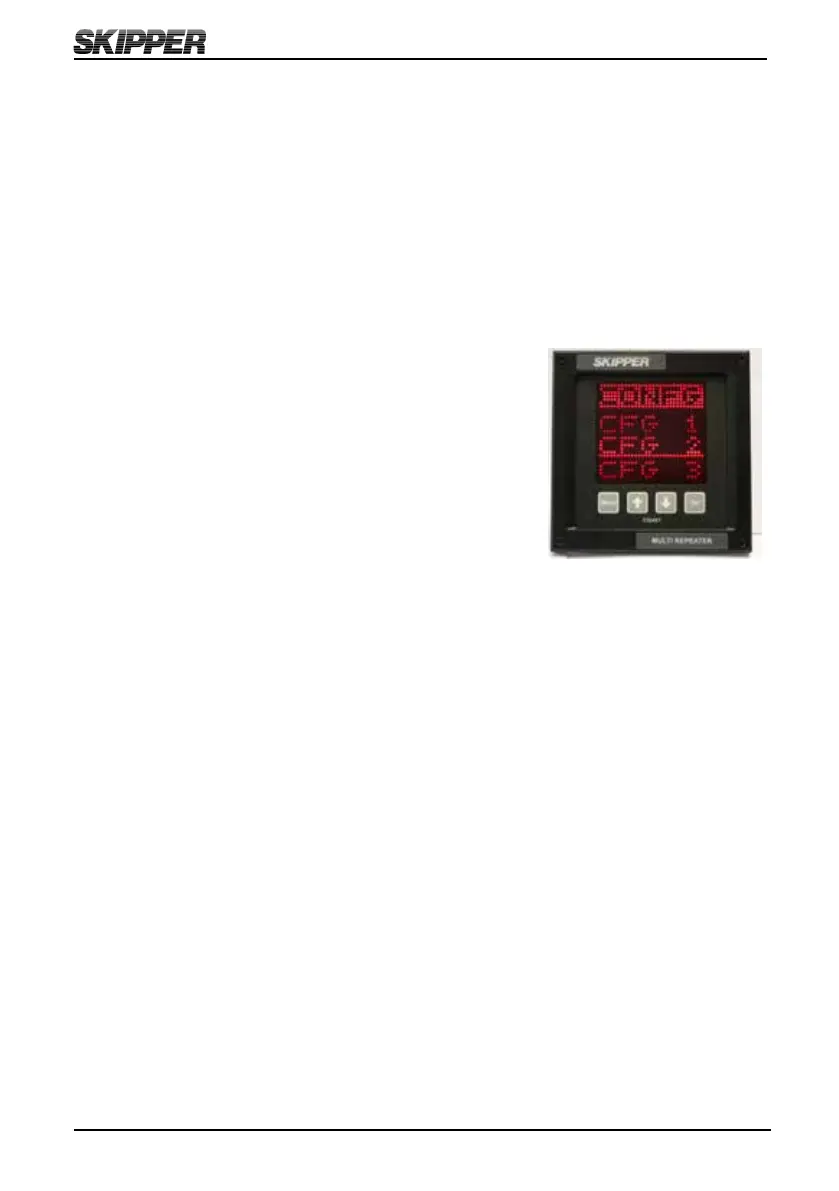
MENU and SET button simultaneously to enter the screen menus, select CONFG and
then select wanted screen menu (CFG1, CFG2 or CFG3) to start to congure wanted
screen menu. See chapter 2 ”Setting up and using the Compact Display” on how to
program the display to show wanted information on the screen.
The 3 user programmable screen menus can be set up using
the Cong (CONFG) menu. This submenu allows the user
to select one of the three screen menus, and on entering
the Cong screen menu, the user can change the data type
to be displayed in each of the 4 screen menu’s positions.
UP (↑) and DOWN (↓) will change the data type, SET will
move to the next screen menu position.
Placing text (TXT) in the bottom 4
th
line or 3
rd
and 4
th
line will cause the data to spread
out showing fewer data points. The system will not allow you to mix speed data from
dierent sources on the same screen. Having two text (TXT) lines after each other will
also rearrange the positioning. (See examples on next page).
The non-active parameters will continue showing the dimmed present data, when not
selected. Some combinations of data are not allowed, as they may cause confusion.
These will be automatically corrected. Note that the leading text is identical for some
data, and information about talkers are ignored. Regulations require the user to be able
to identify which data they are looking at. This can be achieved by using the TXT
function or a sticker on the unit.



 To Next Page