Date: 2022-09-26 Page 13 of 48
Operation and Installation CD401MR-SC
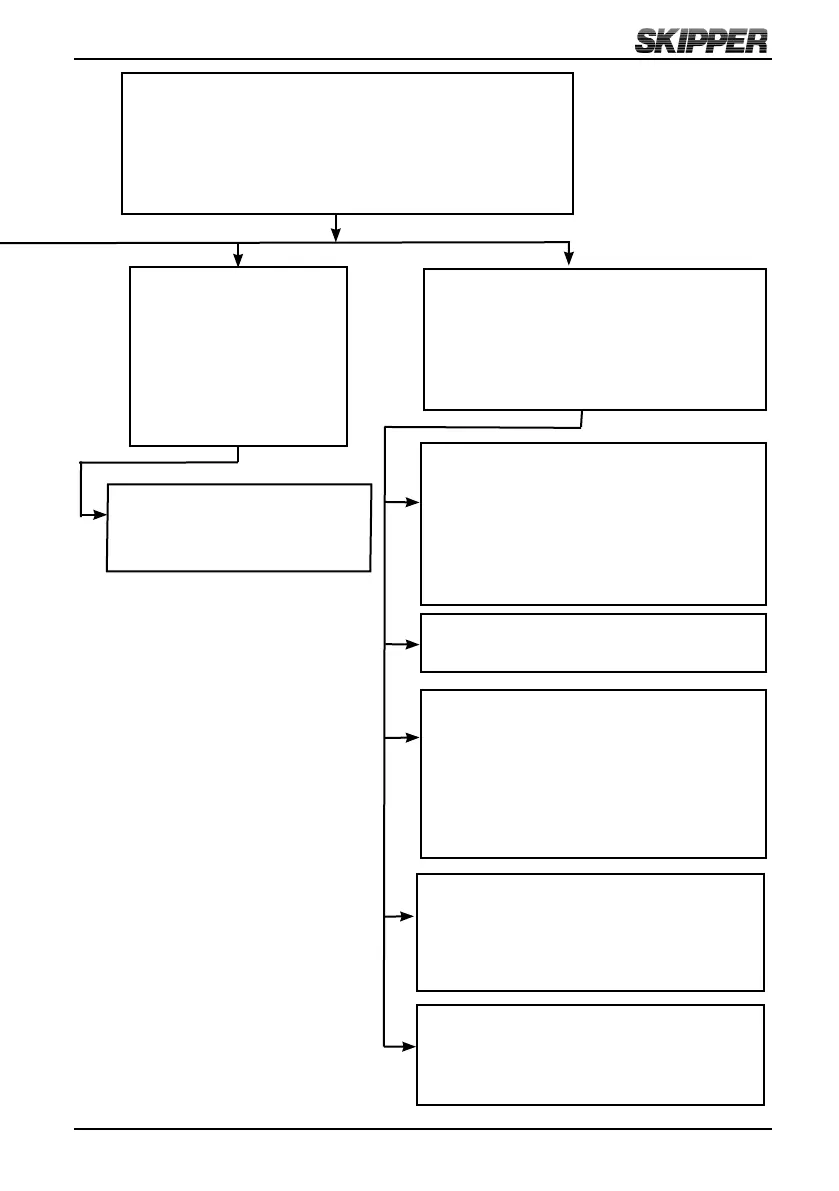
System setup (SETUP)
Setup the system
parameters
▲ Next sub menu
▼ Prev sub menu
SET select sub menu
MENU return
Baud settings (NMEA)
▲ Higher value
▼ Lower value
Menus, scrollable menu system
Accessed with SET and MENU pressed simultaneously
▲ Next sub menu
▼ Prev sub menu
SET select sub menu
MENU return
Diagnostics/advanced setup (DIAG)
Diagnose and adjust less used parameters
▲ Next sub menu
▼ Prev sub menu
SET select sub menu
MENU return
Code option activation (CODE)
Shows serial no
Code number with active digit underlined
▲ Increment underlined digit
▼ Move to next digit
SET activates the displayed code
Upgrade mode (UPGRD)
Allow the system to upgrade from cable
Demo (DEMO)
▲ Increment mode
▼ Decrement mode
MENU accept mode
Mode 1 = dynamic
Mode 2, 3 = static
O
Splash screen (INFO)
▲ Dimming up
▼ Dimming down
Option info
Software version
Self tests (TEST)
▲ Next test
▼ Previous test
SET starts selected test



 To Next Page