Page 46 of 61
SKIPPER Electronics AS
Edition: 2021.02.17
ESN200 Operation and Installation Manual
Chapter: USER Information
Pic speed Picture speed selects the speed at which the boom will move across the
screen. Units are the me to refresh the whole screen. A scale can be seen
at the boom of the screen.
If not on screen this is available in menu Runme setup
The value can be changed by pressing and holding
Alarm shallow
‘
The Shallow water alarm is obligatory, and is indicated on screen by a red
horizontal line. When the depth is shallower than this the alarm will sound.
And an indicaon will show on the screen. Depending on the system con-
guraon the system may require acknowledgement on the control unit, or
may allow remote acknowledgement.
If not on screen this is available in menu Alarms
The value can be changed by pressing and holding
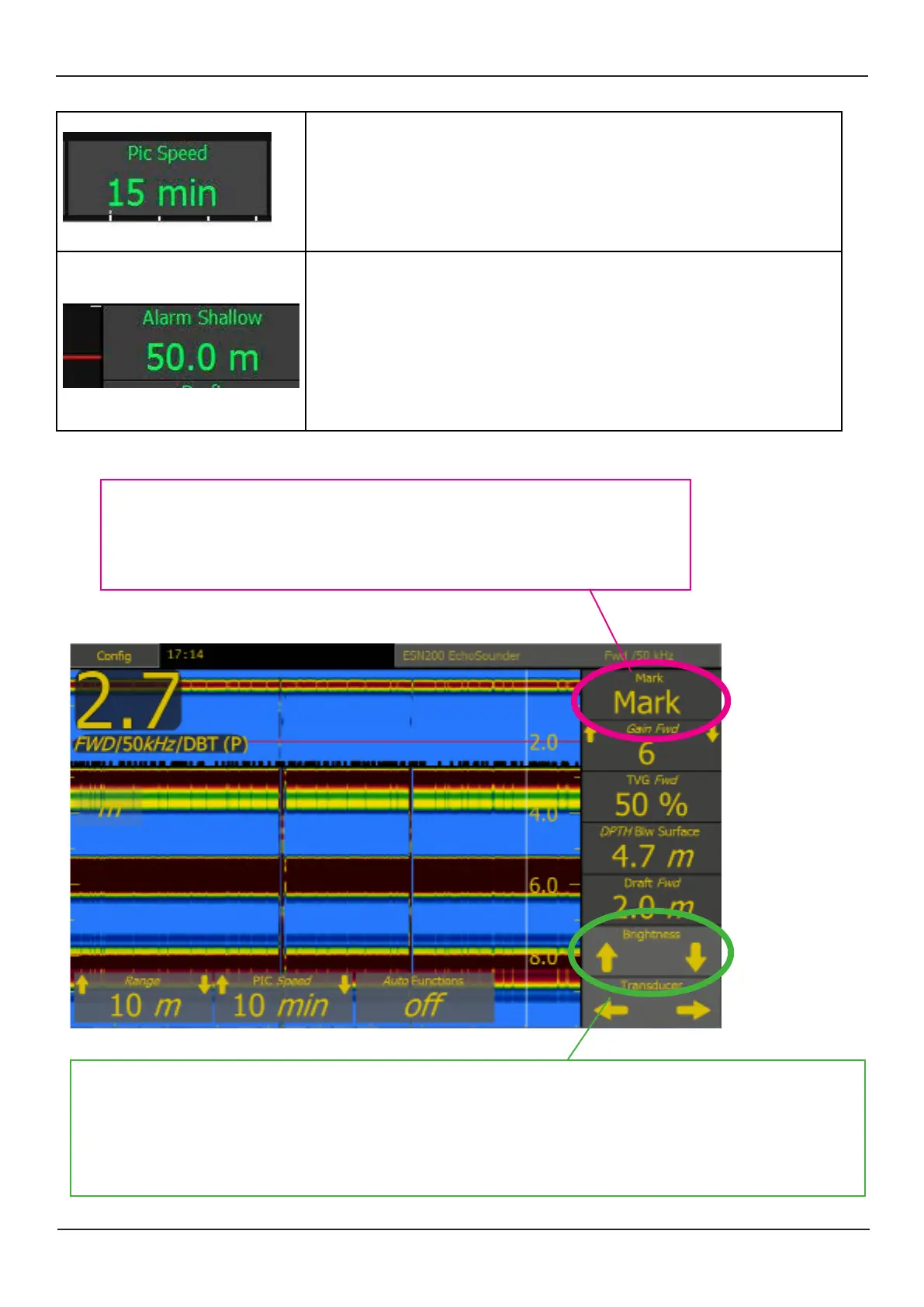
A vercal mark will be made on the screen when this opon is acve, when an
important seng is changed, or an alarm/alert is sounded. This mark will also be
stored in the saved depth logs. If GPS is connected the me and posion will be
recorded.
If not on screen this is available in menu Runme setup
Dimming up and down is available using the up and down arrows, or the slider that pops up when a dimming
arrow is touched. IF the system is dimmed tooo far down, press and hold the screen, and it will return to a ‘visible
level’.
The screen will not dim fully down if an alarm is acve. If an alarm becomes acve when fully dimmed, the screen
will return to the ‘visible level’. And return aer acknowledgement
This is always available, but can be adjusted in Display setup



 To Next Page