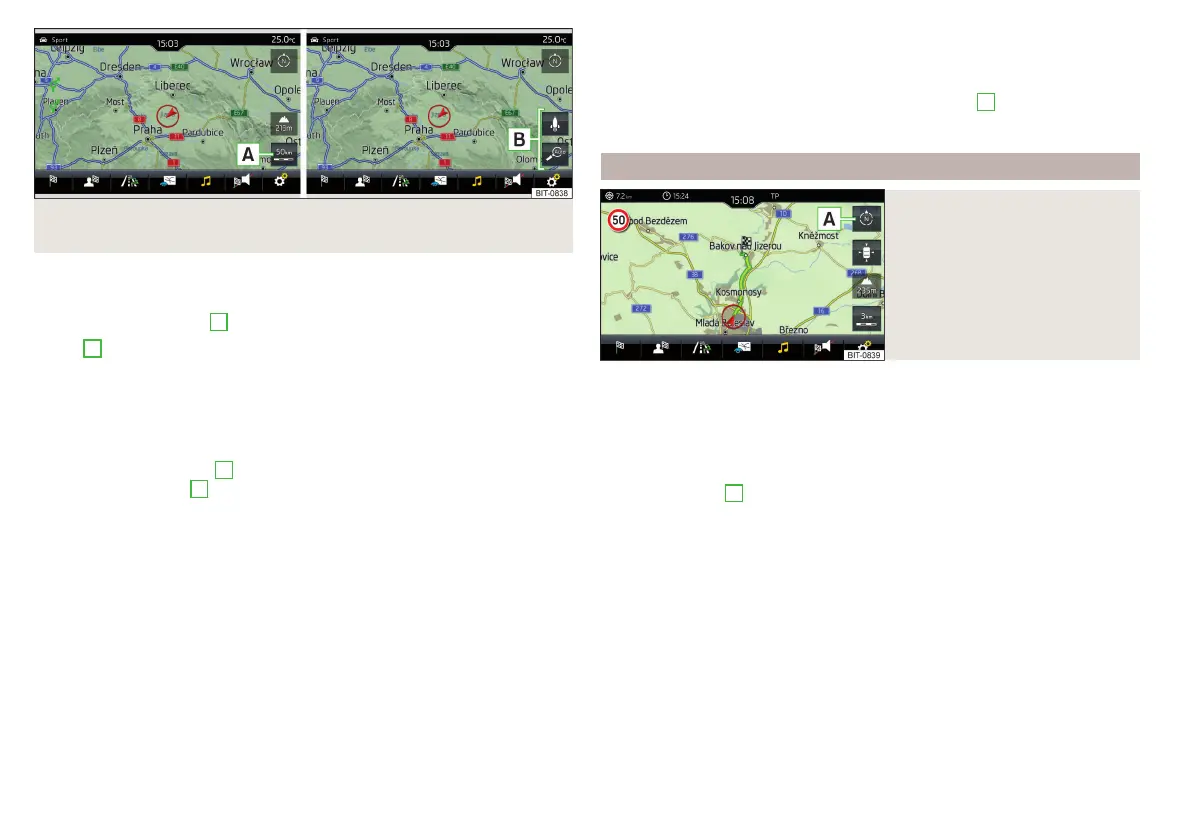
Fig. 234 Function surfaces for the map scale change: Infotainment
Amundsen
It is possible to change the map scale manually or to turn on the automatic
change of scale.
›
Tap on function surface
A
» Fig. 233 or» Fig. 234.
In area
B
» Fig. 233 or » Fig. 234, function surfaces for changing the map
scale are displayed.
Types of manual scale change
▶
Touching the screen with two fingers and pulling them apart or closing them
together.
▶
Turn the control knob
(not applicable to Infotainment Columbus)
▶
Tap the function surface
A
» Fig. 233 and use the slider or tap the function
surface / in area
B
» Fig. 233 (applies to Columbus Infotainment).
Turn on/off the automatic change of scale
If the automatic scale is active, the map scale will change automatically de-
pending on the type of roads travelled (motorway - smaller map scale / town
larger map scale) and from the manoeuvre to be carried out.
▶
To switch on the automatic scale change, go to the Navigation main menu
and tap on function surface → .
Tap the function surface is highlighted in green.
The automatic scale is only active as long as the map is centred on the vehicle
position (the function surface is hidden).
▶
To switch off the automatic scale change, go to the Navigation main menu
and tap on function surface → .
The function surface is highlighted in white.
The turning off occurs likewise when the map is moved or the map scale is
changed manually.
Map view in reduced scale
▶
In the Navigation main menu, tap on function surface
A
→ .
The map scale is reduced for a few seconds and then restored.
Change map orientation
Fig. 235
Change the map orientation
Changing map orientation is possible under the following conditions.
The map is in the 2D display.
The map is centred (the functional surface
is hidden).
The map scale is max. 10 km away.
›
to Change the map orientation From the main menu navigation the func-
tional surface
A
» Fig. 235.
The map is oriented to the north
The symbol for the vehicle position rotates, the map and the polar star sym-
bol do not rotate.
With a larger map scale than 10 km, the map is automatically oriented towards
north.
Map oriented to the direction of travel
The map and the Polar Star Symbol rotate, the vehicle position symbol
does not rotate.
188
Infotainment















 To Next Page