Balance (BAL)
With this function you may adjust the
volume balance of the left/right loud-
speakers.
• "BAL" and the current setting (from LEFT
15 via CENTER to RIGHT 15) appear in
the display.
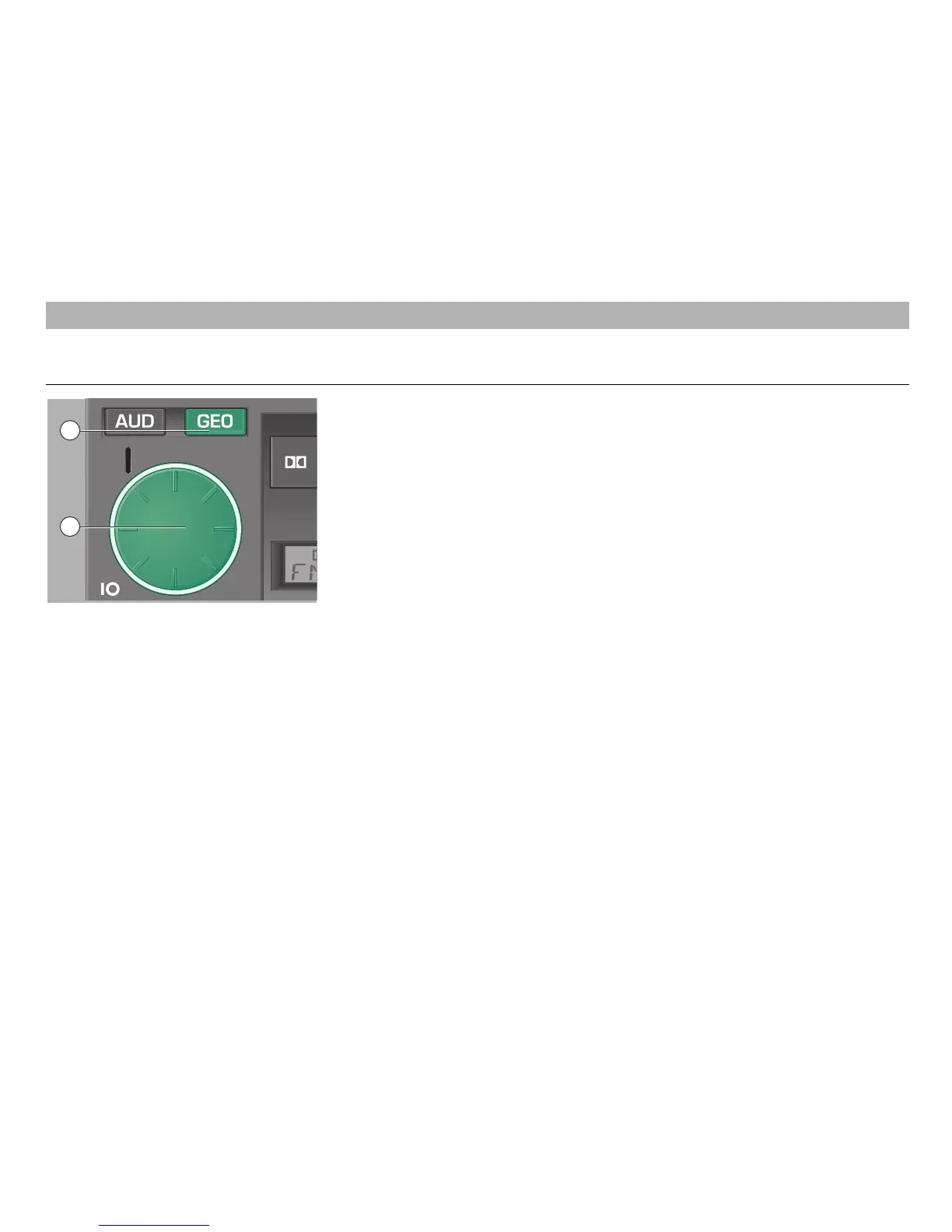
• Turn the control knob/push button
1
to
the left or the right to adjust the desired
setting.
• If you wish to adjust the Balance control
immediately to its centre setting, press
the GEO button
3
until "CENTER"
appears in the display.
• When this is done, press the GEO button
3
again to store the setting.
• To go directly to the balance control
mode, press the GEO button
3
briefly
twice.
3
– Tone balance button
After pressing the GEO button
3
, the
following indications appear in the display:
• Fader (FAD)
• Balance (BAL)
Turn the control knob/push button
1
to
the left or the right to change the desired
setting.
Fader (FAD)
With this function you may adjust the volu-
me balance of the front/rear loudspeakers.
• Press the GEO button
3
.
"FAD" and the current setting (from
FRONT 15 via CENTER to REAR 15)
appear in the display.
• Turn the control knob/push button
1
to
the left or the right to adjust the desired
setting.
• If you wish to adjust the Fader control
immediately to its centre setting, press
the GEO button
3
until "CENTER"
appears in the display.
• When this is done, press the GEO
button
3
again to store the setting. This
will select at the same time the Balance
control mode.
10
Tone balance control
RADIO MODE
1
3













 To Next Page