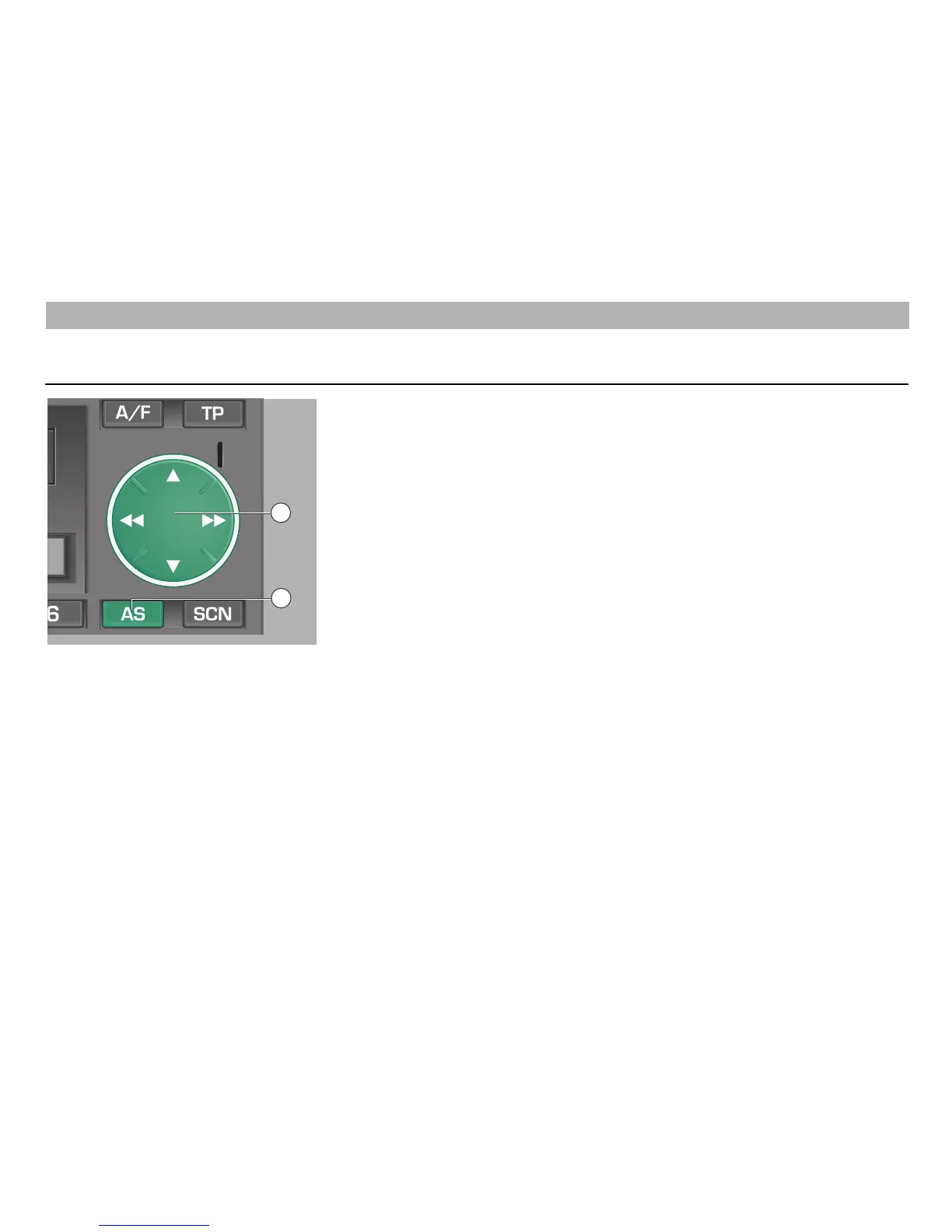
With the push of a button you may store
up to 30 stations in the IS memory (IS =
intelligent search). The stored stations
then can be called one after the other.
The IS memory is useful if you wish to re-
assign the station buttons, or when you
are in an unknown reception area and do
not wish to delete already stored stations.
Programming RDS stations
(IS function)
Starting the IS search
• Press on ľľ or ıı of the rocker
ß`
repeatedly for more than 2 seconds
until "IS ON" appears in the display.
• Press the AS button
ßZ
for about 2
seconds. "STORE" appears in the
display.
This operation takes several seconds.
• If no reception is possible, for example in
an underground car park or if the aerial
is defective, the search function may be
endless. In this case you may switch off
the search function by pressing one of
the station buttons
1
…
6
.
As soon as the IS search is completed,
up to 30 stations are stored. You then will
hear the station giving best reception.
The intelligent search function first stores
the RDS stations (sorted by station name)
and then the remaining stations in the
order of their volume level.
Calling up the IS memory contents
Selecting the IS mode
• Press on
ľľ or ıı of the rocker
ß`
repeatedly for more than 2 seconds until
"IS ON" appears in the display.
• Briefly press on
ľľ or ıı of the rocker
ß`
.
Switching the IS mode off
• Press on ľľ or ıı of the rocker
ß`
repeatedly for more than 2 seconds until
"IS OFF" appears in the display.
RADIO MODE
8
12
18













 To Next Page