Manual tuning Manual storing
14
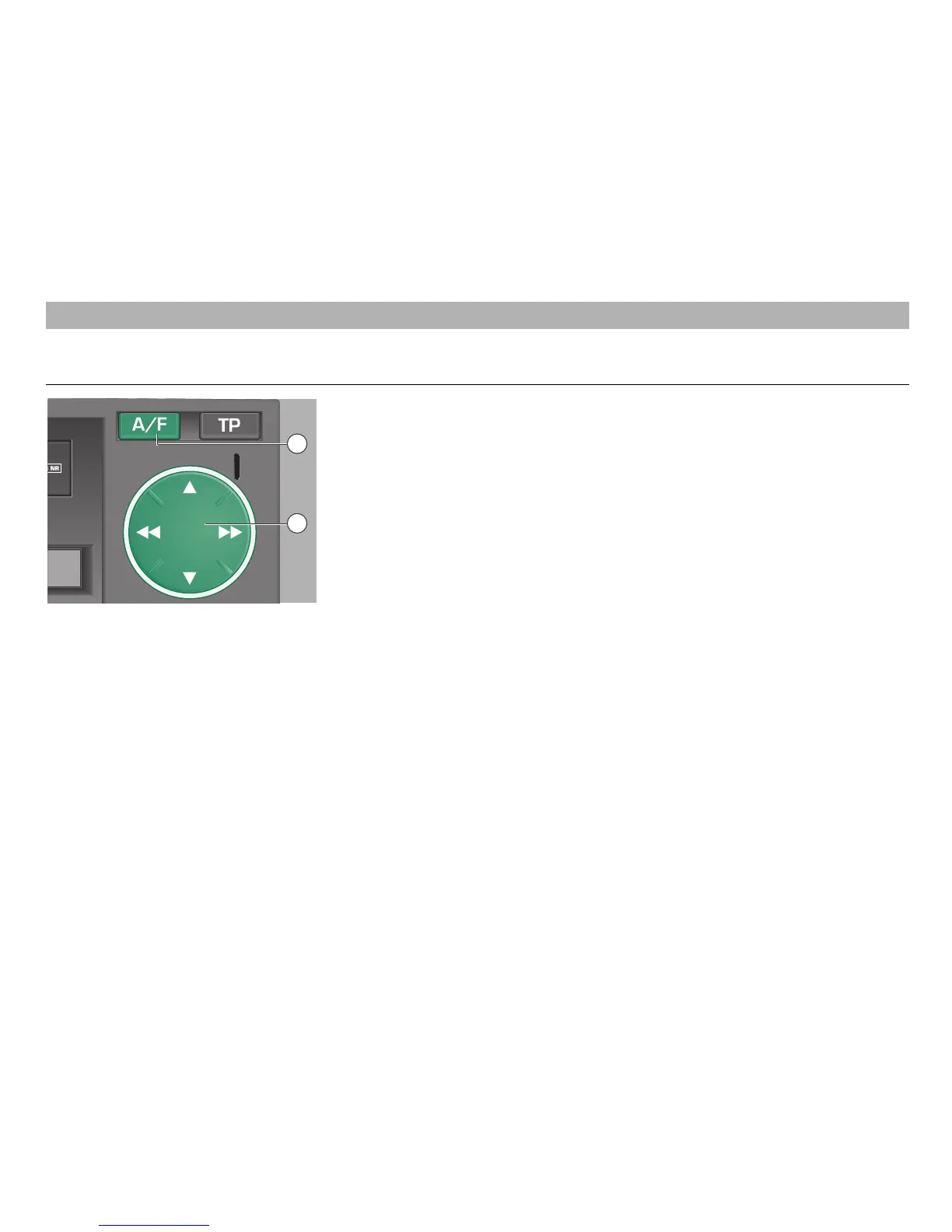
First press the A/F button
ßI
repeatedly to
select one of the memory levels of the
"FM1", "FM2", "AM1" or "AM2" ranges.
ß`
– Station search rocker
Press on Ń or Ľ of the rocker
ß`
to start
the manual station search.
• Briefly press one side of the rocker
ß`
:
"MAN" and the current reception
frequency appear in the display.
• Briefly press repeatedly on Ń or Ľ of the
rocker
ß`
:
The frequency is changed in single steps
(50 kHz in FM, 1 KHz in AM).
• Hold down
Ń or Ľ of the rocker
ß`
:
the frequency scrolls at high speed.
Manual storing
• Press the station button
ßR
on which the
station is to be stored until the mute
function is deactivated (the frequency to
be stored appears in the display). The
station is stored.
Please make sure that the station name
is shown while the station is stored and
not a moving text as otherwise the
moving text will be stored instead of
the station name.
RADIO MODE
12
10













 To Next Page