GB
ßZ
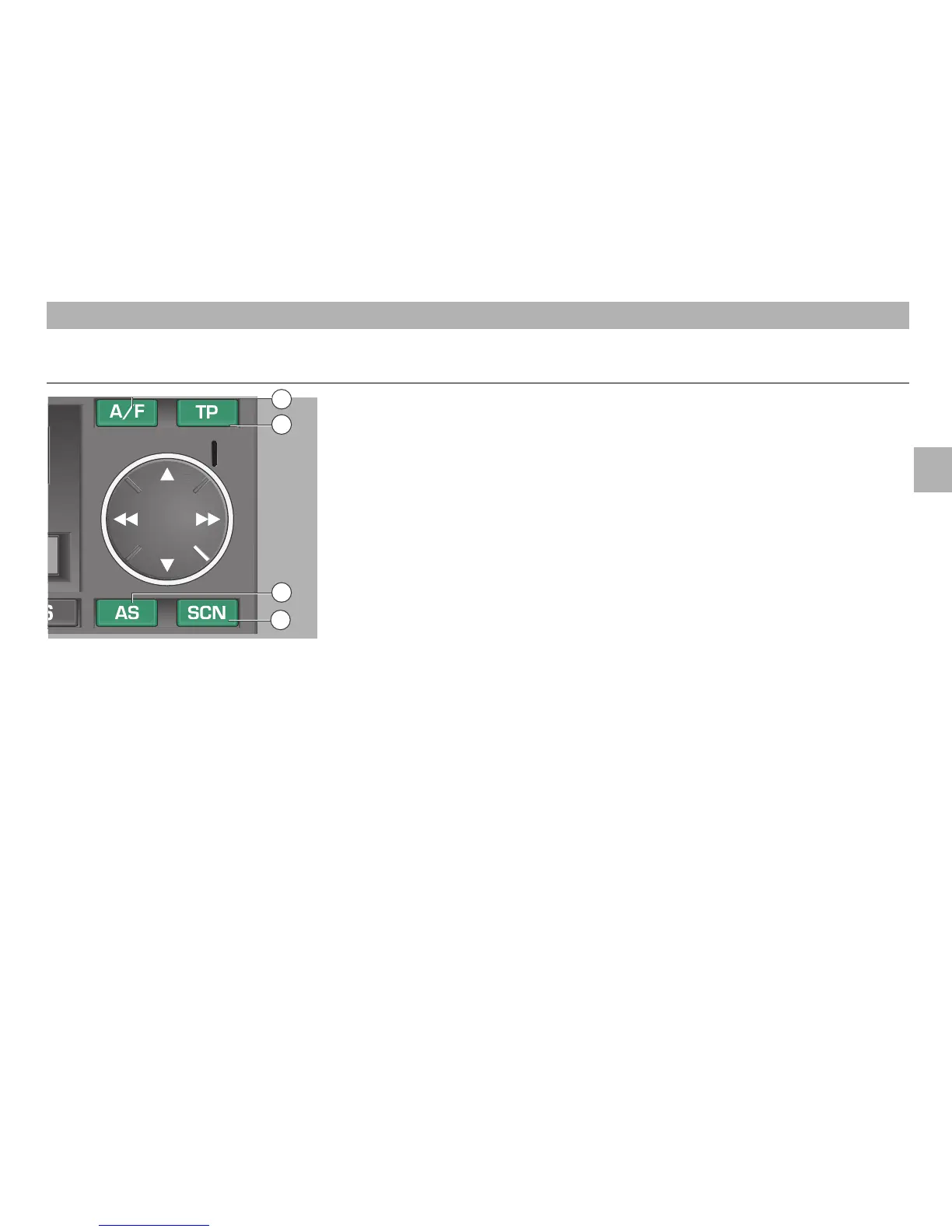
– AS button
The AS button
ßZ
allows you to automati-
cally store the strongest stations in a con-
venient way.
Using the AS function, you may store 6
stations in each of the FM and AM wave-
bands.
Automatic storing
• Select the "FM1" or "AM1" waveband. If
you then press the TP button
ß?
, only
traffic radio stations are searched. If AM
has been selected, the radio switches
automatically to FM.
The "FM2" and "AM2" wavebands should
be used for the "AS" function only if you
are frequently changing your location or
during the holidays.
• Press the AS button
ßZ
for about 2
seconds. "STORE" appears in the dis-
play and the 6 strongest stations are
stored on the station buttons
1
…
6
.
This operation takes several seconds.
• When storing is completed, the radio
selects automatically the strongest
station.
You may call up the stored stations by
pressing the corresponding station button.
´I
– SCN button
If you press the SCN button
´I
, all
stations in the selected waveband are
heard several seconds.
• Press the SCN button
´I
.
• "SCAN" appears in the display.
You hear one station after the other for
several seconds.
If you wish to hear the current station
permanently, press the SCN button
´I
again.
RADIO MODE
7
RANGE SELECTION BUTTON
AUTOSTORE
function
ßI
– A/F button
Use the A/F button
ßI
to switch
between the "FM" and "AM" ranges.
Press the A/F button
ßI
repeatedly to
switch between the memory levels "FM1"
and "FM2" or “AM1“ and “AM2“.
The display shows "FM1" or "FM2" for the
memory levels in the FM range, and
"AM1" or "AM2" for the memory levels in
the AM range.
10
18
11
20













 To Next Page