Need help?
Do you have a question about the sks BSV2012 and is the answer not in the manual?
Defines the intended application and usage conditions for the video indoor station.
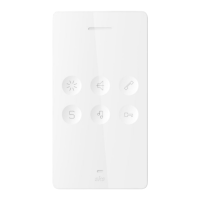
Details the technical capabilities and functionalities of the BSV2012 indoor station.
Lists the components included in the product package for installation.
Describes the function of LEDs for call, mute, and key recognition.
Identifies the purpose of each terminal connection on the indoor station.
Illustrates the wiring connections for the indoor station to the system.
Provides a high-level overview of the system's component layout.
Details the specific electrical connections required for system installation.
Steps to safely detach the indoor station from its support frame.
Instructions for installing the station onto flush-mounted or cavity wall boxes.
Guidelines for attaching the station directly to a wall surface.
Steps to remove the indoor station from its mounting.
Configuring the primary address for the indoor station using DIP switches.
Setting up addresses for multiple call buttons or group calls.
Configuring addresses for internal communication between stations.
Procedures for deleting or changing internal call address settings.
Instructions for initiating calls to other indoor stations within the system.
Methods to modify or remove previously programmed internal call addresses.
Illustrative scenario for programming multiple interconnected indoor stations.
Selecting the user interface language (German or English).
Locating and verifying the installed software version of the indoor station.
Configuration options for advanced features requiring a password.
Enabling and configuring the automatic door opening function.
Setting up the external power supply option for enhanced system performance.
Procedure to adjust touchscreen sensitivity for optimal operation.
Restoring the indoor station to its original factory default configuration.
Utilizing the device's touch-sensitive buttons for basic functions like calls and door opening.
Understanding the function of dedicated keys for accessing and navigating the main menu.
Performing actions like internal calls and viewing camera feeds via the menu.
Adjusting screen parameters and audio levels including brightness, volume, and ringtones.
Overview of final setup steps like language selection and software verification.
Details regarding product warranty terms and conditions.
Information on how to reach the SKS support team for assistance.
Physical address and primary contact information for SKS-Kinkel Elektronik GmbH.
Guidelines for environmentally responsible disposal of the electronic device.
Statement limiting the manufacturer's liability for document accuracy and product use.
 General
| Brand | sks |
|---|---|
| Model | BSV2012 |
| Category | Intercom System |
| Language | English |

 To Next Page