SKS-Kinkel Elektronik GmbH
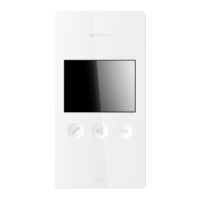
10006901 BSV2012 Video indoor station hands-free
EN
Support Hotline: +49 (0) 2661 98088-112
Support E-Mail: support@sks-kinkel.de
Version No. 2.0
Document No. 97010703
42
7 Mounting
7.1 Preparation
Use a screwdriver to release the indoor station from its supporting
frame. This is done by inserting the screwdriver into the release
opening at the bottom of the indoor station.
Carefully remove the indoor station from the support frame as
shown in the drawing.
Pull the lower part of the BS2012 video indoor station hands-free
towards you and carefully lift it upwards.
7.2 Mounting on flush mounted or cavity wall box
We recommend installing a ush-mounted or cavity wall box be-
fore mounting the supporting frame so that it is possible to use
the screws to attach the supporting frame to the ush-mounted or
cavity wall box. Use the fastening holes in the centre area of the
supporting frame for this installation.
We recommend additional xation of the supporting frame with
screws in all four corners of the device.
Pull the installation cable through the openings of the sup-
porting frame before screwing it onto the wall! When doing
so put only those wires into the device which are actually needed.
The cable mustn’t be squashed or bent sharply.
Connect the terminals to the previously installed cable. The termi-
nals are located inside the front of the BS2012 video indoor station
hands-free.
To avoid errors when connecting cables please use the plan-
ning guide or the wiring diagram.


 To Next Page