GB 18
7. The OSD Menu – System
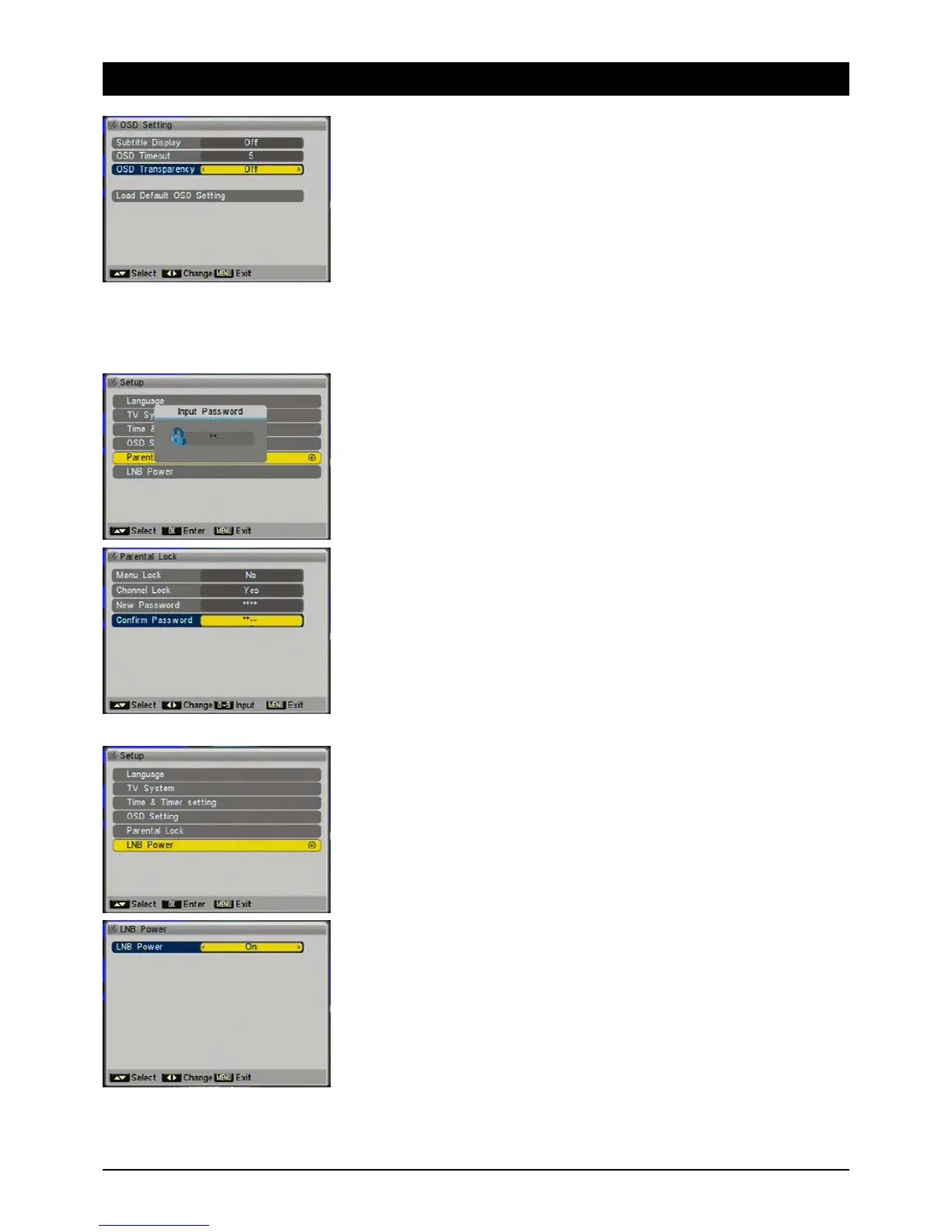
3.5 OSD Setting
In this menu you can edit the on-screen menu appearance.
3.5.1 Subtitle display
Choose “On” if you want subtitles shown with a program.
3.5.2 Display duration
How long information and error messages are displayed can be set between 1 second and 10 sec-
onds.
3.5.3 OSD Transparency
You can set the transparency of the on screen display between 10% (background slightly visible)
and 40% (very transparent).
3.5.4 Reset Defaults
With this option all changes to OSD settings can be reset.
3.6 Child Lock
You can block the menus and channels from unauthorised access, e.g. to content that is
unsuitable for children. Access is then only possible by providing a four-digit password.
3.6.1 Menu Block
If you want to restrict access to specific parts of the on-screen display, set the menu block to
“On”.
Channel Block
Channels you have previously blocked in the menu can only be accessed by entering a password,
if you switch on channel blocking.
New password
If you wish to change the default password 0000, enter the new password here.
Confirm password
Confirm you new password. Make sure you remember the password or store it in a safe place.
3.7 LNB Voltage
The satellite receiver's LNB voltage provides the LNB with an operating voltage and enables
switching between various reception levels. Note: leave the LNB voltage on all the time unless you
are specifically instructed to switch it off. This may be necessary in a few larger residential building
systems.
3.7.1 LNB Voltage
Switch the LNB voltage on or off. If you are not sure, leave it “On”



 To Next Page