GB 8
7. The OSD menu – channels
1. Channels
Editing the available TV and radio channels.
1.1 TV channels – (Radio channels)
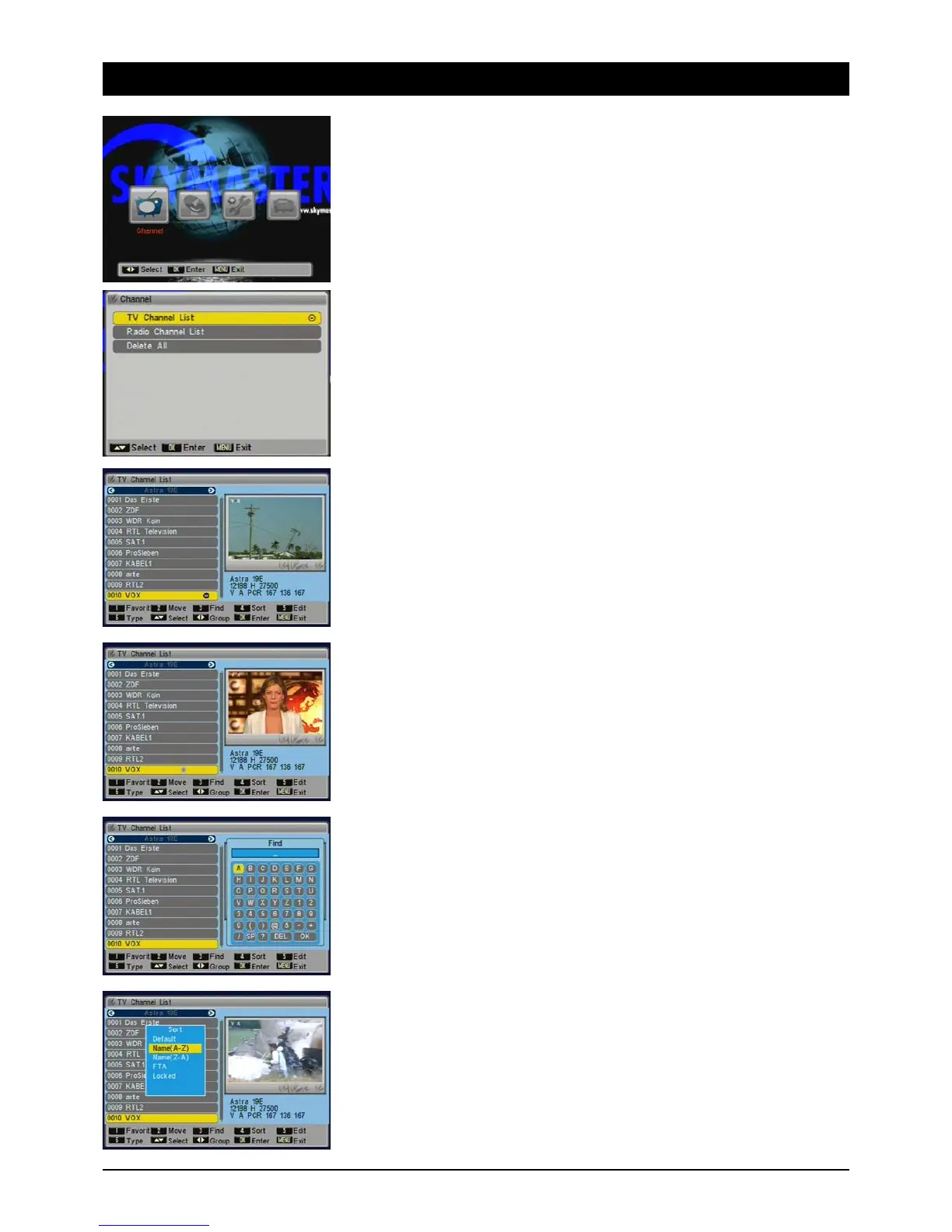
The TV channels can be imported, moved, searched, sorted or edited in FAV lists. You can select
the satellite with the [Left/Right] buttons. You can navigate the channel list page by page using the
[Page] buttons.
After quitting by pressing [Exit] a dialog box appears and asks to confirm whether the changes
should be saved.
1.1.1 Favourites
You can transfer your favourite channels to a separate list. By pressing the red button you have
quick access to your favourite channels.
Choose the desired channel and press [1]. You can add other channels to your FAV list by pressing
[1] and remove them the same way.
1.1.2 Shift
Choose the desired channel and press [2]. Using the [Up/down] buttons you can shift the channel
to a new position and press [OK].
1.1.3 Search
Choose the desired channel and press [3]. A keyboard appears on screen, which you can operate
using the [NAV] buttons. You can add spaces with the [SP] button, to delete use the [DEL] button.
Confirm letters and figures with the [OK] button on the remote. To quit the keyboard press [OK].
1.1.4 Sort
You can sort channels based on the following: “Default” (as sorted presently), “Name (A-Z)”
and “Name (Z-A)” (alphabetical), “FTA” (free to air before encrypted channels) and “Blocked”
(blocked channels sent to the end of the list). Note: if you quit the menu and confirm channel
sorting permanently, you cannot recreate the previous sequence.



 To Next Page