GB 22
7. The OSD Menu – Miscellaneous
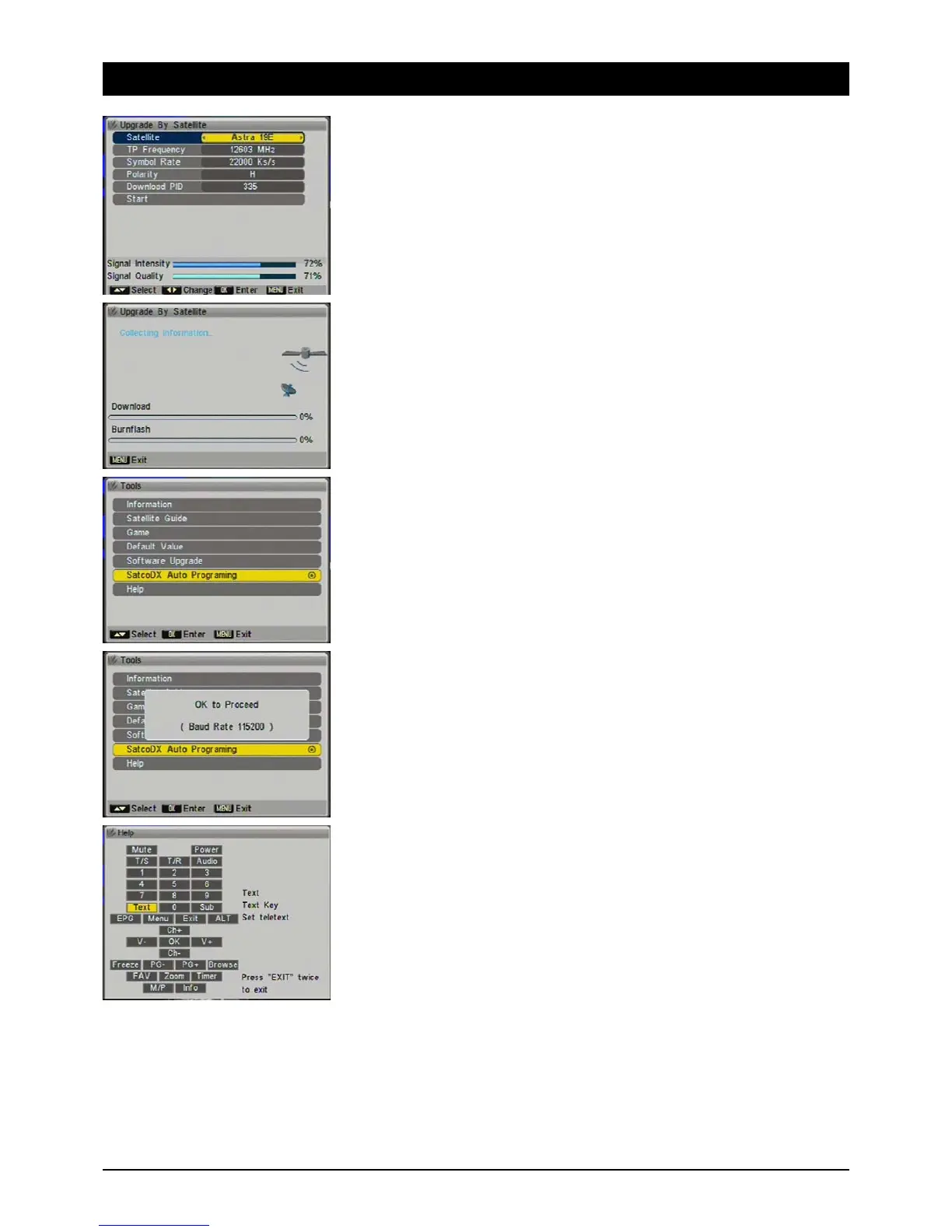
4.5.2.1 Satellite
At this point the ASTRA 19.2° East should appear. At present SKYMASTER updates are not
transmitted via other satellites. You should leave the default settings as they are.
Note: The settings in the diagram are only examples.
4.6 SatcoDX Auto-Programming
You have the options of updating the channel lists of specific satellites via the serial port of the
unit. You can download these lists from http://www.satcodx.com/ and load them into the receiver
with a program such as World of Satellites II v 3.06. Please note the instructions included with the
software. SM ELECTRONIC accepts no liability for damage that may occur from using the software.
4.7 Help
Provides an overview of the remote control's buttons on screen. Press any button and a brief
explanation of it appears. You can quit the menu by pressing the [EXIT] button twice.



 To Next Page