GB 23
8. Other functions
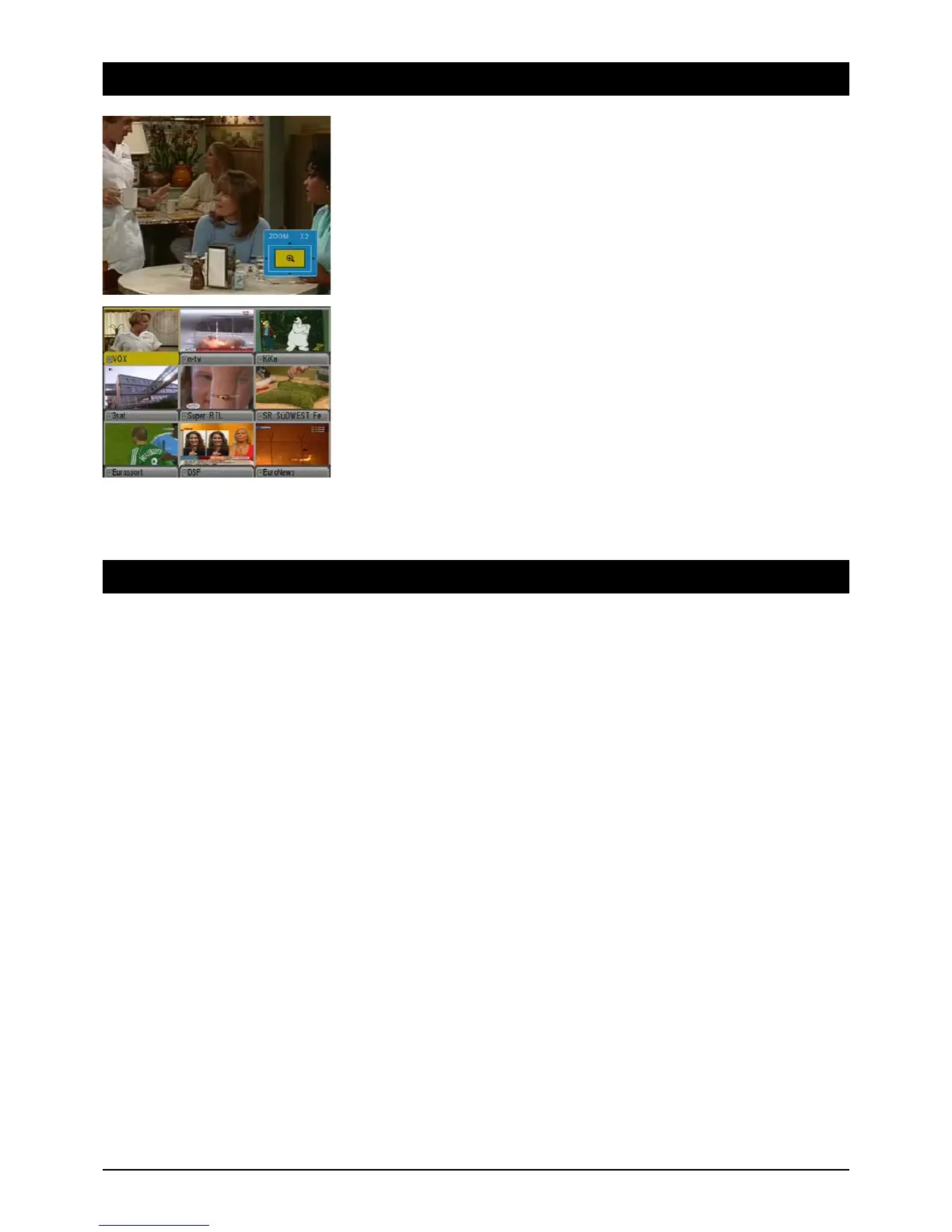
Zoom Function:
By repeatedly pressing the green function button you can enlarge the picture up to 16 times
normal size. You can select the image section using the control buttons. A display in the lower
right hand corner is there to guide you. To quit the Zoom Function press the Exit button.
Multi-channel preview:
The blue function button displays the multi-channel preview. An overview of nine TV channels
appears on screen. Use the control buttons to select one of nine channels and access it with the
OK button. With the PAGE buttons (+ or -) you can display the previous or next nine TV channels.
9. Troubleshooting
No Function Note the position of the mains switch and switch the unit on if necessary
(3. Receiver Operating Elements, B, Page 3, Item 9).
No antenna signal (No signal display on the unit or via the signal displays in the OSD):
1. Check the antenna cable first: the mesh wire shield and aluminium insulation must be in contact with the f-plug
and should not touch the cable conductor.
2. Check the LNB settings. For ASTRA satellites LNB1 should be on. If you use an ordinary digital LNB, the lower
and upper frequencies have to be 9750 MHz and 10600 MHz respectively. To trace an error you should connect
the LNB directly to the receiver and first remove the switch and splitter.
Malfunctions 1. The unit displays incorrect broadcasting times in the EPG or the incorrect time: after the receiver is switched on
the data has to be read and evaluated. Depending on the transponder this process may take some time.
Sometimes it is necessary to call up the EPG again or to switch channels.
2. No response from the unit: the receiver has to process all kinds of data and sometimes it reacts like your
home PC and crashes. A crash may occur when switching from reception of EPG data or if a channel transmits
“garbled” data. Simply pull out the power plug and wait a few seconds before starting the unit again. If the
cause is a software error, you can quickly obtain a software update for the receiver via satellite.
Only a few channels 1. The antenna is aligned to the wrong satellite position. When aligning the antenna you may be receiving one
of numerous satellites, which is transmitting on a similar frequency and interfering with the receiver's signal dis-
plays. When switching channels foreign stations will often appear as well as a notification of “No Signal”. It is
often enough to turn the antenna a few degrees to the east or west to receive the channels you want.
2. Check to see if you have activated the right list of channels. Press BROWSE to call up the list. Press the 왗 or 왘
buttons to select the channel list you require (e.g. “All Satellites”).



 To Next Page