Turn on the lane keeping
system function:
In the centre console display,
the "Vehicle Control" ->
"Assisted Driving" -> "Lane
Keep" switch is turned on and
the white function icon is lit.
Lane keeping system
activation method:
When the Lane departure
warning system is on, when
60km/h < vehicle speed <
150km/h and the lane line is
clearly identifiable, the lane
remains function activated and
the function icon turns green ,
When the vehicle speed is less
than 60km/h or the lane line is
not recognized, the lane
departure warning system
enters the standby state, and
the function icon turns white
.
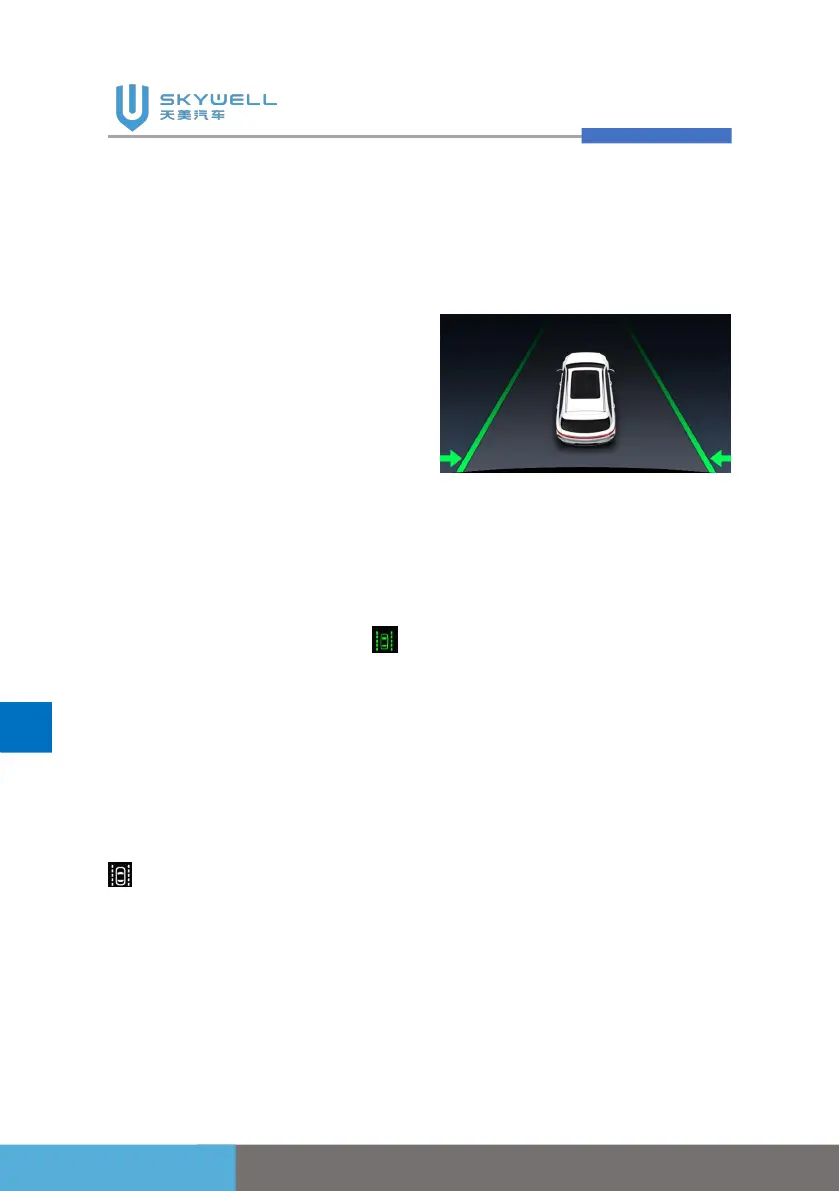
When the lane keeping system
is turned on, and the vehicle
deviates from the lane under
the working conditions, the
instrument interface will display
the center arrow as green, and
the system slightly adjusts the
steering wheel to correct the
vehicle.
If the vehicle deviates too
much and presses the line, the
system will also sound an
alarm. However, if the front of
the vehicle exceeds the lane
line, the lane keeping system
will not make corrections.
If the driver turns on the
left/right turn signal, the system
actively enters the standby
state without steering wheel
control. After the turn signal is
turned off and the vehicle
returns to the middle of the
lane, the system will
automatically activate.
Lane keeping system function



 To Next Page