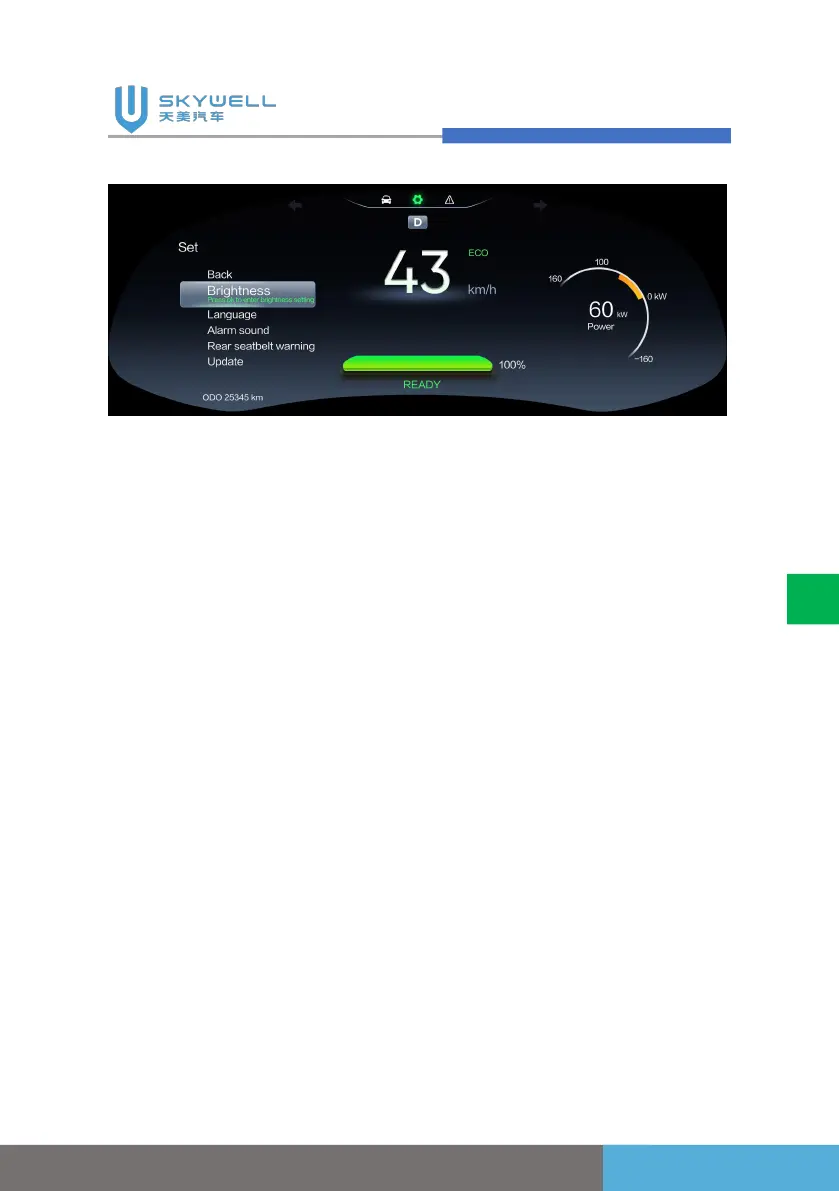
1. Press the "Instrument page
up/page down" button to
switch between "Settings",
"Trip Computer" and "Fault
Finding" menu items in the
instrument menu selection
area.
2. In the instrument menu
selection area, you can use
the "Instrument
confirmation/return" button
to enter the selected
related menu items (as
shown in the figure, select
the "Settings" menu item in
the menu area, and press
the "Instrument
confirmation/return" button
to enter the " settings
"submenu options menu
area, and through the"
related operations
Instrument page up / page
down "button and"
Instrument confirmation /
return "button sub-menu
content.
3. If the cruise function is
configured, you can use
the "Cruise on/off" button,
"Cruise cancellation"
button, "Active cruise
distance adjustment+/-"
button and "Cruise reset;
Cruise speed+/-" button to
set the cruise function.



 To Next Page