9 / 16
Copyright (c) 2009-2013 RoboPeak Team
Copyright (c) 2013-2023 Shanghai Slamtec Co., Ltd.
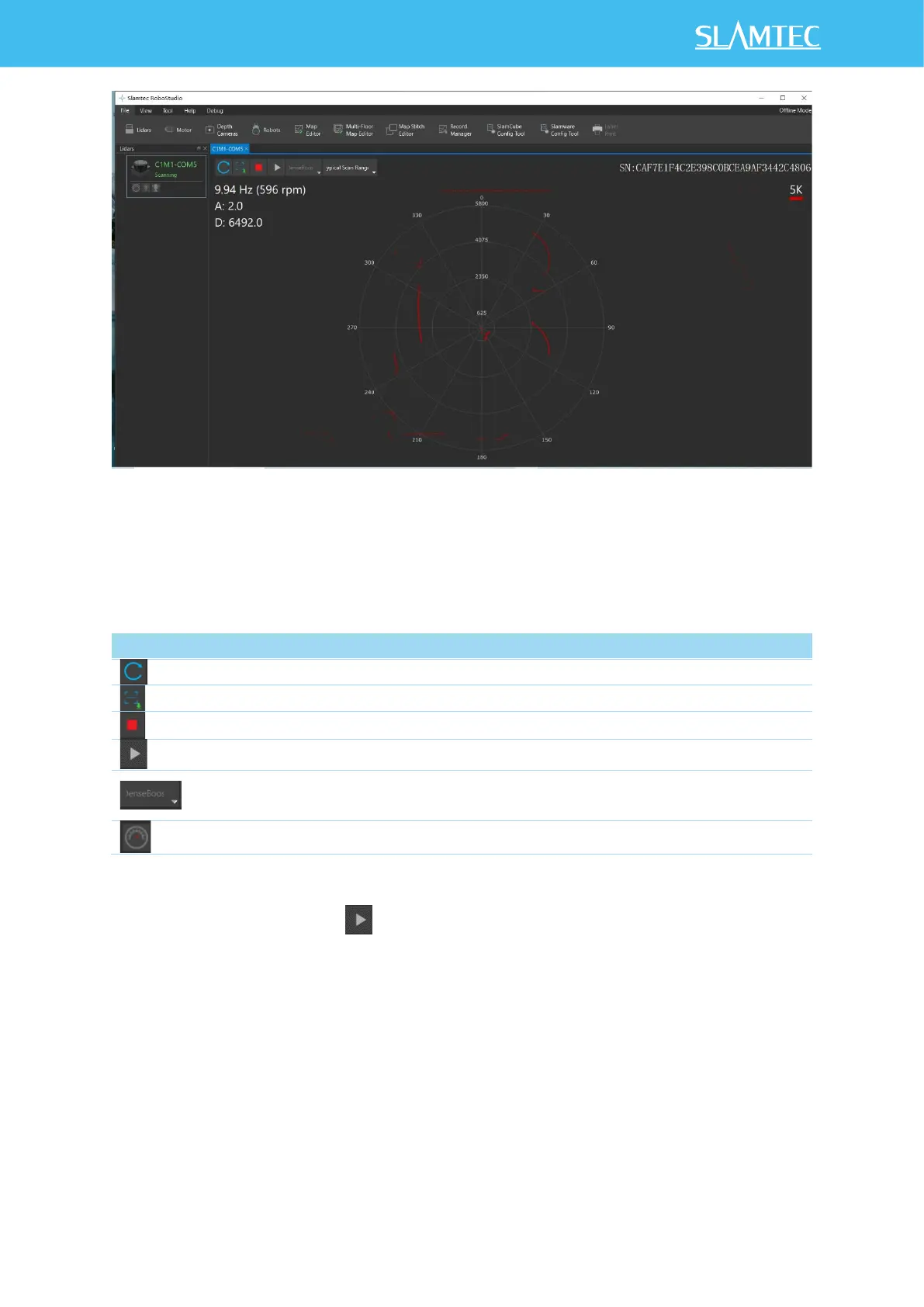
Figure 2-7 The Lidar Plugin in RoboStudio
The serial number, version and model of the RPLIDAR C1 will show next with its
icon in the lidar control panel. The supported commands of RPLIDAR are
showed in the tool bar. The descriptions are listed in the bellow table.
Figure 2-8 The Supported Commands of RPLIDAR in RoboStudio
Press the Start Scan button , the scan data will be displayed as below (by
default, the motor rotating speed should be 10Hz.):


 To Next Page