13
REPLACING THE DRIVE SPROCKET
TOOLS NEEDED:
PHILLIPS SCREWDRIVER, 3MM ALLEN WRENCH, MALLET,
(2) 17MM WRENCHES, PLIERS
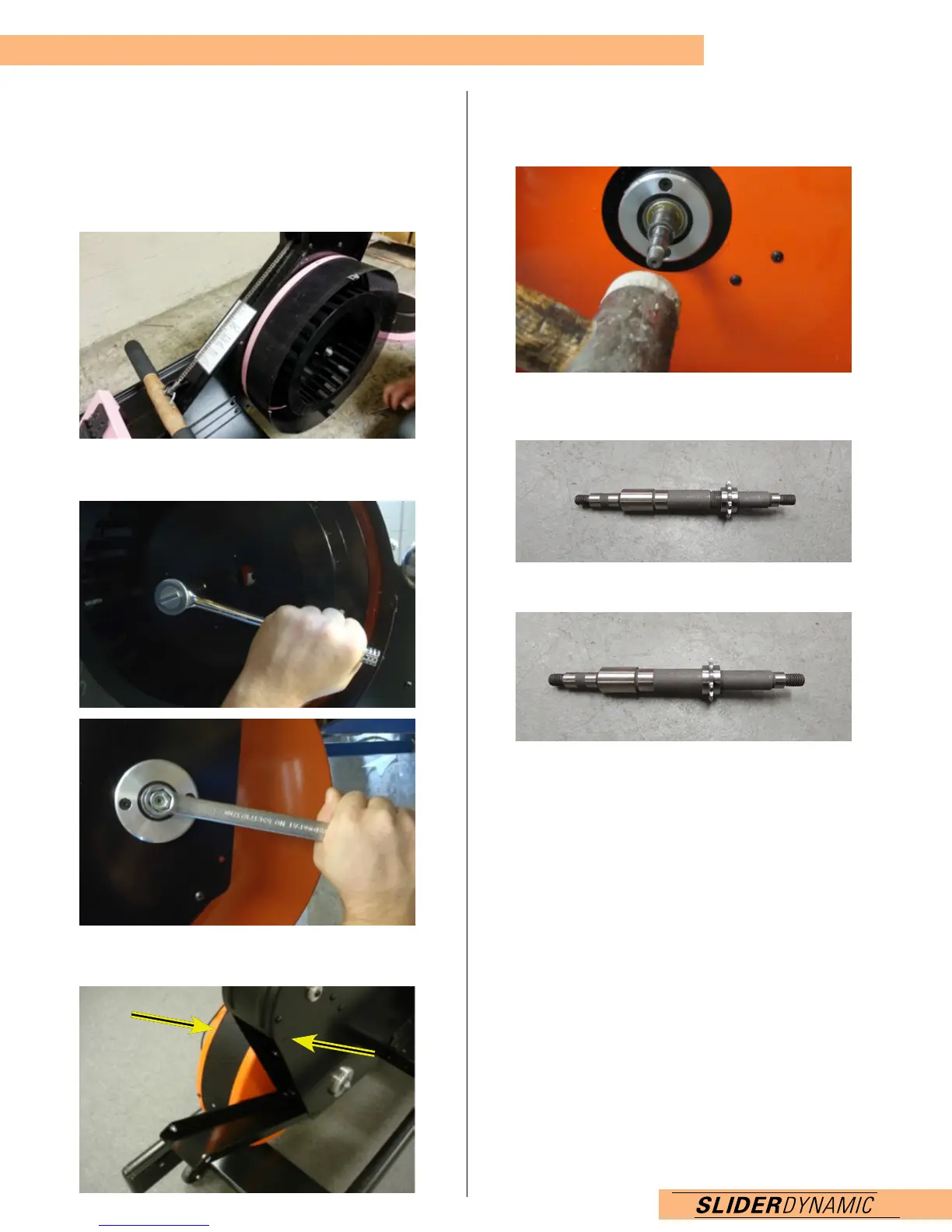
1. With the Slider Flywheel forward, unscrew the 4 Flywheel
screws using a Phillips screwdriver.
2. Loosen the drive axle bolts using 17mm wrenches, then
take bolts off and remove flywheel.
3. Take the back cover off using a 3mm Allen tool, making
sure not to strip bolts. Use WD40 if not easily loosened.
4. Use the screwdriver to hold the chain off of the
drive sprocket.
5. Take a mallet and tap out the drive axle.
6. Unscrew the drive sprocket. You may need, pliers or
vise grips.
7. Put the new drive sprocket on.
8. Tap drive axle back on (making sure the chain can attach
around it).
9. Put the chain on the drive sprocket.
10. Put the flywheel back on, using 17mm wrenches
to attach.
11. Put the flywheel cover back on, screw in the 4 screws
using a Phillips screwdriver.


 To Next Page