17
REPLACING THE SENSOR
TOOLS NEEDED:
3MM ALLEN WRENCH
PHILLIPS SCREWDRIVER
SMALL PHILLIPS SCREWDRIVER
17MM WRENCH
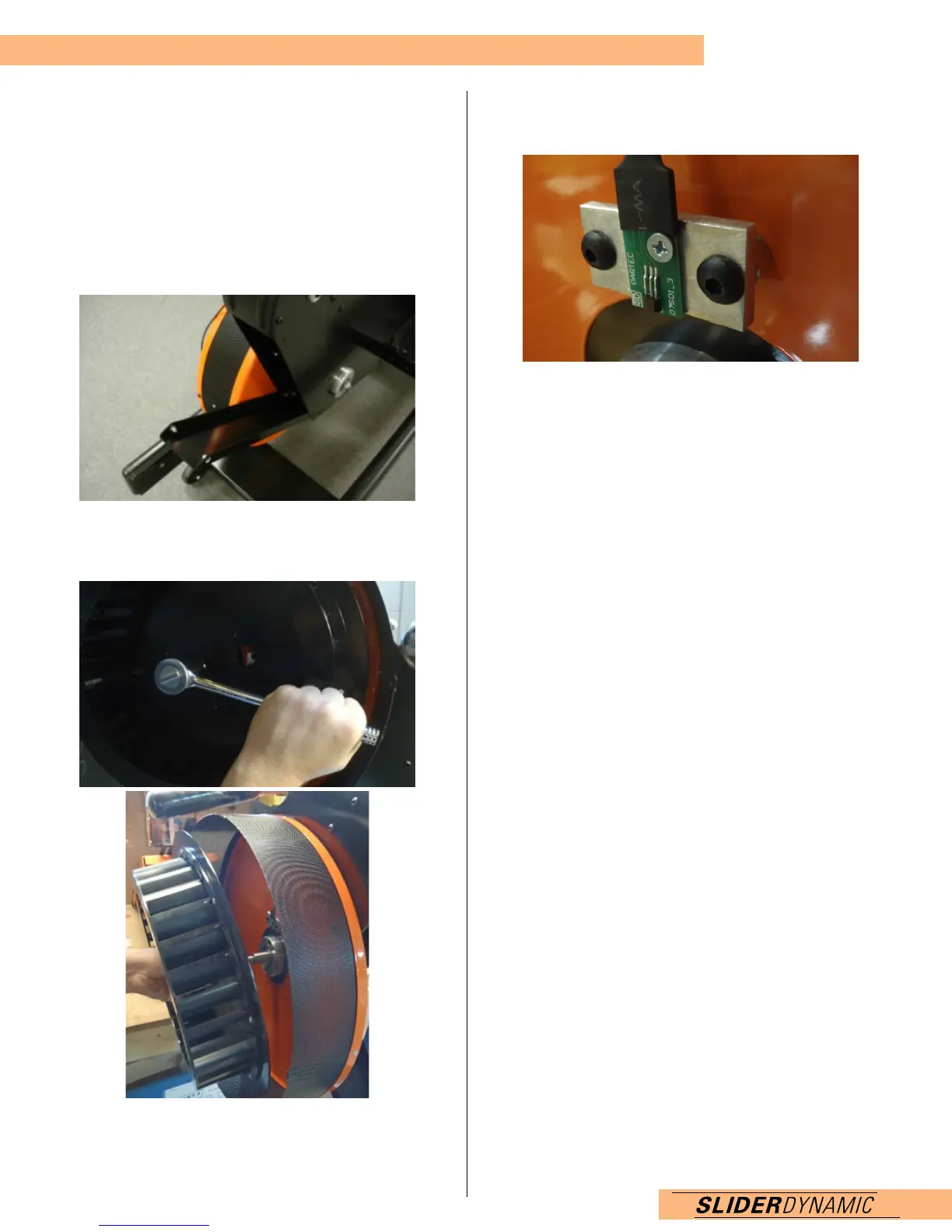
1. Take a 3mm Allen wrench and loosen top back cover
bolts (2) and remove. Slide cover open.
2. Take flywheel cover off using a Phillips Screw Driver.
Using a 17mm wrench, loosen flywheel bolt. Remove bolt
and flywheel.
3. Take small Phillips screwdriver and unscrew the sensor
and peel off. Look inside the machine and open the tabs
that hold the cable. Remove the sensor and cable.
4. Replace with new sensor plug in the back of the monitor.
Run through the tabs inside the machine and out of the
hole by the flywheel. Peel off the cover so the sticky
adhesive is exposed, line up with screw hole and stick.
5. Tighten sensor screw.
6. Replace flywheel using 17mm wrench. Attach the
flywheel cover using a Philips screwdriver.
7. Attach rear cover. Insert bolts and tighten with a 3mm
Allen key.


 To Next Page