SL-10N Cloud
15 16
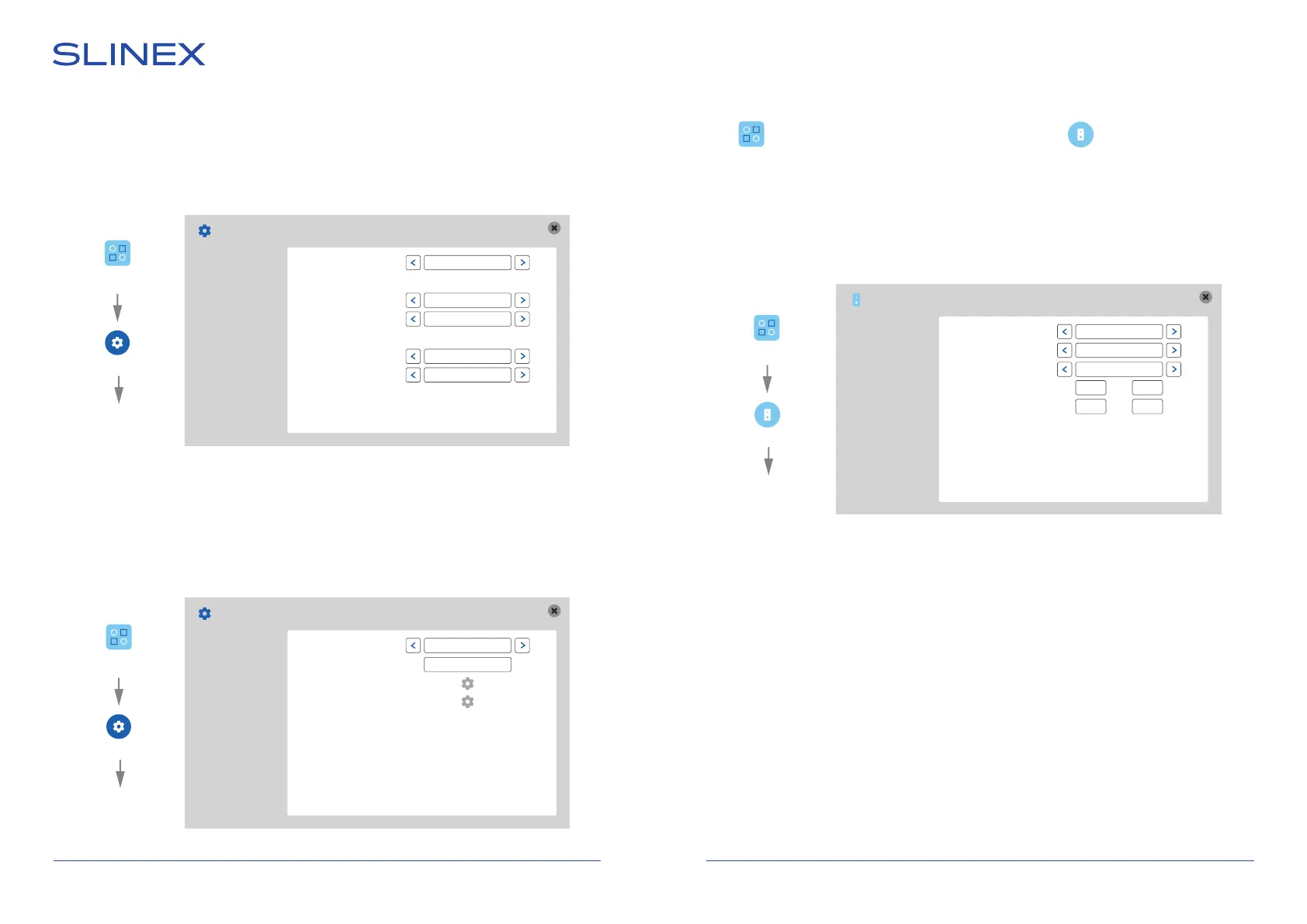
Settings → System → Encode
REC select − recording resolution (1080P or D1 );
Coding quality − video stream encoding rate (Optimal, Good or General);
Frame rate − recording frame rat (from 10 frames/sec. to 25 frames/sec.).
Encode
REC select
1080P:
Coding quality
Frame rate
D1:
Coding quality
Frame rate
1080P
Optimal
25
Optimal
25
Basic
Time
Encode
Display
Settings → System → Display
Channel − channel number (1,2 – outdoor panels; 3,4 – video cameras);
Channel name − current video channel name;
Color setup − video channel image parameters settings (brightnes, contrast, saturation, etc.);
Video margin − top, bottom, left and right margins adjust.
Settings → Door → Voice mail
Channel − choose the number of the channel for making voice mail settings (1 or 2);
Voice mail On/O − enable/disable voice mail function for the current channel;
Voice unlock − unlock message type (1,2 or user defined voice);
Voice mail − voice mail message type when there is no answer (1,2 or user defined voice);
Time − delay time from incoming call start to the voice message playing (30 or 60 seconds);
Voice user dened − user dened voice messages recording (Voice mail or Voice unlock).
Display
Channel
Channel name
Color setup
Video margin
1
DOOR 1
Basic
Time
Encode
Display
6.3.2. Outdoor panel settings
Press icon on the tool bar to enter monitor settings, then press icon to enter outdoor panel
settings.
Settings → Door → Basic
Call REC − incoming call recording mode (Photo or Video);
Door LED − enable/disable outdoor panel LED backlight;
Do not disturb mode − turns o incoming call melody (if enabled);
DND mode schedule − do not disturb mode schedule tuning.
Door setting
Basic
Voice mail
Ring
Call REC
Door LED
Do not disturb mode
DND mode schedule
Фото
Вкл.
Вкл.
00:00 00:00
00:00 00:00
Settings
System
Encode
Settings
System
Display
Door
Basic
Settings


 To Next Page