SECTION 2: SETTING UP YOUR SYSTEM
Before using your meter for the rst time, make sure to set up your meter
properly.
Set the Date and Time
1. Enter the setting mode and set the clock
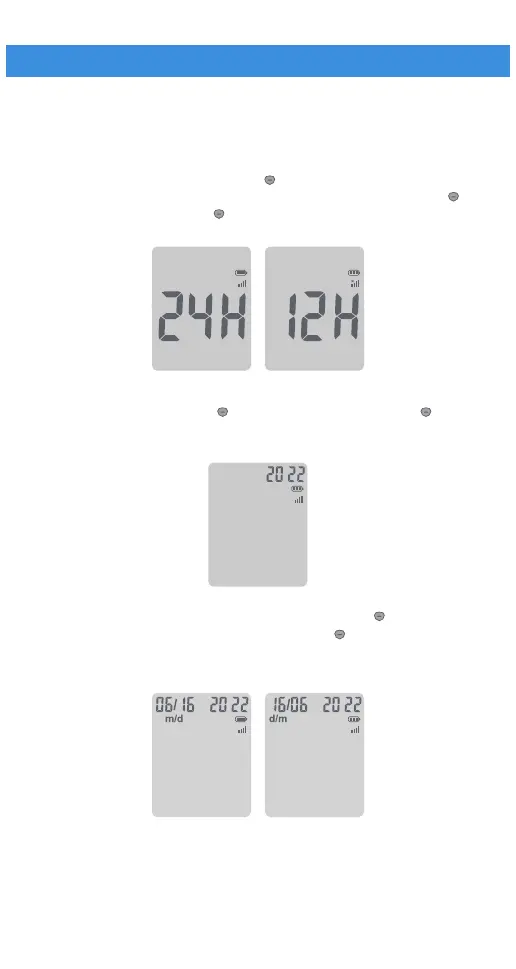
When the meter is o, press and hold until the meter beeps to enter the
set-up mode. Then set the clock for either 24- or 12-hour mode. Press to
adjust it then press and hold to save your choice. Start setting the year,
month and day.
2. Set the date
The year will now ash. Press to adjust it, then press and hold until
the meter beeps to set, then it will shift to the next digit for setting.
Repeat the above action until the year setting is completed.
The display form of day and month will now ash, press to set the
display form to m/d or d/m mode, press and hold until the meter
beeps to set.
The meter will prompt you to set the month.
6


 To Next Page