25
Troubleshooting Guide
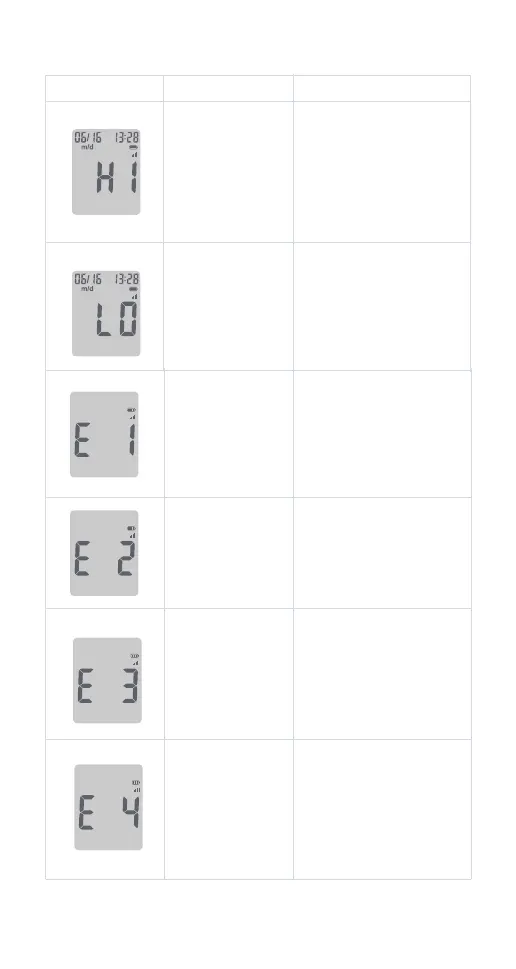
What You See What It Means What You Should Do
Discard the test strip and
repeat the test with a new
test strip. Make sure that
you are using a
iGlucose®Essential test
strip.
Incorrect test strip.
Discard the test strip and
repeat the test with a new
test strip. Make sure that
only human capillary blood
and iGlucose®Essential
control solution are used for
the test.
Incorrect sample.
Wash and dry your hands
and the test site well.Repeat
the test using a new test
strip. If your result still
ashes “HI”, contact your
healthcare professional as
soon as possible.
The test result is
above 600 mg/dL.
Wash and dry your hands
and the test site well. Repeat
the test using a new test strip.
If your result still ashes “LO”,
contact your healthcare
professional as soon as
possible.
The test result is
below 20 mg/dL.
Discard the test strip and
repeat the test with a new
test strip. Wait until you see
the ashing blood drop on
the display before testing.
Blood or control
solution was
applied to the test
strip before the
ashing blood
drop appeared on
the display
Discard the test strip and
repeat the test with a new
test strip. Wait until you see
the ashing blood drop on
the display before testing.
The meter is
sensing a used or
contaminated test
strip.



 To Next Page