SMARTEYE Netx Ethernet IP Control Unit User Manual Page 31
Filename: netx IP Platform User Manual R0 .doc
…
In Control
A
M
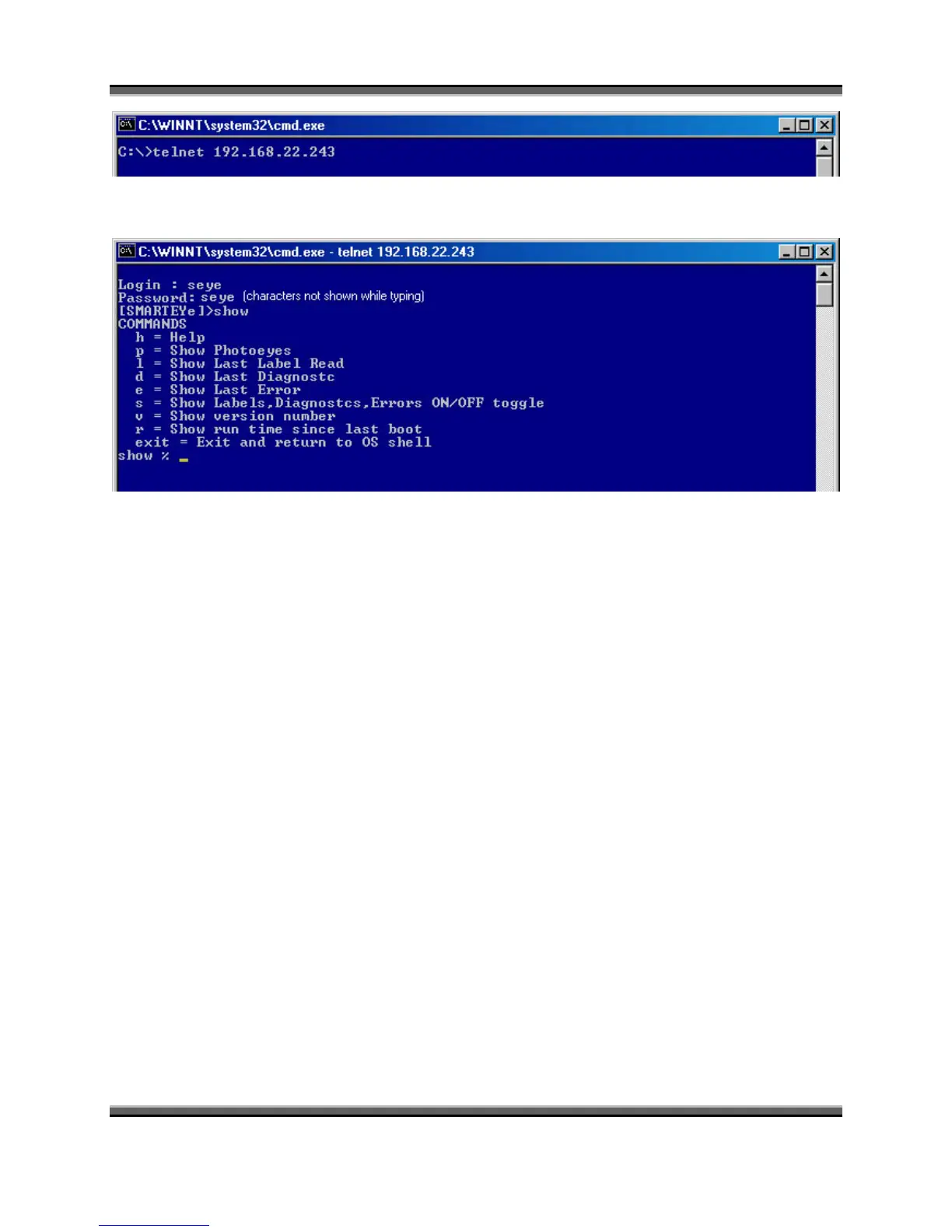
You will then be prompted for a password. The username is always ‘seye’. The default
password is also ‘seye’. To terminate the telnet connection, type ‘exit’.
The ‘show’ command puts your session in show mode. The auxiliary port or telnet session is
used to monitor Netx activity and for system inquiries. The factory default settings for the
auxiliary port are RS232 protocol, 57600 baud, 8 bits, 1 stop bit and no parity.
9.1 Show Commands:
The ‘show’ mode is programmed to respond to single character commands followed by a
carriage return (enter key) with the exception of the ‘exit’ command. The single character
commands are:
h Help - displays a list of valid commands
p Photoeyes – show the state of the three photoeyes
l Label - show the last label read
d Diagnostic – show the last diagnostic values
e Error – show the last error
s Show - Labels, Diagnostics and errors in real time (toggle)
v Version - show the software version number and build date
r Run time since last boot (ddd:hh:mm:ss)
9.1.1 HELP – ‘h<cr>’
The help command displays the list of valid commands along with a brief description for each.
[SMARTEYET]>show
show % h



 To Next Page