EasyManua.ls Logo

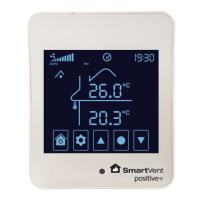
SmartVent positive+ - User Manual

SmartVent positive+
20 pages
Print Icon
To Next Page IconTo Next Page
Loading...
HOME VENTILATION SYSTEMS
Firmware Version 3.7
User Manual
Your guide to a healthier home

Questions and Answers

  • K
    Kayla SmithAug 15, 2025
    What to do if there is no air coming out of my SmartVent positive+ diffusers?
    • U
      ujarvisAug 15, 2025
      If no air is coming out of your SmartVent Fan diffusers, first ensure that the touch screen controller is powered on. Then, perform a manual test by turning off HEAT TRANSFER and TEMPERING HEATER modes, and ensure RECYCLE mode is off by adjusting your Recycle Temperatures. Set VENTILATION mode to MANUAL, cycle through the fan speeds, and check every diffuser. If air is still not coming out of at least one diffuser during the test, report the results to your installer. Remember to return your system back to its original settings after the test.
  • S
    Sarah MooreAug 18, 2025
    Why is there condensation forming on my windows with SmartVent positive+?
    • D
      Daniel GriffinAug 18, 2025
      If condensation is forming on your windows with the SmartVent Fan, first check that VENTILATION mode is set to AUTO. If HEAT TRANSFER is installed, make sure the scheduler is used to allow periods dedicated to ventilating your home. Also, test if air is coming out of the diffusers. If not, follow the steps for when there is no air coming out of the diffusers. To increase the velocity of air coming into the room, reduce the diffuser opening to 5-10mm.
  • D
    David WiseAug 21, 2025
    Why does my house feel colder with SmartVent positive+ installed?
    • J
      Judith DavidsonAug 21, 2025
      If your house feels colder after installing the SmartVent Fan, check your set temperature value in the VENTILATION settings. Note that the ventilation system brings in air from either the roof cavity or outside to improve indoor air quality, and this air can sometimes be cooler than your desired indoor temperature, which is normal.
  • J
    Joyce DrakeAug 25, 2025
    Why is my house too hot even with SmartVent positive+ running?
    • T
      Timothy RangelAug 26, 2025
      SmartVent systems are designed to provide ventilation to the home. Being able to cool the home down to a comfortable temperature in extreme temperatures is not guaranteed.
  • P
    Pamela GrayAug 28, 2025
    How to reset filter change required on SmartVent positive+ Fan?
    • M
      Michelle PhillipsAug 28, 2025
      When the 'Filter change required' message appears on your SmartVent Fan, replace the filter and reset the filter by changing Advanced Setting 019 to 10 and pressing SELECT to confirm.
  • K
    Kathleen ElliottSep 1, 2025
    Why is the scheduler not switching at the right time on my SmartVent positive+?
    • H
      Heidi MartinezSep 1, 2025
      If the scheduler on your SmartVent Fan is not switching at the right time, keep in mind that the system has up to a 5 minute delay between switching states. Also, check that your system clock time is correct, as it needs to be updated manually when daylight saving begins and ends.
  • T
    troylewisSep 4, 2025
    What to do if my SmartVent positive+ Fan shows error E030?
    • T
      Tamara MorrisSep 4, 2025
      To resolve error code E030 on your SmartVent Fan, ensure the connection between the touch screen controller and the ceiling controller is correct and secure, and that the cable is not damaged.
  • D
    Debra JohnsonSep 7, 2025
    What to do if my SmartVent positive+ shows error 1180?
    • K
      Kendra RoseSep 7, 2025
      To resolve error code 1180 on your SmartVent Fan, ensure the connection between the sensor and the ceiling controller is secure, and that the cable is not damaged.
  • M
    melanie39Sep 12, 2025
    What to do if my SmartVent Fan shows error 1x80?
    • J
      jmcguireSep 12, 2025
      To resolve error code 1x80 on your SmartVent Fan, reboot the ceiling controller.

Summary

Modes

Auto Operation and Temperature Setting

Explains automatic fan speed and air source adjustment based on temperature settings for optimal home ventilation.

Heat Transfer

Tempering Heater

System Time-Date Settings

Scheduler Settings

Advanced Settings

Advanced Setting Selection

Guides users on how to access and select specific advanced settings for system customization.

Advanced Setting Menu

Lists adjustable parameters, their ranges, defaults, and notes for system tuning.

Troubleshooting

Maintenance

Filter Replacement

Guides on when and how to replace the system filter and reset the filter indicator.

SmartVent positive+ Specifications

General IconGeneral
BrandSmartVent
Modelpositive+
CategoryFan
LanguageEnglish

Related product manuals