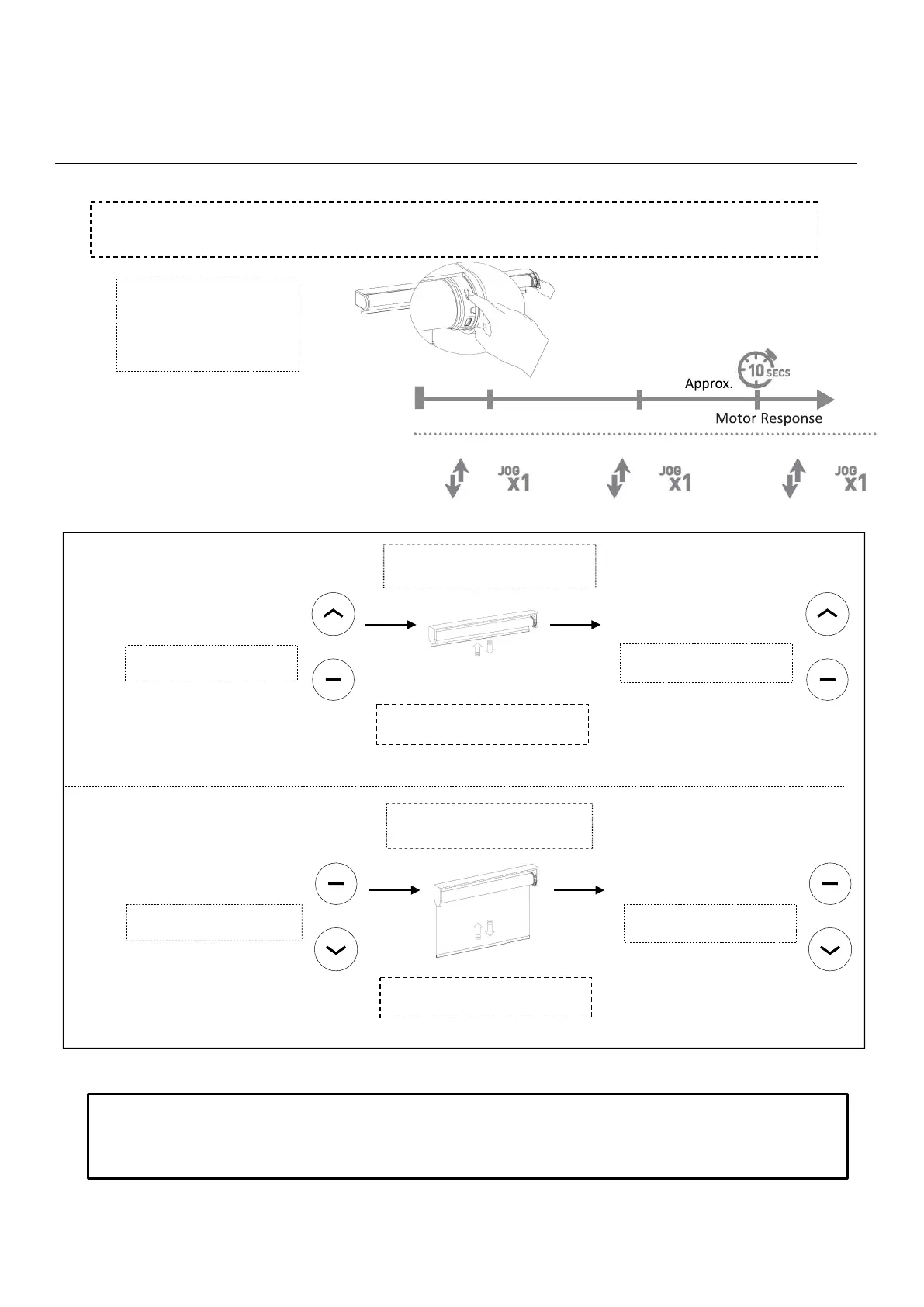
Group Control
3. Adjusting limits of an individual shade paired on a group channel
To adjust the limits of a shade that is currently grouped on a channel with other shades, it is
necessary to place all shades with the exception of the shade to be adjusted, to sleep.
!!WARNING!! - Move shade in short increments by pressing the UP/DOWN button in 1 second intervals (pressing the
UP/DOWN button for more than 3 seconds may send the shade past desired upper/lower limit and may result in
damage to the product). Once you have reached the desired upper/lower limit, you can adjust the limit with either the
UP and DOWN buttons. (remember to adjust in short increments!)
Press & HOLD
Programming Button
on motor head (10sec)
Note: the motor jogs three times
Once all other shades have been put to sleep.
Adjust the shade limits as outlined below:
Press UP & STOP (5sec) Press UP + STOP (2sec)
(SET Top Limit)
ADJUSTING LOWER LIMIT
ADJUSTING UPPER LIMIT
Move the shade to the new desired
position to be set as limit.
Press DOWN & STOP (5sec)
Press DOWN + STOP (2sec)
(SET Lower Limit)
Important!! Stop the shade prior to
traveling past the desired upper limit
Important!! Stop the shade prior to
traveling past the desired lower limit
Note: the motor jogs once
Note: the motor jogs once
Note: the motor jogs twice
Note: the motor jogs twice
Move the shade to the new desired
position to be set as limit.
+
+
+
+



 To Next Page