Initial Setup Programming
3. Unlock/Lock Remote (Limit Setting Mode)
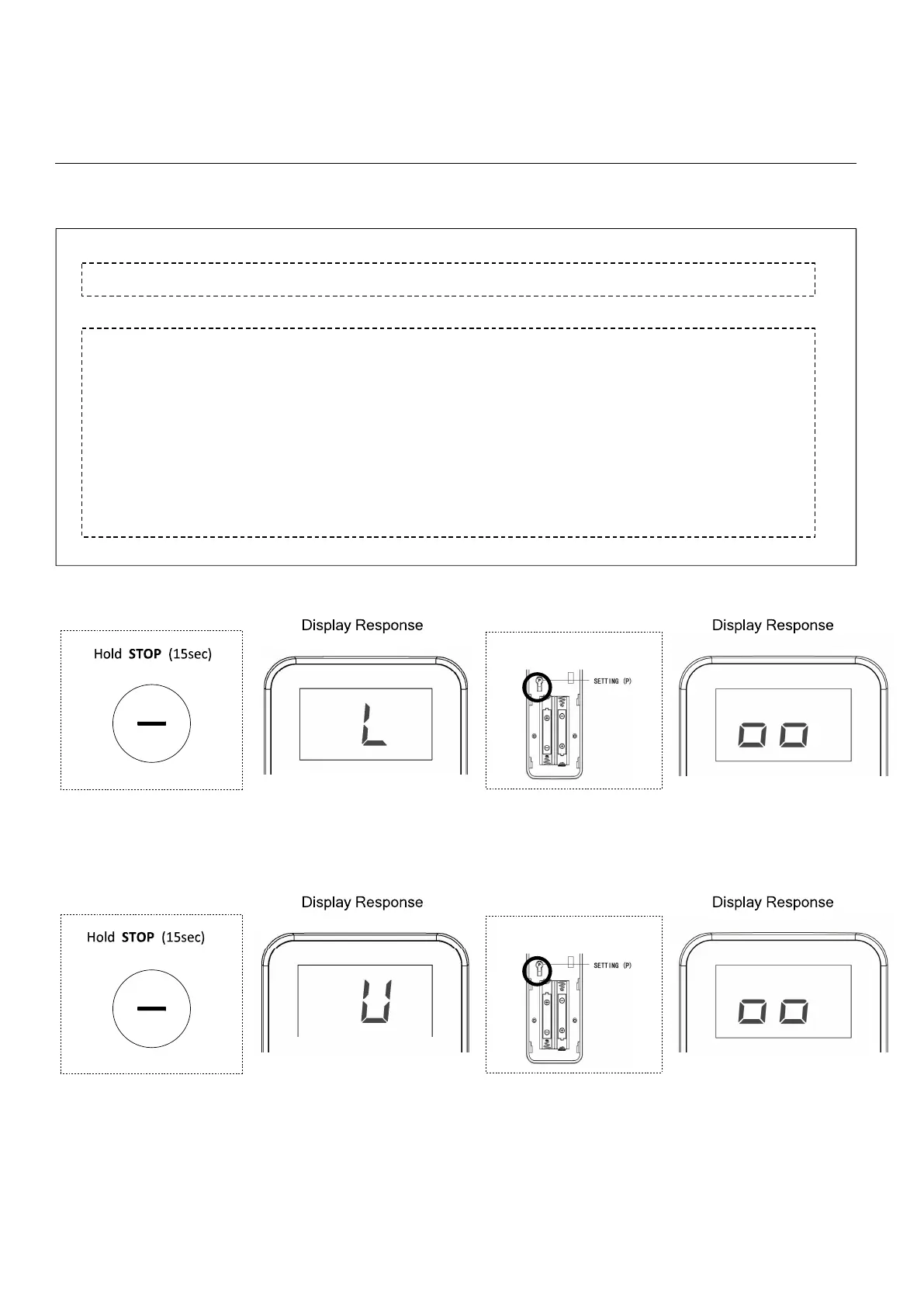
If limits need adjusting, follow the instructions below to unlock the remote for limit setting:
• Unlock the limit setting functionality by pressing the top right button on the back of the
remote (remove cover to expose the button)
Press and hold the button for approximately 15 seconds until the LED display shows a
flashing “U”, then release.
PLEASE NOTE - You will need to “Lock” the remote once final adjustments have been made.
Simply repeat the above step until a flashing “L” shows on the display (“U” for unlocked, “L”
for locked).
•
•
Press P (1sec)
1
2
3a Lock Remote
3b Unlock Remote
Press P (1sec)
1
2



 To Next Page