34
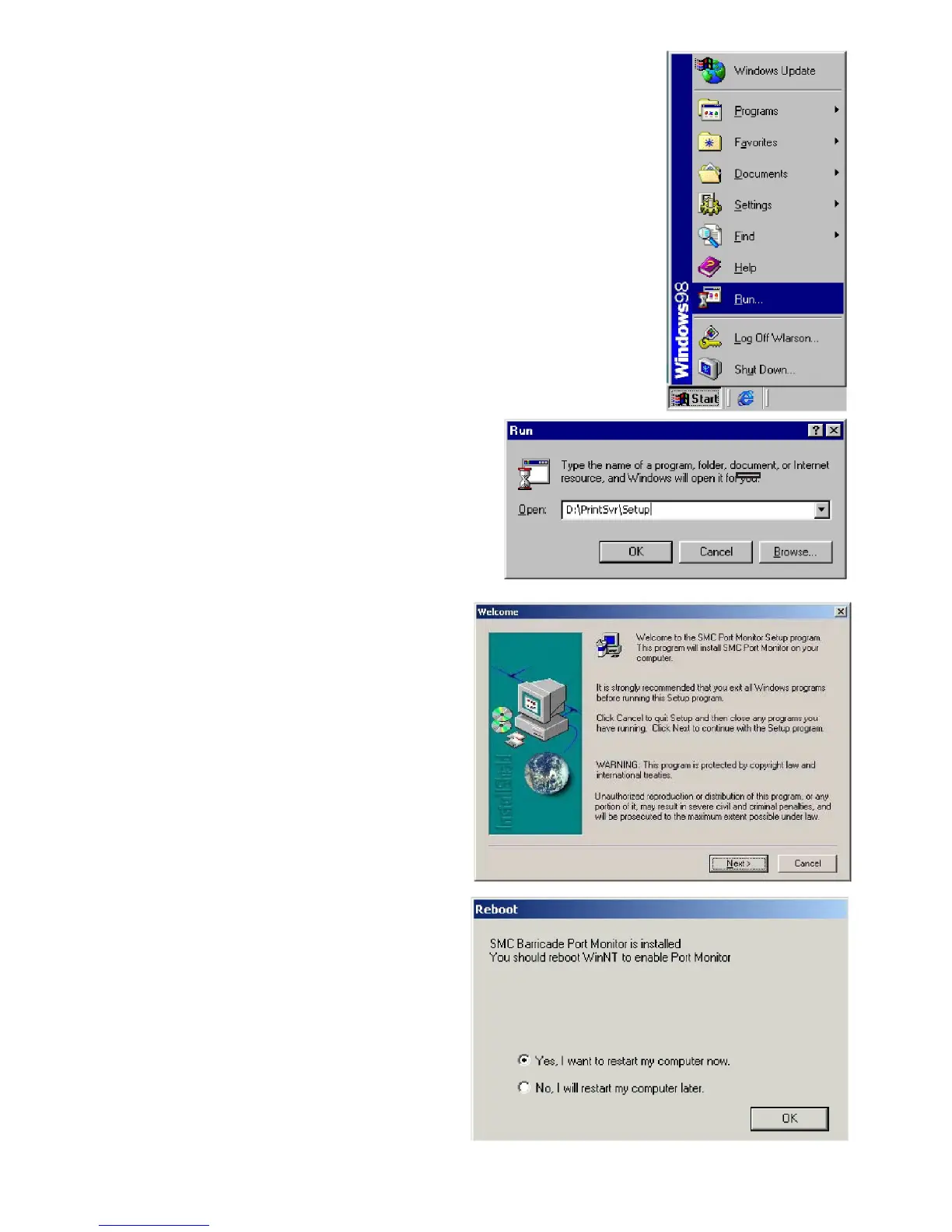
6. Insert the Installation CD into
your CD-ROM drive.
7. Click “Start” and “Run…”
8. Type “D:\PrintSvr\Setup” and
click “OK.”
9. InstallShield will guide you
through the installation process.
Click “Next >” for each window
and “Finish” when complete.
10. Windows must reboot for
the changes to take place.
When asked if you want to
reboot now, select yes and
click “OK.”


 To Next Page
 Loading...