EasyManua.ls Logo

SMC Networks PF2W740 - User Manual

Default Icon
48 pages
Print Icon
To Next Page IconTo Next Page
Loading...
No.PF※※-OMO0012-D
PRODUCT NAME
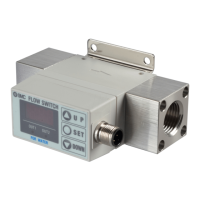
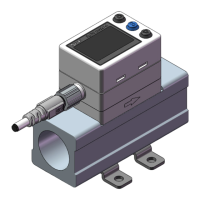
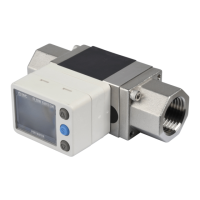
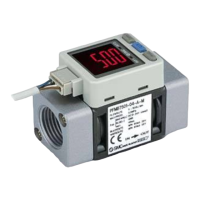
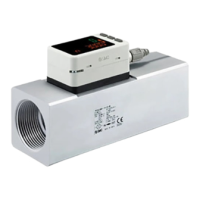
Digital Flow Switch
(Integrated display type)
MODEL / Series / Product Number
PF2W7##

Questions and Answers

  • X
    xgutierrezAug 15, 2025
    How to fix SMC Networks Switch when display is off?
    • K
      Kevin HeathAug 15, 2025
      If the display of your SMC Networks Switch is off, it could be due to a wiring failure or a loose connector. Correct the wiring or check the connector to resolve the issue.
  • J
    Jennifer EricksonAug 18, 2025
    What to do if there is no output from SMC Networks Switch?
    • S
      susan24Aug 18, 2025
      If your SMC Networks Switch has no output, the cause may be a wiring failure or a loose connector. Ensure the wiring is correctly connected and check the connector.
  • D
    Donna GoldenAug 21, 2025
    Why is the display not correct on my SMC Networks PF2W740 Switch?
    • R
      Robert NorrisAug 22, 2025
      If the display on your SMC Networks Switch is not correct, it could be due to several reasons: foreign matter inside, incorrect piping direction, insufficient fluid supply, an incorrect flow unit selection, or liquid leakage. To resolve this: * Set up a filter (approx. 40 mesh) at the IN side. * Ensure the mounting direction corresponds to the flow direction. * Full up the fluid path. * Select the appropriate flow unit. * Check that seal tape has been applied correctly and reconnect the pipes with the specified tightening torque.
  • R
    Ryan ScottAug 25, 2025
    Why is the display unstable on my SMC Networks PF2W740 Switch?
    • R
      Rebecca NguyenAug 25, 2025
      An unstable display on your SMC Networks Switch can be caused by foreign matter inside, incorrect piping direction, insufficient fluid supply, pulsation in the flow, or liquid leakage. Here are some possible solutions: 1. Set up a filter (approx. 40 mesh) at the IN side of the product. 2. Install with the mounting direction corresponding to the flow direction. 3. Ensure sufficient fluid supply. 4. Address pulsation in the flow by changing the pump or installing a tank. 5. Check for liquid leakage and reconnect the pipes with the specified tightening torque.
  • A
    Anthony SharpAug 27, 2025
    What causes unstable output in SMC Networks PF2W740?
    • J
      Jennifer ScottAug 28, 2025
      Unstable output from your SMC Networks Switch can stem from several issues: foreign matter inside, incorrect piping direction, insufficient fluid supply, pulsation in the flow, liquid leakage, or a hysteresis that is too narrow. To address this, try the following: * Set up a filter (approx. 40 mesh). * Ensure correct piping direction. * Provide sufficient fluid supply. * Reduce flow pulsation. * Check for liquid leakage. * Increase the hysteresis.
  • D
    Denise MercadoAug 30, 2025
    How to unlock buttons on SMC Networks PF2W740?
    • A
      Ashley CummingsAug 30, 2025
      If the buttons on your SMC Networks Switch cannot be operated, it is likely that the Key-lock mode is activated. Cancel the Key-lock function.
  • T
    Theresa SanchezSep 2, 2025
    How to reset excessive accumulated flow on SMC Networks PF2W740?
    • M
      Micheal AyersSep 3, 2025
      To reset the accumulated flow value on your SMC Networks Switch, press and buttons simultaneously for 2 seconds or longer.
  • K
    Kyle SmithSep 5, 2025
    What to do for excessive instantaneous flow on SMC Networks PF2W740?
    • D
      Daniel RobinsonSep 5, 2025
      If there is excessive instantaneous flow in your SMC Networks Switch, reduce the flow.
  • M
    Michelle NelsonSep 8, 2025
    How to fix OUT1 over current error on SMC Networks Switch?
    • B
      Barbara PerezSep 8, 2025
      To fix an OUT1 over current error on your SMC Networks Switch, turn the power off, remove the cause of the over current, and then turn the power back on.
  • M
    Michael CollinsSep 12, 2025
    How to resolve system error on SMC Networks PF2W740 Switch?
    • J
      jason94Sep 12, 2025
      To reset your SMC Networks Switch after a system error, press and buttons simultaneously for 2 seconds or longer. Then, set all data again.

Summary

Safety Instructions and Precautions

Hazard Identification and Classification

Explains hazard levels (Caution, Warning, Danger) and associated risks.

User Responsibilities and Operational Safety

Covers product compatibility, designer's role, trained personnel, and general operation safety.

Maintenance and Wiring Safety

Provides safety guidelines for maintenance procedures and electrical wiring.

Piping and Connection Procedures

Piping Installation Requirements

Specifies operating conditions, fluid direction, and straight pipe length for proper piping.

Electrical Wiring and Circuit Diagrams

Configuration Modes and Settings

Initialize Mode Setup Guide

Step-by-step guide for setting display, units, output modes, and switch operations.

Function Selection for Output Values

Procedure for setting instantaneous and accumulated output values.

Maintenance and Troubleshooting

Troubleshooting Common Issues

Provides a guide to identify and resolve common operational faults and errors.

Product Specifications and Data

SMC Networks PF2W740 Specifications

General IconGeneral
BrandSMC Networks
ModelPF2W740
CategorySwitch
LanguageEnglish

Related product manuals