– 20 –
3
WINDOWS 2000/XP CONFIGURATION
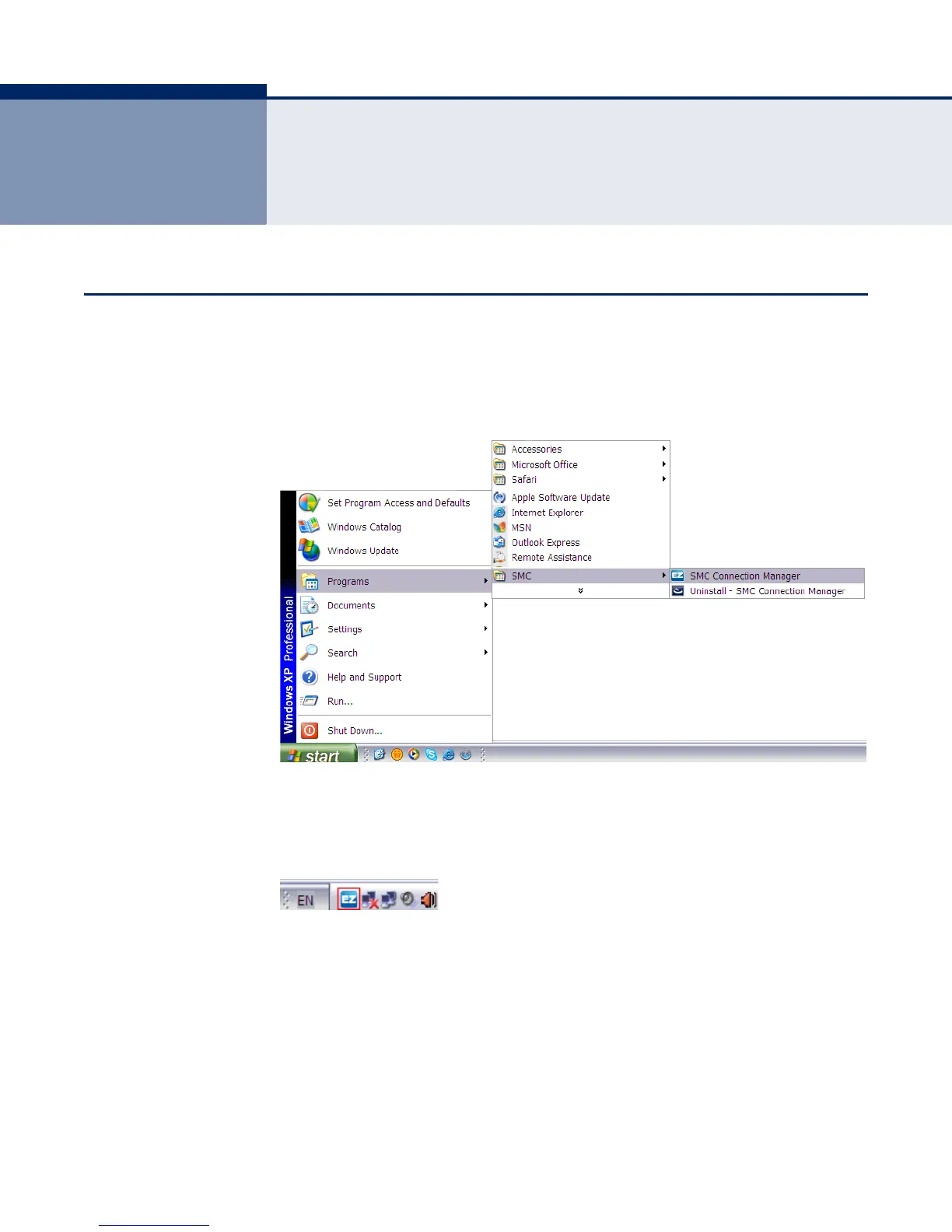
ACCESSING THE SMC CONNECTION MANAGER
Once the SMC Connection Manager installation is complete, the
configuration utility can be accessed by selecting the “SMC Connection
Manager” icon from the “SMC” folder.
Figure 11: Accessing EZ Connect N3 Wireless Utility
A quick launch icon will appear in the lower right-hand corner of the task
bar.
Figure 12: EZ Connect N3 Wireless Utility Icon
When the utility icon is displayed, it indicates that the Wireless USB
Adapter driver is installed properly.
Double-click the icon to open the SMC Connection Manager program,
providing quick access to the adapter settings.
The utility screens are similar in Microsoft Windows 2000, XP and Vista.
The interface for Windows XP is described in this user guide.


 To Next Page
 Loading...