A
PPENDIX
A
| Troubleshooting
Uninstalling the Utility
– 40 –
◆ Make sure the access point that the station is associated with is
powered on.
◆ Check that the wireless settings (i.e., security, SSID, Channel) match
the access point or other stations to which you are attempting to
connect.
◆ If you still cannot connect, change the access point and all the stations
within the BSS to another radio channel.
UNINSTALLING THE UTILITY
If you are having problems with the utility, you may need to uninstall the
software from the system.
Follow these steps:
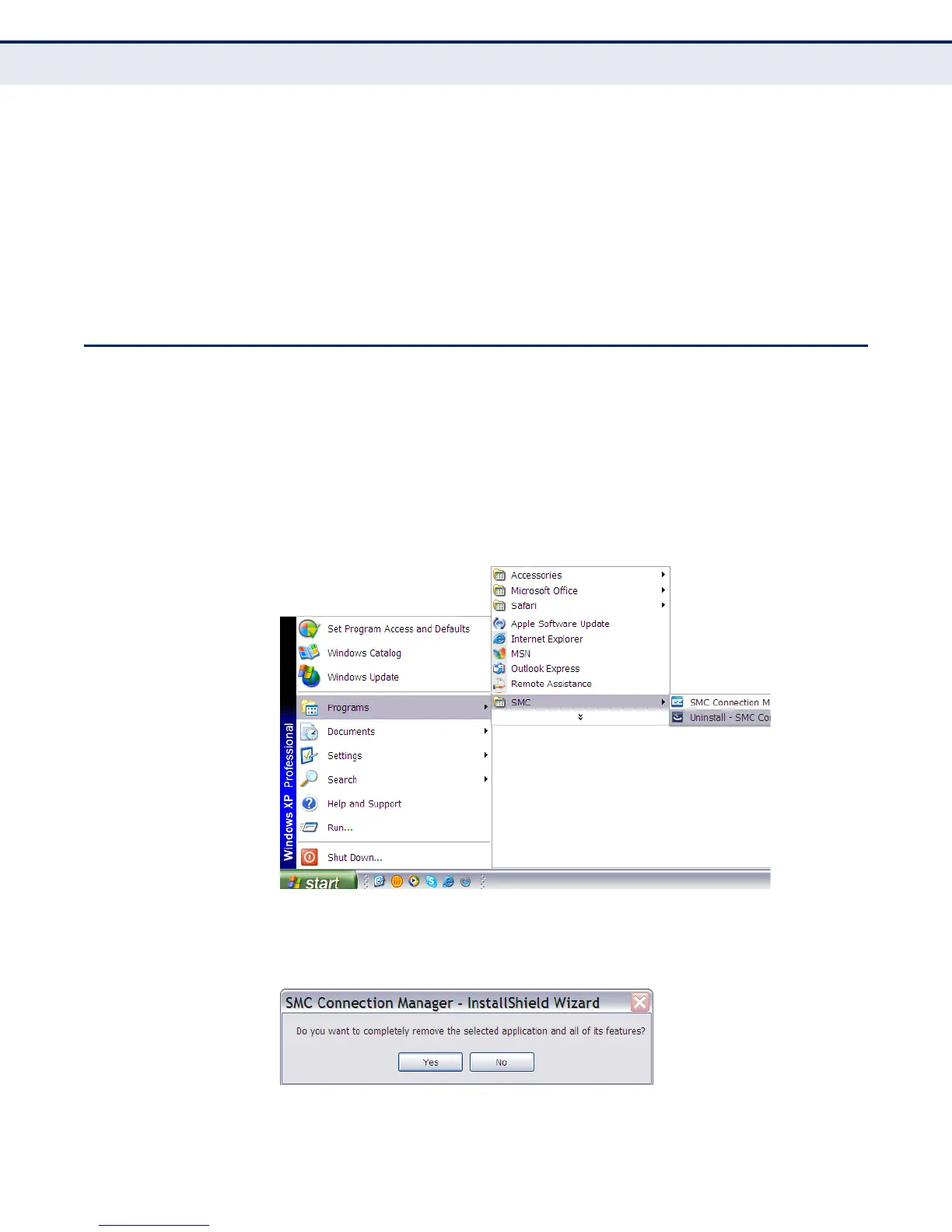
1. From the Windows Start menu, find the SMC EZ Connect N Utility
uninstall option. Click to start the uninstall process.
Figure 32: Windows XP Start Menu - Uninstall the Utility
2. Click Yes to uninstall the utility.
Figure 33: Start the Uninstall Process


 To Next Page
 Loading...