23
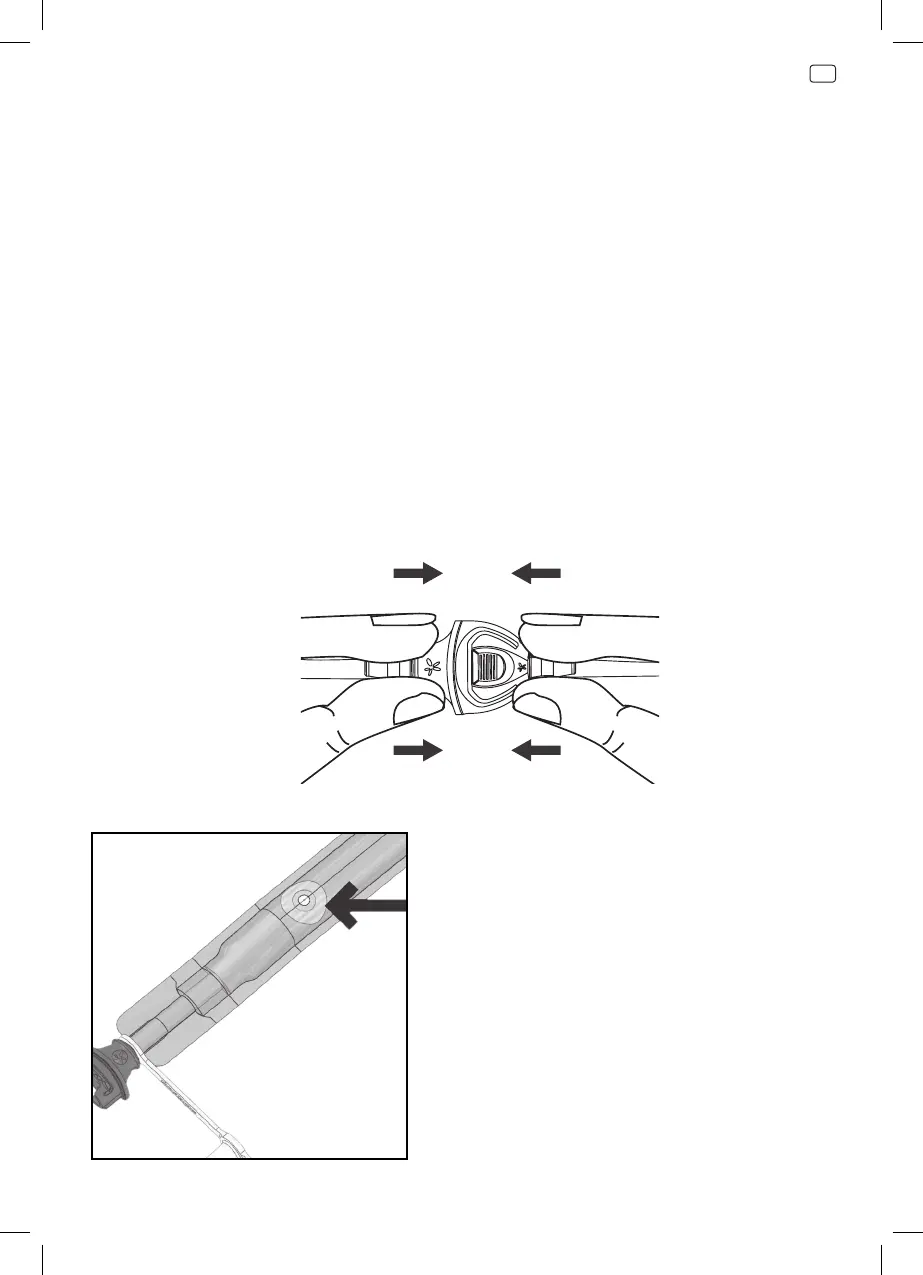
Reconnecting your dressing
Connect the dressing to the canister tubing by pushing the orange quick
click connectors together. An audible click indicates the connection is
secure.
Note: Do not cover the aeration disc
located near the orange connector
on your dressing tubing.
11. To confirm correct system setup, turn device on and insert attached
cap of canister tubing into orange quick click connector. Activation of
complete blockage alarm confirms correct system setup. If an alarm
does not activate within 5 minutes, check canister installation and
contact your healthcare provider.
Caution: Do not wait for alarm activation to change the canister. Canister
should be changed at least once a week, or when the canister contents
reach maximum volume indication (300ml or 750ml fill line).



 To Next Page