3
Starting a Print
5
Starten eines Drucks Iniciar una impresión
Lancement d’une impression Avvio della stampa
开始打印 プ リントの 開 始 인쇄�시작하기
15
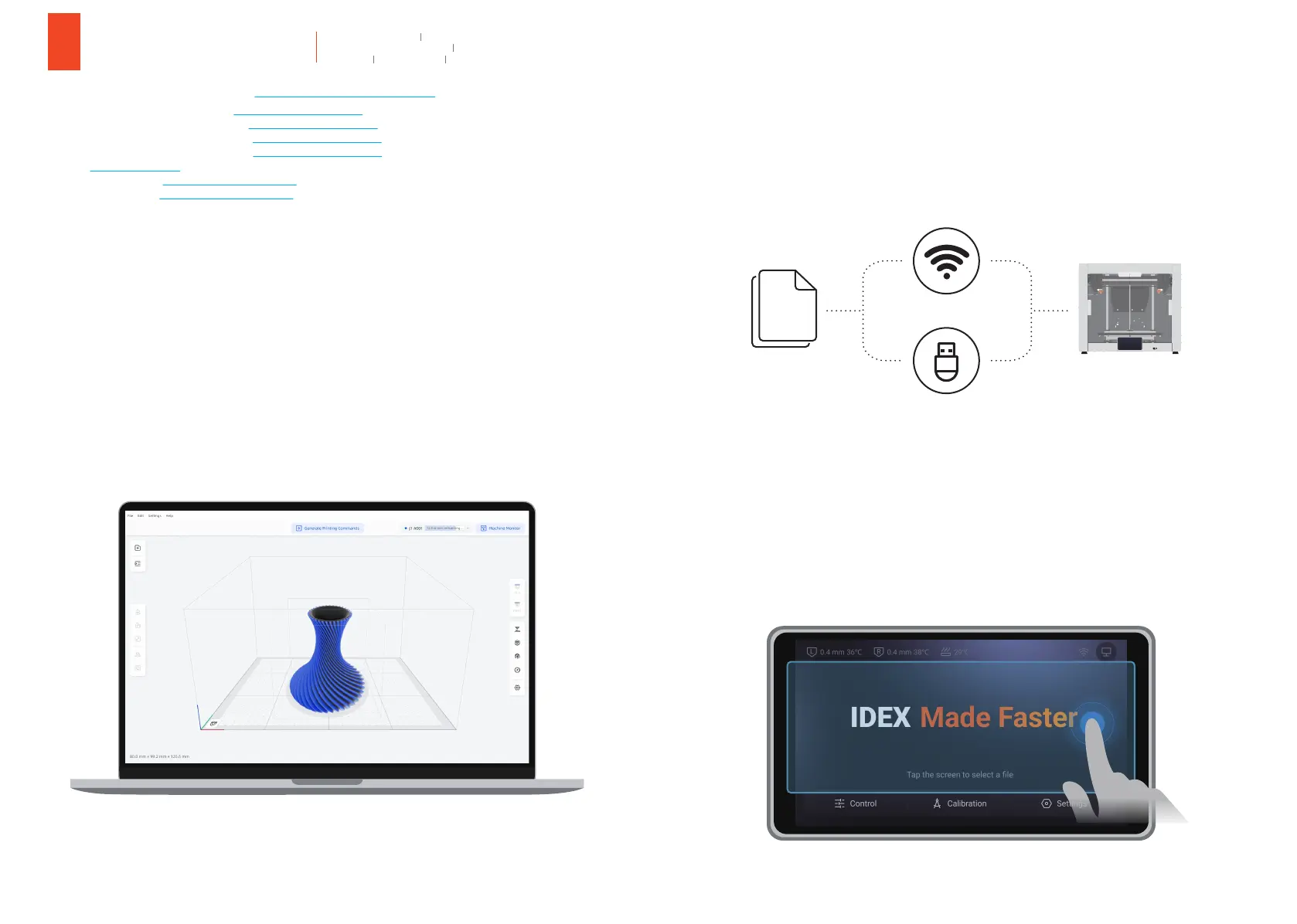
5.1 Download our slicing software at https://support.snapmaker.com and install it on your computer.
5.2 Slice your model and generate the G-code file in the slicing software.
Laden Sie unsere Slicing-Software unter https://support.snapmaker.com herunter und installieren Sie es auf Ihrem Computer.
Télécharger notre logiciel de découpage sur https://support.snapmaker.com et l’installer sur votre ordinateur.
Descargar nuestro software de slicing desde https://support.snapmaker.com e instalarlo en el ordenador.
Scaricare il nostro software di slicing dal sito https://support.snapmaker.com e installarlo sul computer.
前往 https://snapmaker.cn 下载并安装我们的切片软件。
当 社 の スラ イス ソフト を https://support.snapmaker.com からダウンロードして、お使いのコンピューターにインストールします。
슬라이싱�소프트웨어를 https://support.snapmaker.com 에서�다운로드하여�컴퓨터에�설치합니다.
Slicen Sie Ihr Modell und generieren Sie die G-Code-Datei in der Slicing-Software.
Découper en tranches votre modèle et générer le fichier de code G dans le logiciel de découpage.
Cortar el modelo y generar el archivo de código G en el software de slicing.
Selezionare il modello e generare il file Codice G con il software di slicing.
使用切片软件对准备好的模型进行切片,生成 G 代码。
スライスソフトでモデルをスライスして、G コ ードファイル を生 成します。
모델을�슬라이스하고�슬라이싱�소프트웨어에서 G-code 파일을�생성합니다.
14
5.3 Send the G-code file to the printer via Wi-Fi or USB flash drive.
5.4 On the Touchscreen, tap the blank area in the home screen to select the file to print.
Senden Sie die G-Code-Datei per Wi-Fi oder USB-Stick an den Drucker.
Envoyer le fichier de code G vers l’imprimante via Wi-Fi ou une clé USB.
Enviar el archivo de código G a la impresora a través de Wi-Fi o una unidad flash USB.
Inviare il file Codice G alla stampante tramite Wi-Fi o unità USB.
将 G 代码文件通过 Wi-Fi 或 U 盘传送至打印机。
Wi-Fi または USB フラッシュドライブを介して、G コードファイルをプリンターに送信します。
Wi-Fi 또는 USB 플래시�드라이브를�통해 G-code 파일을�프린터로�보냅니다.
Tippen Sie auf dem Touchscreen auf den leeren Bereich auf dem Startbildschirm, um die zu druckende Datei auszuwählen.
Sur l’écran tactile, appuyer sur la zone vierge de l’écran d’accueil pour sélectionner le fichier à imprimer.
En la pantalla táctil, hacer clic sobre la zona en blanco de la pantalla de inicio para seleccionar el archivo que se quiere imprimir.
Sullo Schermo a sfioramento, toccare l’area vuota sulla schermata iniziale per selezionare il file da stampare.
在触控屏的主界面上,点击任意空白处,即可选择文件开始打印。
タッチスクリーンで、ホーム画面の空白の領域をタップして、プリントするファイルを選択します。
터치스크린에서�홈�화면의�빈�공간을�눌러�인쇄할�파일을�선택합니다.
G
Code



 To Next Page