24
D745 User Manual Getting to Know Your Phone
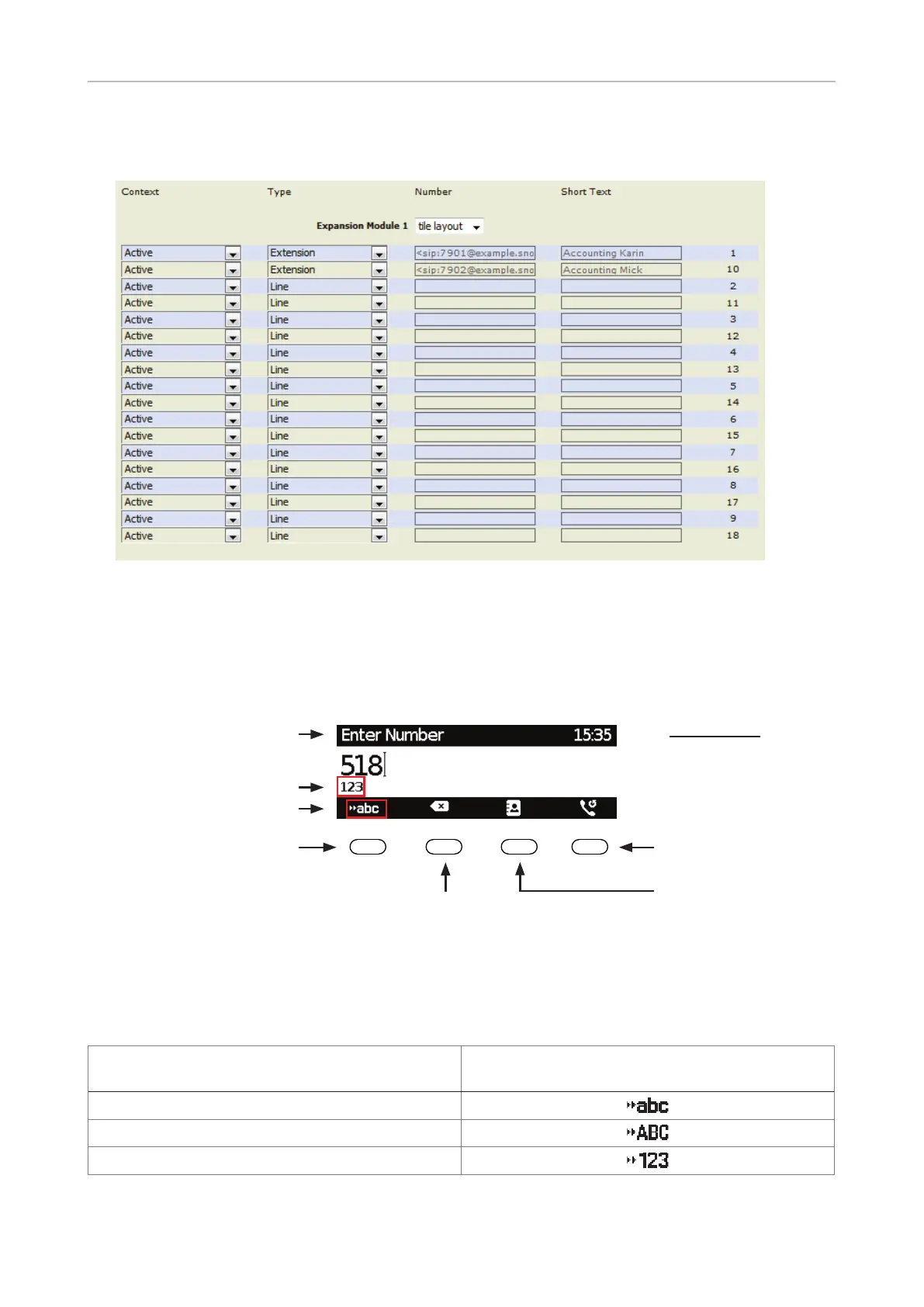
When expansion modules are connected to the phone, they will also be shown on the function key
page of the phone's web interface, below the phone's function keys and above the Apply button.
Fig. 4 - Function keys of one connected D7 expansion module
Alphanumeric Keypad
Input modes and navigation
Current input mode
Activity
Next input mode
Move cursor to the left
Move cursor to the right
Changing input mode
Pool: Directory,
LDAP, call lists
123: Numerals
abc: Lower case
ABC: Upper case
letters
Delete character to
the left of the cursor
Redial
Press any key on the alphanumeric keypad or pick up the handset to open the "Enter Number" screen.
The current input mode is indicated underneath the cursor. Press the left function key underneath the
display to switch to the input mode indicated by the symbol directly above it in the function key line.
Text underneath cursor
= current input mode
Press function key to switch to input mode
indicated by symbol in function key line
123
abc
ABC



 To Next Page