58
D745 User Manual Using the Phone
3. Press .
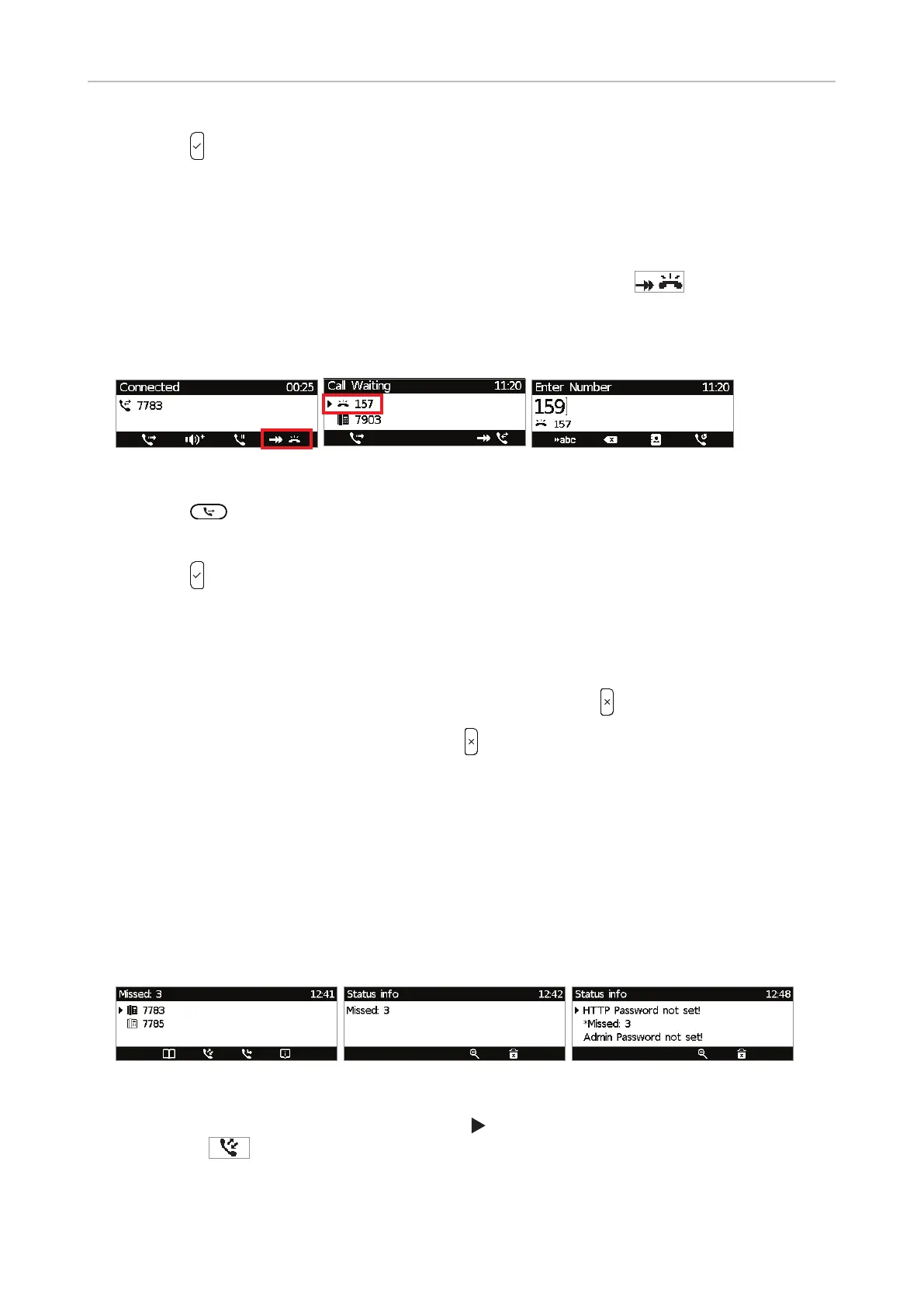
• Blind transfer of call waiting
For more information on call waiting, see .
1. If you are in a call and want to transfer a call waiting (Fig. 1), press
to put the call
waiting on-screen (Fig. 2).
NOTE: Your active call will remain active while you are transferring the ringing
call.
Fig. 1 Fig. 2 Fig. 3
2. Press .
3. Dial the number of the third party you intend to transfer the call to (Fig. 3).
4. Press
.
Terminating calls
• When using the handset: Place the handset in the cradle or press .
• When using speakerphone or a headset: Press
Missed Calls
Missed calls are indicated by the call LED (steady light) and by the text "Missed:" and the number
of missed calls in the status line (Fig. 1) and/or on the Status info screen (Fig. 2 or 3, respectively,
depending on whether or not there are other status messages).
Note: If there are status messages with a higher priority, the status line will show the
message with the highest priority.
Fig. 1 Fig. 2 Fig. 3
• To view your missed calls, press the right arrow on the navigation key or the function key
underneath
. To view details of the calls on the list, see "Call lists", next page.
• Turning o the missed call indications (LED and "Missed" message). Use one of the following
methods:



 To Next Page