Chapter 6 – Controls
A46JRT – 0260996 23
• Start switch
• Emergency stop button
• Drive joystick
• Steer switch
• Drive range switch
• Boom speed knob
• Rotation switch
• Riser switch
• Boom elevation switch
• Boom extension switch
• Jib articulation switch
• Platform level switch
• Platform rotation switch
• Engine/Emergency power switch
• Horn
• Override switch
• Fuel switch (dual fuel machines)
•
AC generator switch (option)
• Hydraulic system warm-up switch (option)
Start Switch
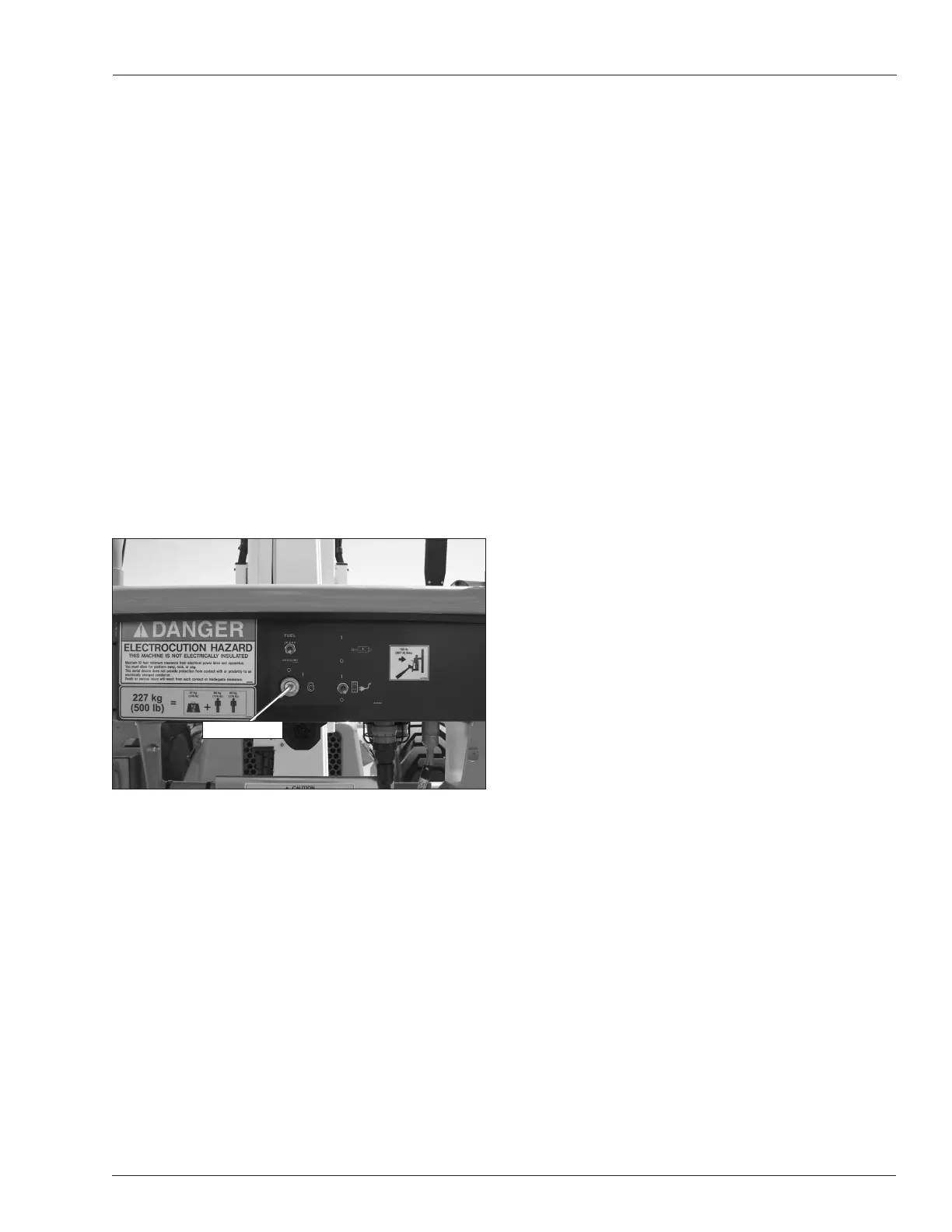
The engine can be started from the platform using the
start switch on the front of the upper control panel (refer
to Figure 6.6).
Figure 6.6 – Upper Control Panel Front
This switch is similar to an automobile ignition switch.
• Turn the switch to start until the engine starts, then
release it to on.
• If the engine dies, the switch must be turned to off
before it can be turned back to start.
An alarm sounds, when the switch is turned on, to warn
others that the machine engine is being started.
Note
On some machines it may be necessary to pause about
three seconds in the on position before going to start so
the starter can engage.
If the platform is to stay in a particular position for a long
time, turn the start switch to off to shut off the engine and
save fuel.
Emergency Stop Button
The emergency stop is a two-position, red push button
on the top of the upper control panel (refer to Figure 6.5).
• Push the button inward to disconnect power from all
control circuits at the upper controls.
• Pull the button outward to restore power.
Note
The lower controls override the upper controls. If the up-
per control emergency stop button is engaged the lower
controls can still be used to operate the aerial platform.
• Push the emergency stop button inward when the
upper controls are not in use to protect against un-
intentional operation.
Drive Joystick
The drive joystick (refer to Figure 6.5) is used to control
forward and reverse motion of the aerial platform. The
distance the joystick is moved is proportional to the ma-
chine drive speed.
Hold the joystick forward to move the aerial platform
forward and backward to move in reverse as indicated
by the directional arrows on the chassis.
Drive and steer functions may be operated simultane-
ously.
Steer Switch
The steer switch (refer to Figure 6.5) is a momentary con-
tact, rocker switch on top of the drive joystick. This switch
controls the two front wheels to steer the aerial platform.
• To steer to the right, hold down the right side of the
steer switch.
• To steer to the left, hold down the left side of the steer
switch.
Note
The steering wheels are not self-centering. Set the steer-
ing wheels straight ahead after completing a turn.
Drive Range Switch
The drive range switch (refer to Figure 6.5) has two po-
sitions to select drive wheel operation when the booms
are in the stowed position; tip boom fully retracted and
main boom fully lowered.
• High range (rabbit) – high speed drive (4.5 mph) with
booms in the stowed position.
• Low range (turtle) – creep speed (0.8 mph) with high
torque drive operation with booms in any position.
The drive range operates in low when the booms are out
of the stowed position, regardless of the position of the
drive range switch.
Start Switch


 To Next Page